IPTV Streaming in 2026: Everything You Need to Know About Internet Television in the UK
Introduction
The way people watch television has changed considerably over the past few years. Traditional television services are no longer the only option for viewers who want access to entertainment, films, documentaries, news and live programmes. With faster broadband connections, smart televisions and connected devices becoming increasingly common, IPTV streaming has become an important part of the modern television landscape.
For viewers across the United Kingdom, internet-based television offers another way to access video content without relying entirely on conventional aerial or satellite connections. Whether someone watches programmes on a smart TV, laptop, tablet or mobile phone, internet delivery has made television more flexible and accessible.
However, understanding IPTV streaming involves more than simply knowing how to watch programmes online. Viewers should also understand how the technology works, what equipment is required, how internet speed affects playback, and why choosing a reliable and properly authorised provider matters.
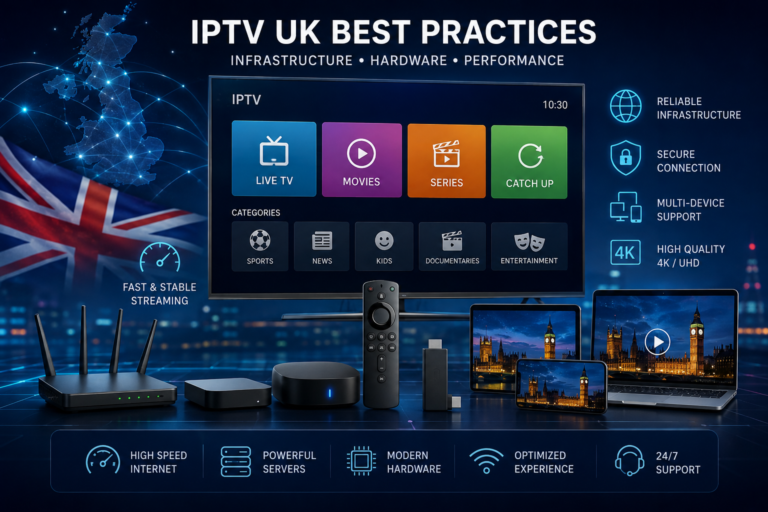
This guide explores the essential aspects of IPTV streaming in 2026. It covers the technology behind internet television, common features, compatible devices, streaming quality, privacy considerations and important information for UK viewers.
The aim is to provide clear and practical information so readers can understand the technology and make informed decisions about their viewing habits.
1. What Is IPTV Streaming?

IPTV stands for Internet Protocol Television. It describes a method of delivering television content through an internet connection rather than relying exclusively on traditional terrestrial, satellite or cable broadcasting.
In a conventional television setup, programmes are transmitted through a broadcasting network and received by an aerial, satellite dish or cable connection. IPTV streaming uses internet-based communication to deliver video content to compatible devices.
The technology allows viewers to access different types of programming, depending on the service being used. These may include live television, catch-up programmes, recorded content and video-on-demand libraries.
One of the main differences is how content reaches the viewer. Rather than receiving a traditional broadcast signal, a connected device requests digital video content through an internet connection.
This makes IPTV streaming suitable for a variety of viewing environments, including homes, offices and locations where a stable internet connection is available.
How IPTV Differs from Traditional Television
Traditional television generally relies on established broadcasting infrastructure. Aerial television receives signals transmitted from terrestrial broadcasting facilities, while satellite services use signals delivered through satellites.
IPTV streaming, on the other hand, depends on internet connectivity and compatible software or hardware.
There are several practical differences:
- Internet connection: IPTV uses broadband rather than requiring a conventional television signal.
- Device flexibility: Content may be available on televisions, computers, tablets and smartphones.
- On-demand viewing: Some services allow viewers to select programmes whenever they want.
- Interactive features: Depending on the platform, users may have access to recommendations, search functions and personalised settings.
- Content delivery: Video is transmitted through internet networks rather than exclusively through traditional broadcast systems.
These differences explain why internet-based television has become an important part of the wider entertainment industry.
2. How Does IPTV Streaming Work?

Understanding how IPTV streaming works can help viewers recognise the technical requirements involved.
At its simplest, the process involves digital video content being prepared by a provider, transmitted through an internet network and displayed on a compatible device.
The process generally includes several stages.
Content Preparation
Before video content can be delivered online, it must be converted into a digital format suitable for internet transmission.
This process usually involves encoding and compression. These techniques reduce file sizes while maintaining an acceptable level of picture and sound quality.
Content Delivery
The prepared content is stored or transmitted through servers and network infrastructure.
When viewers select a programme, their device sends a request to the relevant service. The content is then delivered through the internet.
The performance of this process can depend on server capacity, network conditions, geographical distance and the viewer’s broadband connection.
Video Playback
A compatible application or media player receives the digital data and converts it into moving images and sound.
Modern streaming applications are designed to manage playback automatically. Some use adaptive bitrate technology, which adjusts video quality according to available internet bandwidth.
This helps maintain playback when network conditions change.
The Importance of Network Stability
A fast internet connection is useful, but speed is not the only factor affecting IPTV streaming.
Connection stability, latency, Wi-Fi interference and network congestion can also influence the viewing experience.
For example, a household may have a high-speed broadband package but still experience interruptions because of weak wireless coverage or several devices using the network simultaneously.
Understanding these factors makes it easier to identify possible causes of playback problems.
3. Different Types of IPTV Streaming
IPTV streaming is not limited to one particular viewing format. Internet-based television services can provide several types of content.
Live Television
Live television allows viewers to watch programmes while they are being broadcast.
Examples include news coverage, entertainment programmes, sporting events and other scheduled broadcasts.
The main difference from traditional television is that the content is delivered through an internet connection.
Video on Demand
Video on demand, commonly abbreviated to VOD, allows viewers to choose content from an available library.
Instead of following a fixed broadcasting schedule, users can select a film, documentary or television programme whenever it suits them.
This approach offers greater flexibility for people with different schedules.
Catch-Up Television
Catch-up television allows viewers to watch selected programmes after their original broadcast.
It is particularly useful for people who cannot watch a programme at its scheduled time.
Availability depends on the platform and the rights associated with individual programmes.
Time-Shifted Television
Some television platforms provide time-shifting features that allow viewers to pause, rewind or restart selected programmes.
These features can make television more convenient, particularly when someone wants to return to a section they missed.
Not every service offers the same functions, so viewers should check the features available on the platform they use.
4. Why IPTV Streaming Has Become Popular
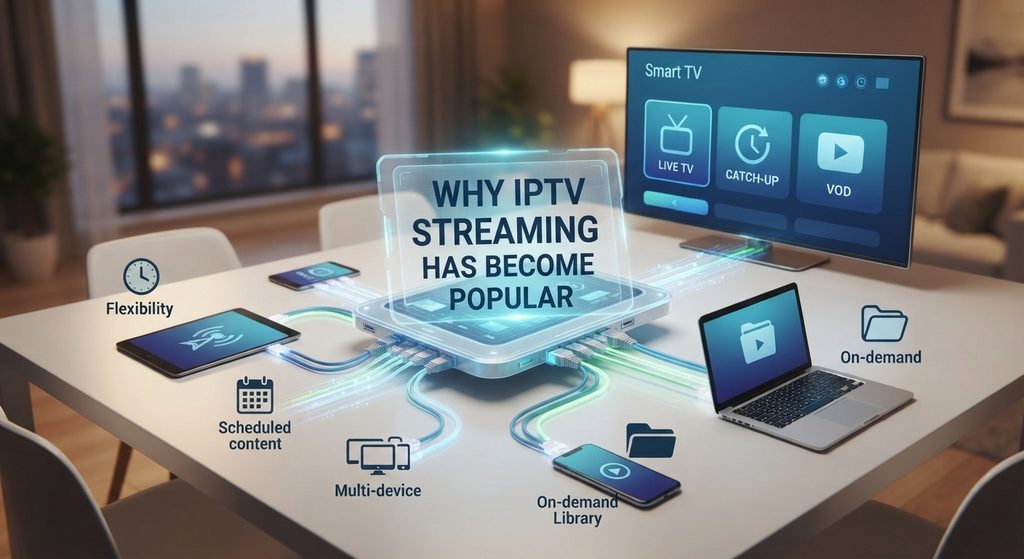
The popularity of IPTV streaming is connected to wider changes in internet access, digital entertainment and consumer viewing habits.
People increasingly expect content to be available across different devices and at times that suit their daily routines.
Internet-based television can support these expectations in several ways.
Greater Viewing Flexibility
One of the most recognised benefits of IPTV streaming is flexibility.
Traditional television schedules require viewers to watch programmes at specific times unless recording or catch-up facilities are available.
Internet-based services can offer on-demand libraries and flexible playback options.
This allows people to organise their viewing around work, education, family activities and personal interests.
Access Across Multiple Devices
Many modern television platforms support more than one type of device.
Depending on the provider, viewers may be able to access content through:
- Smart televisions.
- Desktop computers.
- Laptop computers.
- Tablets.
- Compatible smartphones.
- Supported streaming devices.
This flexibility means viewers are not always restricted to watching television in one room.
Personalised Viewing
Some IPTV streaming platforms include recommendation systems that suggest content based on viewing activity.
These systems may organise programmes into categories or highlight content related to previous selections.
Personalisation can make large content libraries easier to navigate.
However, users should understand how viewing information is collected and whether recommendation features can be adjusted.
Convenient Content Discovery
Search tools, programme descriptions and category filters can simplify the process of finding something to watch.
A well-organised interface may include separate sections for films, television programmes, documentaries and other categories.
The usefulness of these features depends on the design and quality of the application.
Flexible Entertainment Options
Internet-based television has contributed to a wider range of entertainment choices.
Viewers can use different services for different purposes, such as watching live news, catching up with programmes or selecting on-demand entertainment.
This has changed how many households organise their television subscriptions.
5. IPTV Streaming and Device Compatibility
Device compatibility is an important consideration when evaluating any internet television service.
Not every application works on every television or operating system. Checking compatibility before installing software can help prevent unnecessary problems.
Smart TVs
Many modern smart televisions include built-in internet connectivity and access to application stores.
Depending on the manufacturer and operating system, users may be able to install supported streaming applications directly onto their televisions.
Common smart TV environments include:
- Samsung Tizen.
- LG webOS.
- Android TV.
- Google TV.
Application availability varies between platforms and television models.
Before installing an application, viewers should check the manufacturer’s official store and confirm that the software is supported.
Streaming Devices
Some households use external streaming devices to access internet-based entertainment.
These devices connect to a television through an appropriate connection and provide access to supported applications.
Compatibility, software updates and device performance should all be considered before choosing additional hardware.
Smartphones and Tablets
Mobile devices offer another way to access IPTV streaming.
A compatible application can allow users to watch supported content through a Wi-Fi or mobile data connection.
Screen size, battery consumption and data usage may influence the overall experience.
For extended viewing sessions, users may prefer a larger screen.
Computers and Laptops
Computers provide another flexible option.
Depending on the platform, content may be accessible through a supported browser or dedicated application.
A stable connection and an updated browser can help ensure smooth playback.
Checking Compatibility Before Installation
Before using a streaming application, viewers should confirm:
- Whether their device is supported.
- Whether the operating system meets the application’s requirements.
- Whether the application is available through an official store.
- Whether regular software updates are provided.
- Whether the device has sufficient available storage.
- Whether the application requires any additional subscriptions.
Checking these details in advance can make the installation process easier.
6. Internet Speed and IPTV Streaming Quality
Broadband performance plays an important role in IPTV streaming.
A connection that works well for browsing websites may not always provide the same experience when several people are watching high-resolution video or using bandwidth-intensive applications simultaneously.
Understanding Download Speed
Download speed describes how quickly data can be received through an internet connection.
Streaming platforms use download bandwidth to deliver video and audio content.
Higher-resolution video generally requires more bandwidth than lower-resolution video.
However, the precise requirements vary depending on video compression, frame rate, platform technology and other technical factors.
Standard Definition
Standard definition uses less bandwidth than higher-resolution formats.
It can be suitable for smaller screens or connections with limited capacity.
High Definition
High-definition video provides greater visual detail and is widely used across modern streaming platforms.
Its performance depends on the quality of the source, available bandwidth and the capabilities of the viewing device.
Ultra High Definition
Ultra-high-definition content provides a higher level of picture detail.
However, it generally requires more bandwidth, compatible hardware and suitable source material.
Not every programme or streaming platform offers UHD playback.
Why a Fast Connection Can Still Buffer
Buffering happens when a player cannot receive video data quickly enough to maintain continuous playback.
Possible causes include:
- Weak Wi-Fi coverage.
- Network congestion.
- Busy household connections.
- Outdated equipment.
- Temporary service interruptions.
- Problems with the content delivery network.
A higher advertised broadband speed does not automatically eliminate these problems.
Wi-Fi Versus Wired Connections
Wi-Fi is convenient because it allows devices to connect without physical cables.
However, wireless performance can be affected by distance, walls, interference and the number of connected devices.
An Ethernet connection may provide more consistent performance where a suitable network cable can be used.
For households that regularly experience interruptions, checking the quality of the home network is a useful starting point.
7. Important Features to Evaluate in an IPTV Streaming Service
Different internet television platforms offer different features.
Rather than relying on advertising claims, viewers should examine the actual functionality and service information available.
Application Design
An intuitive interface makes it easier to find programmes and navigate different sections.
Useful interface features may include:
- Clear navigation menus.
- Search functionality.
- Organised categories.
- Readable programme information.
- Accessible settings.
- Straightforward account management.
A complicated interface can make an otherwise useful service frustrating to operate.
Electronic Programme Guides
An Electronic Programme Guide, or EPG, provides information about scheduled television programmes.
Depending on the service, it may display programme titles, descriptions, start times and upcoming broadcasts.
An accurate and regularly updated guide can make live television easier to navigate.
Video Quality Options
Some platforms provide different playback quality settings.
These may allow users to balance picture quality against available internet bandwidth.
Viewers should remember that selecting a higher resolution does not guarantee better picture quality if the original video source is poor.
Subtitle and Accessibility Support
Accessibility features can improve the viewing experience for people with different requirements.
These may include:
- Closed captions.
- Subtitles.
- Audio descriptions.
- Adjustable text sizes.
- Compatible screen-reader features.
The available options depend on the platform and individual programmes.
Customer Support
Clear customer support information is another important factor.
Viewers should be able to understand how to contact a provider, where to find help documentation and how technical issues are handled.
A transparent service should explain its support arrangements rather than making unrealistic promises.
Software Maintenance
Streaming applications require maintenance to remain compatible with changing operating systems and devices.
Regular updates may address technical problems, security issues and performance improvements.
Users should check whether applications receive updates through trusted distribution channels.
8. How to Evaluate the Reliability of an IPTV Service
Reliability is one of the most important considerations when assessing IPTV streaming.
A platform may advertise numerous features, but the actual experience depends on whether those features work consistently.
There are several aspects worth examining.
Service Transparency
A trustworthy provider should clearly explain what its service includes.
Important information may cover:
- Company identity.
- Contact details.
- Subscription conditions.
- Payment arrangements.
- Supported devices.
- Content availability.
- Cancellation procedures.
- Privacy policies.
If essential information is missing or difficult to understand, viewers should be cautious.
Consistent Performance
Reliable streaming involves more than achieving high picture quality during a short test.
Playback should remain reasonably stable under normal household network conditions.
However, performance can vary because of internet congestion, device limitations and temporary technical problems.
No service can guarantee uninterrupted playback under every possible circumstance.
Clear Subscription Information
Before subscribing to any internet television platform, consumers should understand its payment arrangements.
Check the advertised price, billing frequency, renewal conditions and cancellation process.
It is also important to understand whether additional costs may apply.
Content Availability
A streaming service should explain what content it offers and whether that content is authorised for distribution.
Availability may differ depending on geographical restrictions and licensing agreements.
A platform should not rely on vague claims about unlimited access without explaining the relevant content rights.
Independent Information
Reviews and feedback can provide useful background information.
However, individual reviews should not be treated as definitive proof of quality.
It is sensible to look for consistent feedback across independent sources and consider whether reviews provide specific, verifiable details.
9. IPTV Streaming Security and Privacy
Internet-based television involves the use of connected devices, applications and online accounts.
As with other digital services, privacy and security should be considered before installing applications or entering personal information.
Use Trusted Applications
Applications should be obtained through official application stores or trusted distribution channels.
Unknown installation files can introduce unnecessary security risks.
Before installing software, check the developer’s identity, application description and update history.
Review Application Permissions
Some applications request access to device functions or information.
Users should consider whether requested permissions are relevant to the application’s purpose.
For example, a basic television player may not need access to unrelated personal information.
Avoid granting permissions without understanding why they are required.
Protect Personal Information
A streaming account may contain personal details, subscription information and viewing preferences.
Use strong, unique passwords where account registration is required.
Avoid sharing login details with other people.
Be cautious about websites or applications requesting information that is not necessary for their advertised functionality.
Understand Payment Security
Before making a payment, confirm that the provider has clear billing information and identifiable contact details.
Use established payment methods that provide transaction records and appropriate consumer protections.
Be cautious of unusual payment requests or arrangements that make it difficult to identify the recipient.
Keep Devices Updated
Software updates can address security vulnerabilities and compatibility problems.
Keeping televisions, mobile devices, streaming equipment and applications updated is a useful general security practice.
Protect Your Home Network
Home broadband routers should use appropriate security settings.
Users should change default administrator passwords, install available firmware updates and use secure wireless encryption.
These measures help protect connected household devices.
10. IPTV Streaming in the United Kingdom
The UK television market includes traditional broadcasters, subscription platforms, free-to-air services and internet-based entertainment providers.
As broadband access and connected devices have become more widespread, IPTV streaming has become an increasingly familiar way of watching television.
UK viewers may access online television through official broadcaster applications, subscription services and other authorised digital platforms.
The Role of Ofcom
Ofcom is the UK’s communications regulator.
Its responsibilities include aspects of television broadcasting and certain on-demand programme services.
However, not every programme or internet-delivered channel is regulated in the same way.
Ofcom explains that some channels delivered through the internet may not fall under the same broadcasting rules as channels appearing on a regulated Electronic Programme Guide.
Viewers should therefore consider the nature of the service and the content they access.
Free-to-Air Television
The UK has several established ways to access free television content.
These include traditional terrestrial television and official internet-based services.
Depending on the platform, viewers may have access to live broadcasts, catch-up programmes and on-demand content.
Subscription Streaming
Subscription services typically charge users through recurring payments.
Some provide films and television programmes, while others include live broadcasts or specialised content.
Consumers should compare the available features, payment conditions and content rights before choosing a subscription.
Broadband Availability
Internet television depends on broadband connectivity.
The quality of the experience can differ between households depending on local infrastructure, network capacity and the broadband package being used.
People living in rural locations may have different connectivity options from those in larger towns and cities.
Checking actual connection performance can provide a more realistic picture than relying exclusively on advertised maximum speeds.
11. Is IPTV Streaming Legal in the UK?
The legality of IPTV streaming depends on how the service is operated and whether the content is distributed with the appropriate permission.
IPTV itself is a technology. It is not automatically legal or illegal.
Legitimate broadcasters and authorised streaming platforms use internet-based delivery to distribute television programmes, films and other content.
Problems arise when copyrighted material is distributed or accessed without the necessary authorisation.
The UK Government explains that illicit streaming involves watching copyrighted content without the copyright owner’s permission. This can happen through televisions, computers, smartphones and streaming devices.
Understanding Content Licensing
Television programmes, films and sporting events are often protected by copyright.
The rights holder may grant permission for a particular broadcaster or platform to distribute that material.
These permissions can include geographical restrictions, subscription conditions and limits on the types of devices that may be supported.
A service should have the necessary rights to distribute the content it makes available.
Why Consumers Should Check Providers
Before using an internet television service, viewers should look for clear information about the provider and its content arrangements.
Warning signs may include:
- No identifiable company information.
- Unclear subscription conditions.
- Unexplained payment arrangements.
- Vague claims about content availability.
- Missing contact information.
- Applications distributed through questionable sources.
These indicators do not independently establish that a service is unlawful, but they justify further investigation.
TV Licensing Requirements
UK TV Licensing rules are also relevant to internet-based television.
In general, a TV Licence is required if someone watches or records live television programmes on any channel or service, including through the internet.
A licence is also required to use BBC iPlayer.
People who only watch on-demand content through other services, and do not watch live television or use BBC iPlayer, generally do not need a TV Licence.
Because individual viewing habits can differ, it is sensible to check the official TV Licensing guidance.
12. Common IPTV Streaming Problems and Their Causes
Even well-established streaming platforms can experience technical difficulties.
Understanding common problems can help viewers identify whether an issue relates to their internet connection, device or the service itself.
Buffering
Buffering occurs when video playback pauses because the player does not have enough data available to continue smoothly.
Potential causes include insufficient bandwidth, wireless interference and network congestion.
The problem may also originate from the streaming platform.
Poor Picture Quality
Low picture quality can result from several factors.
These include limited bandwidth, automatic quality adjustment, source resolution and device limitations.
Some applications automatically lower video quality when the connection becomes unstable.
Application Crashes
An application may close unexpectedly because of outdated software, device compatibility problems or insufficient available memory.
Checking for official updates and confirming system requirements may help identify the cause.
Login Difficulties
Login problems may be associated with incorrect account details, expired subscriptions or temporary authentication issues.
Users should only enter account information through verified applications or official websites.
Audio and Video Synchronisation
Sometimes the audio does not match the video correctly.
This may be caused by playback software, device performance or a temporary processing issue.
Restarting the application or checking for software updates may help.
Connection Errors
Connection errors may occur when a device cannot communicate successfully with the relevant service.
The cause may be a local network issue, temporary server problem or application configuration fault.
Checking whether other internet services are working can help distinguish between a general connectivity problem and a platform-specific issue.
13. How to Choose an Appropriate IPTV Streaming Service
Choosing a streaming platform requires consideration of personal viewing preferences, technical requirements and consumer protection.
Rather than focusing exclusively on price or advertising claims, viewers should assess the complete service.
Identify Your Viewing Requirements
Start by considering what type of content you normally watch.
Some people mainly watch films and television series, while others prefer live news, documentaries or catch-up programmes.
Understanding these preferences can make it easier to identify suitable platforms.
Check Device Support
Confirm that the platform works with your existing television or device.
If an application requires additional hardware, consider whether that equipment is compatible and whether the extra cost is justified.
Review the Subscription
Read the subscription conditions carefully.
Check the payment frequency, renewal arrangements, cancellation policy and any applicable additional charges.
Avoid making decisions based on promotional prices without understanding the full terms.
Examine Privacy Information
A responsible service should provide an understandable privacy policy.
This should explain what information is collected, how it is used and whether it is shared with other organisations.
Consider Accessibility
Subtitles, captions and audio descriptions can make content easier to access.
If these features are important, confirm that the platform supports them.
Evaluate the User Experience
A useful streaming platform should be relatively straightforward to navigate.
Clear menus, reliable search functions and accessible account settings can make a significant difference to everyday use.
Prioritise Authorised Content
Always consider whether a service has the appropriate permission to distribute its programmes.
Authorised services are more likely to provide clear information about content availability, customer support and subscription conditions.
14. The Future of IPTV Streaming
Internet-based television continues to develop as broadband infrastructure, digital devices and streaming technology improve.
Several developments are likely to influence the future of IPTV streaming.
Improved Video Compression
Video compression technology helps reduce the amount of data required to transmit digital content.
More efficient compression can improve streaming performance while maintaining visual quality.
Higher Resolution Content
High-resolution formats continue to develop.
As compatible televisions become more common and broadband infrastructure improves, viewers may gain access to a wider selection of higher-quality content.
However, the availability of such content depends on production, licensing and platform support.
Personalised Recommendations
Streaming platforms increasingly use recommendation systems to help viewers discover programmes.
These systems can make content discovery more convenient, although users should have appropriate control over their privacy and personalisation settings.
Greater Device Integration
Smart televisions, mobile devices and connected home equipment are becoming more closely integrated.
This may make it easier to move between devices and access entertainment in different environments.
Accessibility Improvements
Technology may also support better subtitles, audio descriptions, voice controls and other accessibility features.
These improvements can help make internet television more inclusive.
Changing Viewing Habits
The distinction between traditional broadcasting and internet-based entertainment may continue to become less noticeable.
Many viewers already combine live television, catch-up services and on-demand platforms as part of their everyday viewing habits.
15. Frequently Asked Questions About IPTV Streaming
What Does IPTV Streaming Mean?
IPTV streaming means delivering television content through an internet connection using Internet Protocol technology.
It can include live television, video-on-demand programmes and catch-up content, depending on the platform.
Is IPTV Streaming the Same as Online Streaming?
The terms are closely related.
IPTV refers specifically to television delivered using internet protocol technology, while online streaming is a broader term covering different types of internet-delivered audio and video content.
Can IPTV Streaming Work on a Smart TV?
Yes. Many smart televisions support internet-based television applications.
However, compatibility depends on the television’s operating system, model and the applications officially available for that device.
Does IPTV Streaming Require Broadband?
Yes. IPTV streaming relies on an internet connection.
The required connection quality depends on the video resolution, compression, platform and number of devices using the network.
Can IPTV Streaming Be Watched on a Smartphone?
Many authorised internet television platforms support smartphones.
Users should check application compatibility, mobile data requirements and the platform’s terms before using a service.
Why Does IPTV Streaming Sometimes Buffer?
Buffering can happen when a device cannot receive video data quickly enough.
Possible reasons include network congestion, weak Wi-Fi coverage, insufficient bandwidth or temporary service interruptions.
Is IPTV Streaming Legal in the UK?
IPTV technology is legal.
However, services must have the appropriate rights to distribute copyrighted content. Watching or distributing protected material without permission can raise copyright issues.
Do I Need a TV Licence for IPTV Streaming?
A TV Licence is generally required when watching or recording live television on any channel or service, including internet-based platforms.
It is also required to watch BBC iPlayer.
On-demand viewing through other services generally does not require a licence if the viewer does not watch live television or use BBC iPlayer.
Can IPTV Streaming Be Used on More Than One Device?
Some services support multiple devices, but the number of simultaneous connections may be limited by the provider.
Check the terms of the particular platform before assuming that several devices can be used at the same time.
What Is the Difference Between Live IPTV and VOD?
Live IPTV delivers programmes as they are being broadcast.
Video on demand allows viewers to select programmes from an available library and watch them at a time of their choosing.
Does IPTV Streaming Use a Lot of Data?
Data consumption depends on video resolution, compression and viewing duration.
Higher-resolution video generally uses more data than lower-resolution content.
People with limited broadband or mobile data allowances should consider these factors.
Are All IPTV Applications Safe?
No application should be considered safe simply because it provides television playback.
Users should check the developer, source of installation, permissions, privacy information and update history before installing software.
Can IPTV Streaming Replace Traditional Television?
For some households, internet television may meet most of their viewing requirements.
Others may prefer a combination of traditional television and internet-based services.
The most appropriate arrangement depends on personal preferences, connectivity and content availability.
Conclusion
IPTV streaming has become an important part of the changing television landscape. By delivering video content through internet connections, it provides another way for viewers to access live programmes, on-demand entertainment and catch-up television.
For UK households, the technology offers flexibility across smart televisions, computers, tablets and smartphones. However, the quality of the experience depends on several factors, including broadband performance, device compatibility, application design and service reliability.
It is equally important to consider privacy, payment transparency and content licensing when evaluating an internet television platform. Understanding these areas can help consumers make informed decisions and avoid services that provide insufficient information.
Ultimately, IPTV streaming is best understood as a technology rather than a guarantee of any particular viewing experience. A suitable platform should offer clear terms, compatible applications, reliable support and properly authorised content.
As internet infrastructure and connected devices continue to develop, IPTV streaming is likely to remain an important part of how people across the United Kingdom access television and digital entertainment.