IPTV Trial: 9 Essential Tips for a Better Streaming Experience in 2026
Choosing an internet television service is not always as straightforward as it first appears. Many platforms advertise impressive channel collections, extensive entertainment libraries and high-definition playback. However, promotional descriptions do not always explain how a service will perform on your television, internet connection or preferred streaming device. This is where an IPTV trial becomes particularly useful.
Instead of committing to a subscription immediately, viewers can use a trial period to understand the platform, explore its available features and decide whether it meets their expectations. A short testing period can reveal details that are difficult to judge from screenshots, product descriptions or customer reviews alone.
For viewers in the United Kingdom, the decision can involve several practical considerations. Device compatibility, broadband performance, programme information, picture quality and customer support all contribute to the overall experience. Understanding these factors before purchasing a subscription can help prevent unnecessary expenses and disappointing results.
This guide explains how an IPTV trial works, what viewers should examine during testing, which devices may be suitable and how to make a more informed subscription decision in 2026.
1. What Is an IPTV Trial and How Does It Work?
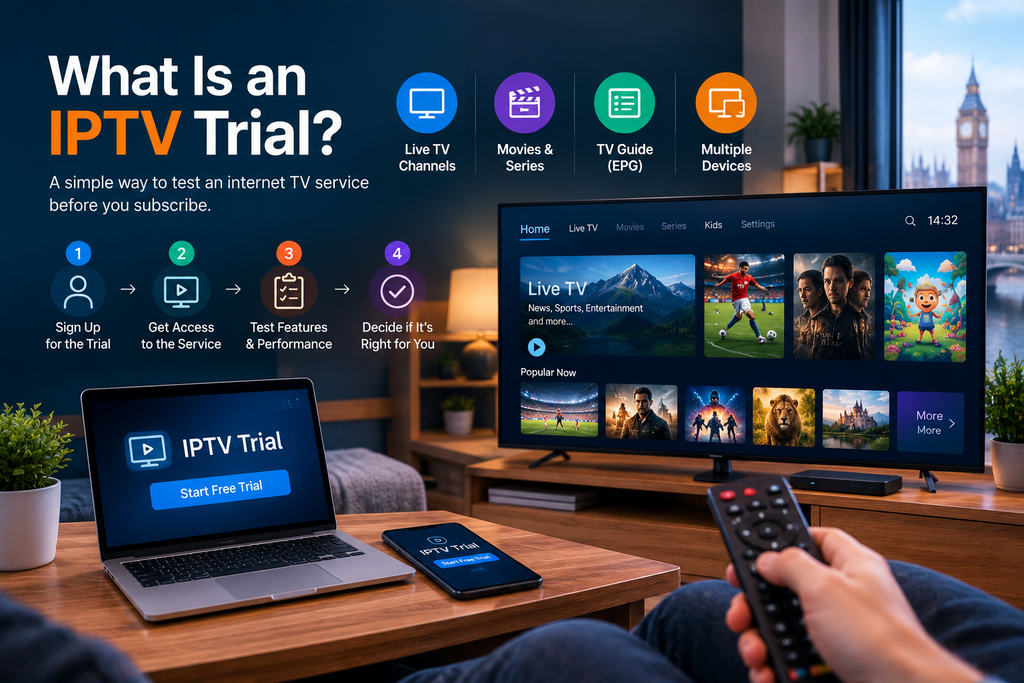
An IPTV trial is a temporary opportunity to explore an internet television service before deciding whether to purchase a longer subscription. IPTV stands for Internet Protocol Television, a technology that delivers television content through an internet connection rather than relying exclusively on traditional terrestrial or satellite broadcasting.
The main purpose of an IPTV trial is to let viewers experience the platform under conditions similar to their normal viewing routine. Depending on the provider, a trial might include access to selected live television channels, on-demand programmes, an electronic programme guide and other available features.
Trial arrangements are not identical across services. Some companies offer a limited free testing period, while others provide a short introductory subscription at a reduced price. The duration, available content and registration requirements depend on the individual offer.
Understanding the Different Trial Options
There are several ways a television streaming company might introduce its platform to potential customers.
Free testing periods
A free IPTV trial provides temporary access without charging a subscription fee during the stated period. Some offers require account registration, while others may provide access through a limited demonstration.
Before accepting an offer, viewers should confirm whether payment information is required and whether the trial automatically changes into a paid subscription.
Short introductory subscriptions
Some services use inexpensive introductory packages rather than completely free access. These arrangements allow customers to explore the platform while limiting their initial financial commitment.
The important consideration is understanding the total price, duration and cancellation conditions before purchasing.
Demonstration accounts
A demonstration account can provide access to selected features without offering the complete subscription experience. It may be useful for understanding the application layout, navigation system and general appearance of the platform.
However, a demonstration should not automatically be treated as evidence of how the complete service will perform.
Why Testing Before Subscribing Matters
A service might look attractive on its website but behave differently when installed on an actual television. Internet conditions, application compatibility and hardware limitations can all influence playback.
An IPTV trial allows viewers to investigate these details rather than relying entirely on advertising claims.
For example, someone using a Smart TV might discover that the recommended application is unavailable for their particular television model. Another viewer might find that the programme guide does not display information correctly in their region.
These are useful discoveries to make before purchasing a subscription.
2. Why an IPTV Trial Is Worth Considering Before Paying
A subscription is a financial commitment, even when the advertised monthly price appears relatively small. Making a decision without testing the important features can result in paying for something that does not suit your household.
Using an IPTV trial gives potential customers an opportunity to evaluate the actual viewing experience.
Check Whether the Service Meets Your Expectations
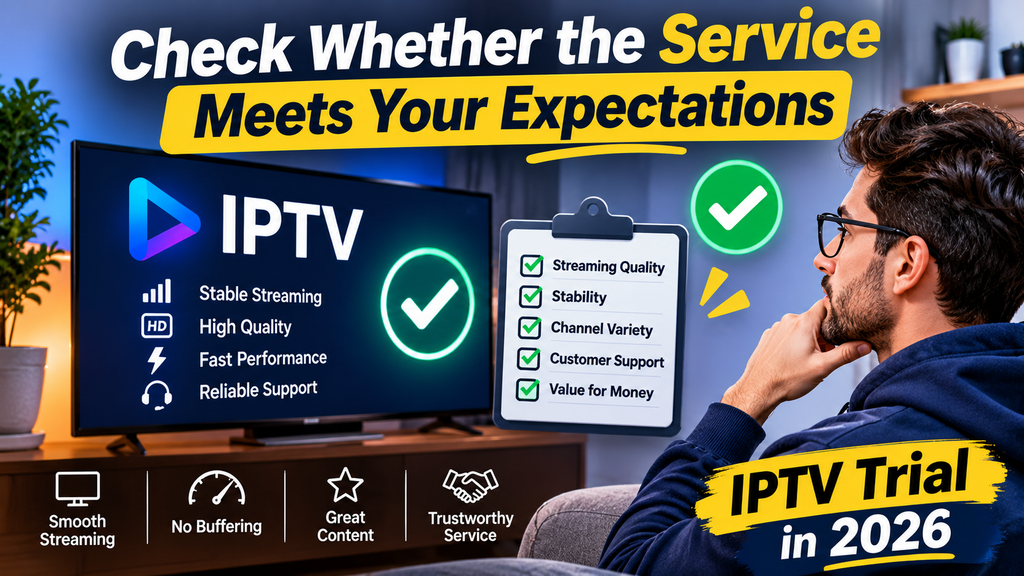
Every household has different entertainment requirements. Some viewers primarily watch television programmes, while others prefer documentaries, films, children’s content or live sporting events.
A service that suits one household might not provide the right experience for another.
During an IPTV trial, concentrate on the categories that matter most to your normal viewing habits. Check whether the available content is organised properly and whether the platform is straightforward to navigate.
It is better to examine a smaller number of relevant features carefully than to spend the entire testing period browsing through hundreds of categories.
Understand the General Streaming Performance
Streaming performance is one of the most important aspects of an internet television platform.
A programme might start quickly but experience interruptions after several minutes. Alternatively, the picture could look sharp on one device but become less consistent when viewed on a larger television.
A useful IPTV trial should give viewers enough time to observe playback under ordinary conditions.
Pay attention to:
- How quickly programmes begin playing.
- Whether video playback remains consistent.
- Whether audio and video stay synchronised.
- Whether the application responds properly.
- Whether changing between available programmes feels straightforward.
These observations provide a more realistic picture of the platform than simply checking whether a video opens successfully.
Avoid Unnecessary Long-Term Commitments
Some subscription offers encourage customers to purchase several months or an entire year in advance.
Although longer packages sometimes advertise lower monthly costs, the total payment can represent a considerable commitment.
Testing a service first can help reduce uncertainty. It also gives customers an opportunity to review the provider’s business information, payment arrangements and cancellation policy.
A short trial does not guarantee future performance, but it can reveal whether the current experience meets basic expectations.
3. How Long Should an IPTV Trial Last?
The ideal duration depends on what you need to evaluate. A few minutes might be sufficient to understand an application’s interface, but it is rarely enough to judge the complete streaming experience.
A longer testing period provides more opportunities to examine the platform at different times and under different internet conditions.
Short Trials
A short IPTV trial can be useful when the main objective is checking initial compatibility.
For example, viewers can determine whether an application opens, whether their login information works and whether the platform recognises their device.
However, short testing periods have limitations.
They might finish before an evening viewing session or fail to cover the busiest hours of the day. Consequently, a service that appears satisfactory during a quiet afternoon might behave differently later.
Twenty-Four-Hour Testing Periods
A 24-hour IPTV trial can provide a more useful overview than a brief demonstration.
It may allow viewers to examine the service in the morning, afternoon and evening. This is particularly helpful for people who use television at different times throughout the day.
During this period, consider checking:
- Initial application installation.
- Account login and navigation.
- Available programme categories.
- Playback quality on your main device.
- Electronic programme guide information.
- Customer support response times.
Remember that availability and trial duration depend on the individual provider. A 24-hour offer should not be assumed to be a standard feature of every service.
Longer Testing Periods
A longer IPTV trial can provide additional opportunities to investigate features that require repeated use.
For example, a household might want to test the platform on different days, compare performance across several devices or understand how the programme guide behaves over time.
Longer testing is particularly useful when more than one person will use the service.
Nevertheless, duration alone does not establish quality. A carefully conducted short test can sometimes provide more useful information than several days of casual browsing.
4. Check Device Compatibility During Your IPTV Trial
Device compatibility should be one of the first things you investigate.
Not every streaming application works with every television, operating system or hardware configuration. Even when an application is available, its performance can vary depending on the device’s processing capabilities and software version.
A properly conducted IPTV trial should therefore include testing on the equipment you intend to use regularly.
Testing on Smart TVs
Smart televisions offer convenient access to internet-based entertainment without necessarily requiring an additional streaming box.
However, different manufacturers use different operating systems.
Samsung televisions generally use Tizen, while LG Smart TVs commonly use webOS. Other manufacturers may use Google TV, Android TV or proprietary software platforms.
Before installing an application, confirm that it supports your particular television model and operating system.
During the IPTV trial, check:
- Whether the application is available.
- Whether installation completes successfully.
- Whether navigation works with the television remote.
- Whether the interface responds without excessive delays.
- Whether playback remains stable.
- Whether the application supports the available display settings.
Older televisions might have limitations that are unrelated to the streaming service itself.
Testing on Amazon Fire TV Devices
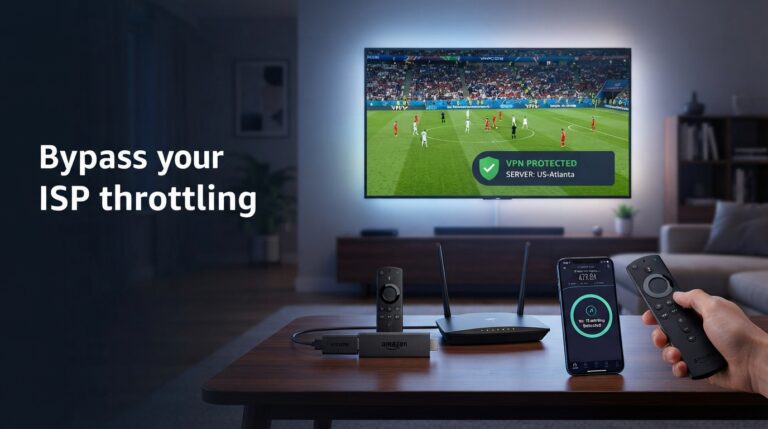
<escape>Amazon Fire TV Stick</escape> devices are popular because they provide access to a wide range of streaming applications through a relatively compact piece of hardware.
They can also be useful for people whose televisions do not include the applications they want.
When using an IPTV trial on a Fire TV device, examine the installation process and the application’s general behaviour.
Check whether the interface is comfortable to operate with the remote, whether navigation feels responsive and whether the application handles extended playback properly.
Only install applications from trusted sources and avoid unfamiliar installation files that request unnecessary permissions.
Testing on Android TV and Google TV
Android TV and Google TV devices provide another option for accessing internet-based entertainment.
Their application environments can make it easier to find compatible streaming players and manage installed software.
During an IPTV trial, check whether the selected player supports the television’s software version and whether it works properly with the available remote control.
Also examine how the device performs when several applications are installed.
Limited memory and storage can affect overall responsiveness, particularly on older or entry-level streaming equipment.
Testing on Smartphones and Tablets
Mobile devices can provide additional flexibility when watching internet television.
An IPTV trial on a smartphone or tablet can help you understand whether the interface is comfortable on smaller screens and whether playback remains suitable when moving between different network connections.
Consider examining:
- Screen orientation.
- Touchscreen navigation.
- Subtitle presentation.
- Audio output.
- Mobile data consumption.
- Wi-Fi performance.
If you intend to watch primarily at home, test using the same Wi-Fi connection that you normally use.
5. Internet Speed and Connection Quality: What Should You Check?
A stable internet connection is essential for a satisfactory streaming experience.
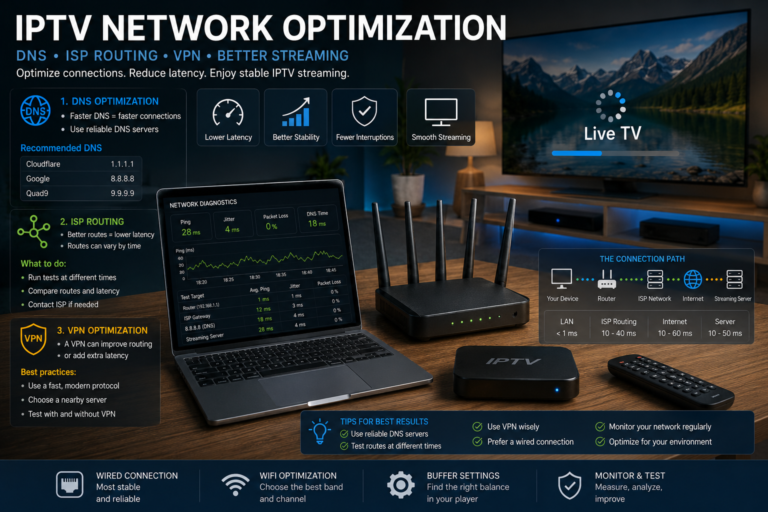
However, connection speed is not the only factor that matters. Network congestion, Wi-Fi interference, router placement and the performance of the streaming device can all influence playback.
An IPTV trial provides an opportunity to identify possible problems before purchasing a subscription.
Understanding Download Speed
Download speed describes how quickly information can travel from the internet to your device.
Video streaming requires a continuous flow of data. If the available bandwidth becomes insufficient, playback might pause while the application attempts to load additional information.
The amount of bandwidth required depends on video resolution, compression, application behaviour and other network activity.
For example, a household watching high-resolution content while several people are downloading large files might experience different results from a household with fewer connected devices.
Do not assume that a high speed-test result automatically guarantees uninterrupted playback.
Wi-Fi Versus Ethernet
Wireless connections are convenient, but they can be affected by physical obstacles and interference from nearby networks.
An Ethernet connection provides a direct wired connection between compatible equipment and the router.
If your IPTV trial experiences repeated interruptions over Wi-Fi, consider testing with an Ethernet connection.
This can help establish whether the problem originates from the wireless network rather than the streaming platform.
For viewers who cannot use Ethernet, positioning the router in a central, unobstructed location can improve wireless coverage.
The Importance of 5 GHz Wi-Fi
Modern routers often support both 2.4 GHz and 5 GHz wireless networks.
The 2.4 GHz band generally offers better coverage over longer distances, while 5 GHz can provide higher speeds over shorter distances.
Actual performance depends on the router, connected device, surrounding interference and distance.
During an IPTV trial, compare the available network options if your equipment supports both.
Choose the connection that provides the most consistent performance in the room where you watch television.
Identifying Network Congestion
Internet performance can change throughout the day.
In some households, several people use the connection simultaneously for video calls, gaming, downloads and streaming.
These activities can compete for available bandwidth.
Try testing the IPTV trial during your normal evening viewing hours rather than relying exclusively on a quiet afternoon test.
If playback becomes inconsistent, temporarily pause other high-bandwidth activities and compare the results.
This simple process can help distinguish a household network issue from a problem with the streaming service.
6. Picture Quality: Understanding HD, Full HD and 4K
Picture quality is another important consideration when evaluating an IPTV trial.
Streaming services may describe their content using terms such as HD, Full HD and Ultra HD. These labels refer to different display resolutions, although the actual viewing experience depends on several additional factors.
Standard Definition
Standard Definition, commonly abbreviated as SD, generally uses lower resolutions than modern high-definition formats.
It may still be suitable for smaller screens or viewers with limited bandwidth.
However, when displayed on a large television, lower-resolution video can appear less detailed.
High Definition
High Definition commonly refers to video resolutions such as 720p and 1080p.
These formats can provide a noticeably clearer picture than traditional standard-definition television.
During an IPTV trial, examine whether the advertised quality matches what you actually see.
A channel labelled HD does not necessarily guarantee that every programme is delivered in the same resolution.
Full HD and Ultra HD
Full HD generally refers to 1920 × 1080 pixels, while 4K UHD commonly refers to 3840 × 2160 pixels.
Higher resolutions can provide more visible detail, particularly on larger displays.
However, the quality of a video is influenced by more than its resolution.
Video bitrate, compression, source material and display capabilities all contribute to the final result.
A well-encoded Full HD stream can sometimes look better than a poorly compressed stream advertised as 4K.
What to Look for During Testing
Rather than relying entirely on technical labels, observe the actual picture.
Look for:
- Clear details in moving scenes.
- Consistent brightness and colours.
- Minimal visible compression.
- Smooth movement during fast scenes.
- Correct aspect ratios.
- Stable playback over several minutes.
These observations help you evaluate the viewing experience more realistically.
7. Electronic Programme Guides and Channel Organisation
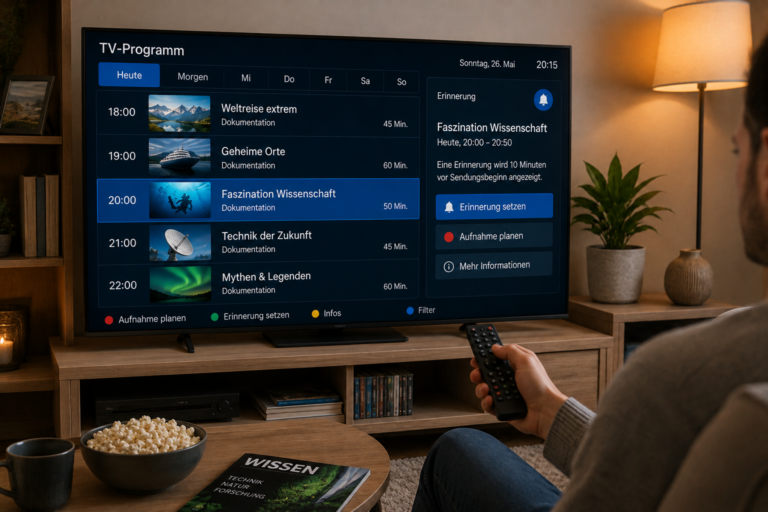
An Electronic Programme Guide, usually called an EPG, is a feature that displays television scheduling information.
It can make browsing easier by showing programme names, descriptions and scheduled broadcast times.
During an IPTV trial, the guide deserves attention because it affects everyday navigation.
Why Accurate Programme Information Matters
A well-organised guide helps viewers identify what is currently being broadcast and what is scheduled next.
It can also reduce the time spent searching through different categories.
However, programme information can become outdated or display incorrect times.
This may happen because of incomplete scheduling data, incorrect time-zone settings or delays in updating programme information.
Check UK Time Settings
For viewers in the United Kingdom, accurate local scheduling is particularly important.
The UK uses Greenwich Mean Time during winter and British Summer Time during the warmer months.
An IPTV trial is a useful opportunity to check whether the programme guide displays the correct local times.
Compare the information shown in the application with the broadcaster’s published schedule.
If there is a consistent difference, investigate the application’s time-zone settings.
Examine Channel Categories
Good organisation can make a large content library easier to use.
Depending on the service, categories might include:
- Entertainment.
- News.
- Documentaries.
- Sports.
- Children’s programming.
- Films.
- International television.
The most useful arrangement is one that allows viewers to find relevant content without unnecessary searching.
Do not judge a platform exclusively by the number of channels displayed. Check whether the content is accessible, properly organised and authorised for distribution.
8. On-Demand Content: What to Examine During an IPTV Trial
Some internet television platforms provide access to video-on-demand content alongside scheduled television programming.
Video on Demand, commonly abbreviated as VOD, allows viewers to select available programmes and watch them at a convenient time.
The catalogue can include films, television series, documentaries and other recorded material.
An IPTV trial can help determine whether the on-demand section is organised and suitable for your preferences.
Explore the Content Categories
Start by examining the available categories.
A well-organised catalogue should make it reasonably easy to understand where different types of programmes are located.
Look for useful information such as programme titles, descriptions, release dates and episode details where applicable.
The exact features depend on the platform.
Check Playback Functionality
Finding a programme in a catalogue does not necessarily mean that it will play correctly.
Open a few titles that are available during the trial and examine how the player behaves.
Check whether playback starts properly, whether the picture remains consistent and whether subtitles are available when expected.
Avoid assuming that every listed title is currently accessible.
Subtitles and Language Options
Language support can make a significant difference for households with different viewing preferences.
Some platforms provide subtitles or alternative audio tracks, while others offer limited language options.
During an IPTV trial, check whether the available subtitle settings work correctly.
Pay attention to synchronisation, readability and whether the selected language remains active when changing programmes.
9. Customer Support: An Important Part of the IPTV Trial
Technical performance is important, but customer support should not be overlooked.
Even well-designed streaming applications can occasionally encounter installation problems, account difficulties or compatibility issues.
A provider’s ability to explain problems clearly can influence the overall customer experience.
Test the Available Support Channels
Before purchasing a subscription, identify how the company handles customer enquiries.
Depending on the business, support might be available through email, telephone, live chat or an online help centre.
Check whether the contact information is clear and whether the company explains its usual response arrangements.
Ask a Practical Technical Question
A simple technical question can help you understand how the support team communicates.
For example, ask whether a particular television operating system is supported or whether the application has a minimum software requirement.
Pay attention to the quality of the answer.
A useful response should address the question directly rather than relying entirely on generic promotional language.
Examine the Quality of Assistance
Good support should be understandable, relevant and reasonably organised.
During an IPTV trial, notice whether instructions are easy to follow and whether the company provides appropriate information about installation, account management and troubleshooting.
Be cautious if a seller refuses to explain basic subscription conditions or repeatedly pressures you to make an immediate payment.
10. Is an IPTV Trial Safe? Important Security Considerations
Security should form part of any streaming-service evaluation.
Although IPTV is a technology for delivering television through internet networks, not every service or application is equally trustworthy.
A trial period should never be treated as proof that a provider is legitimate, secure or authorised to distribute its content.
Download Applications from Trusted Sources
One of the most important precautions is choosing the correct application source.
For example, applications available through official device stores generally provide a more straightforward way to check the developer and available software information.
Be careful with unfamiliar installation files distributed through messaging applications or unknown websites.
Modified applications may contain unwanted software or request permissions that are unnecessary for video playback.
Review Application Permissions
Some applications request access to device functions.
Certain permissions may be necessary for specific features, but unrelated requests deserve closer attention.
For example, a basic television player should not normally need unrestricted access to personal files or contacts simply to play a video.
Review permission requests before installation.
If something appears unnecessary or unexplained, avoid proceeding until you understand why it is required.
Protect Your Account Information
Never share passwords, payment details or account credentials with unknown individuals.
Use unique passwords where account registration is required, and avoid sending sensitive information through unofficial communication channels.
Also examine the provider’s privacy information.
It should explain how personal information is collected, used and protected.
Understand the Risks of Unverified Streaming Services
Some sellers advertise unusually large collections of premium channels and films at prices that appear unrealistic.
An attractive promotional offer does not establish that a company has permission to distribute the content.
Before subscribing, check the provider’s identity and whether it holds the necessary rights.
A working IPTV trial does not prove that the underlying content distribution is authorised.
11. IPTV Trial and UK Legal Considerations
The legality of IPTV depends on how the technology and the content distribution are used.
IPTV itself is not illegal. Many recognised television broadcasters and streaming platforms use internet-based delivery systems to distribute authorised programming.
The important distinction is whether the company has permission to distribute the television channels, films and other copyrighted material it makes available.
What Makes a Streaming Service Legitimate?
A legitimate content distributor should have the appropriate rights or licences for the material it provides.
These rights can vary according to the broadcaster, programme, territory and distribution arrangement.
For example, permission to distribute a particular programme in one country does not automatically mean that the same rights apply in the United Kingdom.
Consumers should therefore avoid assuming that a service is authorised simply because its website looks professional or because a trial works successfully.
Be Careful with Unusually Cheap Offers
Very low prices combined with promises of access to extensive premium television collections should encourage further investigation.
Before purchasing, look for:
- A clearly identified business.
- Transparent subscription pricing.
- Published terms and conditions.
- A privacy policy.
- Clear contact information.
- Information about content distribution rights.
No single website feature proves that a service is legitimate, but several missing details can indicate that more investigation is necessary.
Do Not Confuse a Trial with Legal Approval
An IPTV trial only demonstrates what is available during a limited testing period.
It does not establish ownership of broadcasting rights, future availability or compliance with copyright requirements.
For UK viewers, checking the service’s legal status should be a separate part of the subscription decision.
12. Common IPTV Trial Problems and How to Investigate Them
Even when a service appears suitable, viewers might encounter technical difficulties during testing.
Understanding the possible causes can prevent unnecessary troubleshooting and help identify whether the issue comes from the internet connection, device or application.
Buffering During Playback
Buffering happens when the player cannot receive or process video data quickly enough to maintain continuous playback.
Possible causes include:
- Weak Wi-Fi coverage.
- Network congestion.
- Insufficient available bandwidth.
- Device performance limitations.
- Problems affecting the streaming source.
Start by checking your internet connection.
If possible, test using Ethernet or move closer to the router.
You can also restart the application and check whether other internet activities are affecting available bandwidth.
If the problem continues across several programmes and devices, contact the service’s support team.
Application Crashes
An application might close unexpectedly because of outdated software, limited memory or compatibility problems.
During an IPTV trial, check whether the application is using a supported version.
Restart the device and install official updates where available.
If the problem happens repeatedly, check the application’s compatibility information before considering a subscription.
Login Problems
Incorrect account details, expired access information and configuration mistakes can all prevent successful login.
Carefully check the information supplied by the service.
Avoid repeatedly sharing login credentials with unknown support contacts.
If the account details appear correct but access remains unavailable, request assistance through the provider’s verified contact channel.
Missing Programme Information
An EPG may occasionally display incomplete or outdated information.
Check the device’s time-zone settings and whether the application offers a programme-guide refresh option.
If the issue continues, ask the provider whether the relevant scheduling information is available and correctly configured.
Audio and Video Synchronisation
Sometimes sound and picture do not appear at exactly the same time.
This can be related to application processing, device performance or the source stream.
Try restarting playback and checking whether the issue affects other programmes.
If your television offers audio synchronisation settings, review them as well.
13. How to Compare Different IPTV Trial Offers
If several services offer trial access, comparing them systematically can make the decision easier.
Rather than choosing the platform with the biggest advertised content collection, focus on the factors that influence your everyday experience.
Compare the Same Features
Use the same evaluation criteria for each trial.
For example, test the same television model, internet connection and viewing times whenever possible.
This makes the comparison more meaningful because differences in equipment and network conditions are less likely to influence your observations.
Create a Simple Comparison Table
You can use a table to record your findings.
| Evaluation area | What to examine |
|---|---|
| Compatibility | Supported devices and operating systems |
| Picture quality | Actual playback clarity |
| Stability | Interruptions and connection consistency |
| Navigation | Ease of finding programmes |
| EPG | Accuracy of programme information |
| VOD | Organisation and available content |
| Support | Response quality and helpfulness |
| Pricing | Total subscription cost |
| Security | Application source and privacy |
| Legality | Content distribution rights |
The purpose is not to identify a universal winner. It is to determine which service meets your actual requirements.
Look Beyond the Advertised Price
A low introductory price might appear attractive, but the full subscription terms matter.
Compare the total cost over the period you expect to use the service.
Check whether additional fees apply, whether payments renew automatically and what happens if you decide to cancel.
A clear monthly price with transparent conditions can be easier to evaluate than a heavily discounted annual offer with unclear terms.
14. Common Mistakes to Avoid During an IPTV Trial
Testing a service without a clear plan can result in missing important details.
Here are several mistakes worth avoiding.
Testing Only One Programme
Opening one programme successfully does not demonstrate that the complete platform works correctly.
Check several relevant categories and repeat playback tests at different times.
Ignoring Evening Performance
A quiet afternoon may not represent the conditions under which you normally watch television.
Include an evening test, especially if your household regularly streams content after work or school.
Forgetting Device Compatibility
A platform might work perfectly on a smartphone but perform differently on an older television.
Always test the actual device you intend to use.
Ignoring Subscription Conditions
Some trial offers require payment details and automatically renew when the introductory period ends.
Read the terms before registration and record any cancellation deadline.
Trusting Every Advertised Feature
Large channel counts and impressive resolution labels are not guarantees of actual performance.
Test the features that matter and investigate claims that cannot be independently confirmed.
Paying for a Long Subscription Too Quickly
An introductory experience is not a guarantee of long-term reliability.
Review the company’s identity, licensing information, refund policy and payment conditions before making a larger commitment.
15. What Should You Do After Your IPTV Trial Ends?
The end of a trial is an opportunity to review everything you discovered.
Instead of making a decision based on the first few minutes of playback, consider the complete experience.
Review Your Testing Notes
Look at your observations about compatibility, picture quality, stability and support.
Identify any problems that remained unresolved.
If you tested more than one service, compare the results using the same criteria.
Check the Full Subscription Terms
Before continuing, confirm:
- The total subscription price.
- The billing frequency.
- Whether automatic renewal applies.
- The available cancellation method.
- Any refund conditions.
- The number of permitted connections.
- Supported devices.
These details should be clear before you agree to pay.
Decide Whether the Service Is Suitable
A good subscription decision should consider both technical performance and the credibility of the business.
A service that works well during a trial but provides unclear licensing information or questionable payment arrangements should not automatically be considered a suitable choice.
If the information is incomplete, take more time to investigate.
Keep a Record of Your Agreement
Save the confirmation email, subscription terms and payment information.
If you decide not to continue, follow the stated cancellation procedure and retain any confirmation.
This is especially important when a trial converts automatically into a paid subscription.
16. Frequently Asked Questions About IPTV Trial
What is an IPTV trial?
An IPTV trial is a temporary opportunity to test an internet television service before purchasing a subscription. It can help viewers evaluate device compatibility, application navigation, streaming performance and available features.
Is there a free IPTV trial in the UK?
Some internet television providers offer free testing periods, while others provide paid introductory access or demonstration accounts. Availability and conditions vary, so check the provider’s official information before registering.
How long does an IPTV trial usually last?
Trial durations vary between services. Some offers last only a few hours, while others provide access for a day or several days. The most useful duration is one that allows you to test the platform during your normal viewing hours.
Can I use an IPTV trial on Firestick?
Potentially, yes. Compatibility depends on the particular application, Fire TV device and operating system version. Check the application’s official compatibility information before installation.
Can I test an IPTV trial on a Smart TV?
Yes, if the provider and selected application support your television’s operating system. Samsung, LG and Android-based televisions can have different application requirements, so check your model before starting.
Does an IPTV trial require a credit card?
Not necessarily. Some providers offer trials without payment information, while others require a payment method. Always check whether automatic renewal applies and whether charges begin when the trial ends.
Is an IPTV trial completely free?
The word free should be checked against the actual offer conditions. Some trials have no initial charge, while others include registration requirements, introductory fees or automatic subscription arrangements.
Does a free IPTV trial guarantee good streaming quality?
No. A trial allows you to observe performance under particular conditions, but it cannot guarantee future service quality. Test different programmes, devices and viewing times to get a more realistic understanding.
Can I use one IPTV trial on multiple devices?
This depends on the provider’s account rules. Some services allow several supported devices, while others restrict access to one connection or a specified number of simultaneous streams.
Check the conditions before attempting to use the same account on several devices.
Why does my IPTV trial keep buffering?
Buffering can result from weak Wi-Fi, network congestion, device limitations or problems affecting the streaming source. Test your internet connection, restart the application and compare performance using a wired connection where possible.
Is an IPTV trial legal in the UK?
IPTV technology is legal, but the content being distributed must have the appropriate authorisation. A trial does not establish whether a provider holds the necessary broadcasting or distribution rights.
Can I cancel an IPTV trial before it ends?
Cancellation depends on the offer’s terms. If the trial includes automatic renewal, follow the stated cancellation procedure before the renewal deadline and keep confirmation of your request.
Is a 24-hour IPTV trial enough?
A 24-hour period can provide a useful initial evaluation if it includes different viewing times and an opportunity to test your main device. However, it may not reveal every potential technical or account-related issue.
Should I choose the cheapest IPTV trial?
Price should not be the only consideration. Check the provider’s identity, content rights, application security, customer support and subscription terms before making a decision.
What internet connection is best for IPTV?
A stable broadband connection is generally more important than simply having the highest advertised speed. Ethernet can offer a more consistent connection, while well-positioned modern Wi-Fi equipment can also provide satisfactory performance.
Can an IPTV trial help me choose the right streaming application?
Yes. Testing a compatible application can help you understand its interface, remote-control navigation, playback options and device requirements. Remember that an IPTV player and a television content provider are not necessarily the same thing.
What happens when an IPTV trial expires?
Depending on the arrangement, access may stop, the account may become inactive or a paid subscription may begin automatically. Check the original offer conditions to understand exactly what happens.
Conclusion: Make a Better Decision with an IPTV Trial
Choosing an internet television service involves more than comparing subscription prices or looking at the number of advertised channels. The actual viewing experience depends on several factors, including device compatibility, broadband stability, application performance, programme information and the quality of customer assistance.
An IPTV trial provides a practical opportunity to examine these details before making a financial commitment. By testing your preferred devices, checking playback during normal viewing hours and reviewing the complete subscription conditions, you can make a more informed decision.
It is equally important to consider security and content distribution rights. A platform that provides temporary access does not automatically prove that its content is properly licensed or that the business will remain available in the future.
Take your time, compare the available information and avoid making decisions based entirely on promotional promises. A careful evaluation is one of the most useful ways to find a streaming arrangement that matches your household’s needs.