VPN Against ISP Throttling: How to Test for Slowdowns
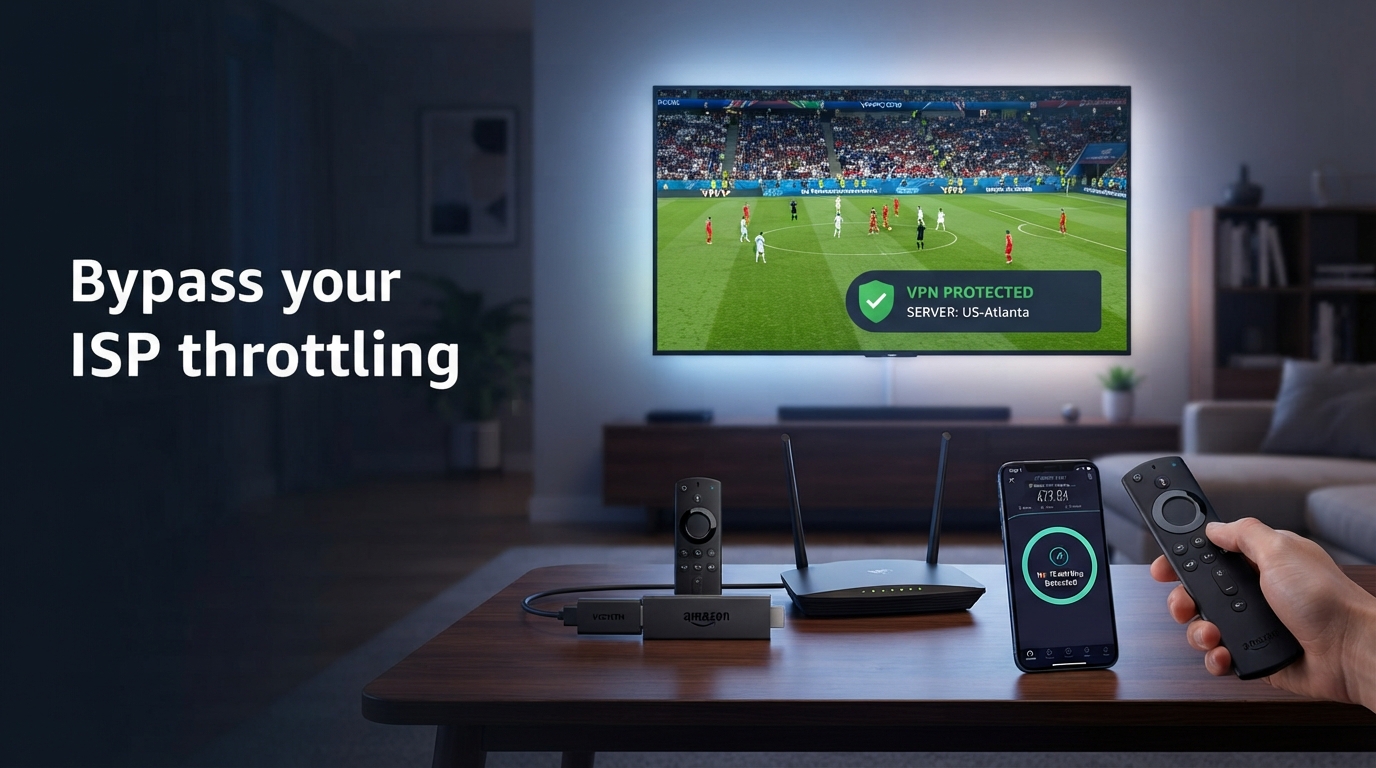
A video buffers halfway through a show, or a download crawls despite a strong signal. Could your internet service provider (ISP) be throttling your connection, and would a VPN against ISP throttling actually help?
A VPN against ISP throttling encrypts traffic between your device and a remote server. This process can make it harder for your ISP to spot the exact app or service you’re using, though it won’t fix every cause of slow internet. Busy neighborhood networks, plan limits, weak Wi-Fi, and the encryption overhead of the VPN itself can all affect speed.
You can test whether a VPN against ISP throttling changes your connection performance, check your broadband plan for explicit limits, and look for repeatable signs of traffic management. The key is to compare results under similar conditions instead of treating a single speed test as definitive proof.
How a VPN Changes What Your ISP Can See
Encryption can hide the service you’re using
When you connect to a VPN against ISP throttling, your device sends encrypted packets directly to a VPN server rather than straight to a streaming platform or website. Your ISP can still see that you’re connected to a VPN IP address, along with the total volume and timing of your data transfers, but it usually cannot inspect the payload contents or readily identify each individual service you access.
That reduced visibility may make it harder for an ISP to classify traffic by specific application or video domain. However, using a VPN against ISP throttling does not guarantee that an ISP cannot infer what you are doing, because packet timing, sustained high-bandwidth patterns, and broader network rules can still help automated systems sort or manage connections.
Deep packet inspection vs. traffic pattern analysis

Modern internet providers rarely inspect every byte manually; instead, automated traffic-management tools look at metadata, server hostnames, and connection signatures. Deploying a VPN against ISP throttling masks the destination hostname and application-level headers inside an encrypted tunnel, preventing simple content-based filtering.
Even so, sophisticated network equipment can still observe bandwidth bursts and sustained upload or download ratios. If an ISP applies broad congestion management across all heavy users during peak hours rather than targeting a specific streaming app, a VPN against ISP throttling will not exempt your line from those wider network-level rules.
A VPN shifts trust to another provider
When you route data through a VPN against ISP throttling, your traffic passes through the VPN provider’s infrastructure before reaching its final destination on the open internet. Your local ISP sees far less detail about your browsing or streaming habits, but the VPN operator now handles your unencrypted outbound requests after they leave its server.
Because a VPN against ISP throttling shifts rather than eliminates visibility, you should review the provider’s privacy policy, logging claims, and any independent security audit reports. Check what connection metadata it collects, how long it retains billing or session records, and remember that a marketing claim of “no logs” is never a substitute for reading the actual legal terms.
Encryption can affect speed
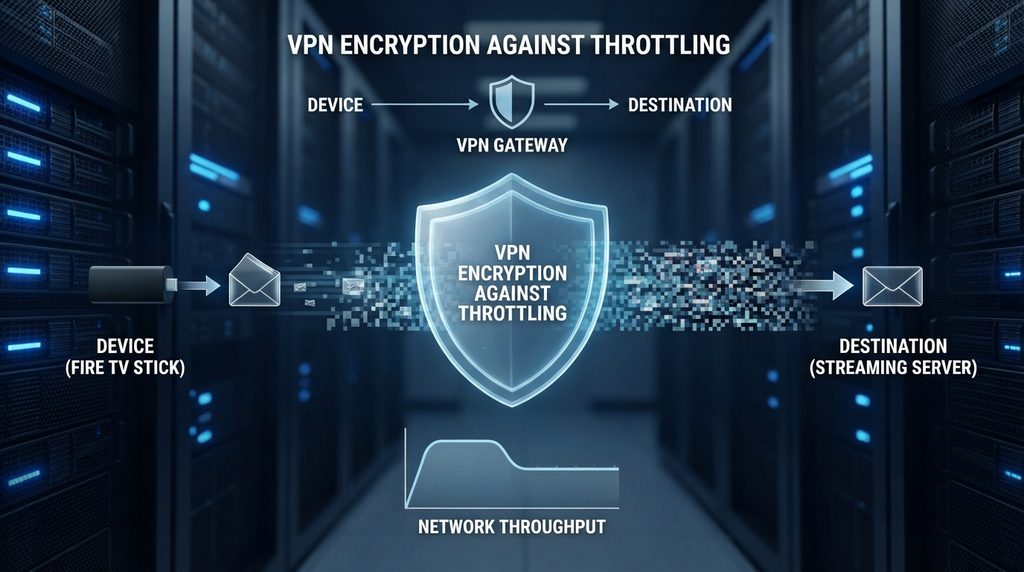
Using a VPN against ISP throttling adds an extra leg to your connection path: your data must travel to the VPN gateway first, get decrypted, and then move onward to the target website or media server. Encryption and decryption also require processor power, though the real-world impact varies significantly depending on your device hardware and chosen VPN protocol.
A geographically nearby server often provides a shorter, lower-latency route than one located across the country or overseas, but physical distance is not the only factor. Server CPU load, peering agreements between transit networks, and the baseline speed of your home broadband all play a role, meaning a VPN against ISP throttling can sometimes reduce raw throughput even while improving a specific throttled app.
When a VPN Against ISP Throttling May Help
App-specific slowdowns may be harder to apply
Some ISP traffic-management policies rely on recognizing a particular streaming platform, gaming protocol, or peer-to-peer file-sharing signature. If your provider selectively slows down high-bitrate video streams while leaving general web browsing untouched, turning on a VPN against ISP throttling may prevent that app-level classification and restore normal playback quality.
That improvement is never guaranteed across every provider or region. An ISP may rely on broader traffic heuristics or apply rate limits across an entire tier of heavy bandwidth consumers, and a poorly performing VPN against ISP throttling can actually make a sluggish video stream buffer even more if its server is overloaded.
Network congestion still affects speed
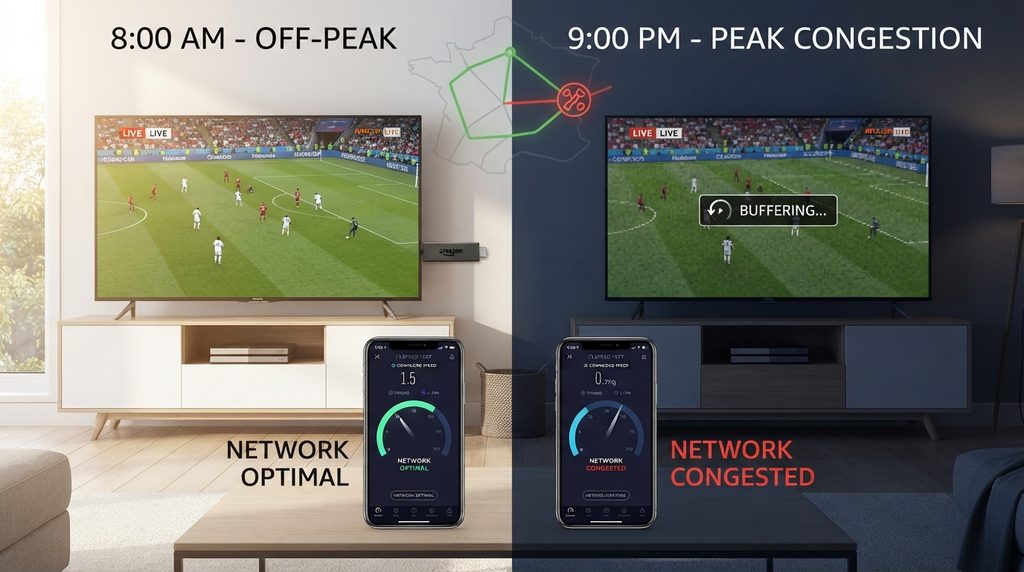
A VPN against ISP throttling cannot add physical bandwidth capacity to an oversubscribed neighborhood cable node or fix congestion along a regional fiber backbone. If hundreds of households in your area are streaming 4K video simultaneously on a Sunday evening, your connection speed may drop with or without an encrypted tunnel active.
Observing the timing of your slowdowns offers a practical diagnostic clue before you pay for a VPN against ISP throttling. If your connection performs well at 8:00 AM on a Tuesday but consistently degrades between 7:00 PM and 11:00 PM every night, local evening congestion is a strong suspect—though you should still run controlled comparisons before drawing a firm conclusion.
Data caps and plan limits remain in place
Activating a VPN against ISP throttling does not upgrade your subscription’s maximum speed tier or add extra gigabytes to your monthly data allowance. If your broadband plan enforces a hard data cap or automatically reduces speeds after you pass a monthly usage threshold, encrypted VPN traffic still counts toward that exact same total.
Before relying on a VPN against ISP throttling to solve post-threshold slowdowns, check your ISP’s official service terms and review the FCC Broadband Consumer Labels for your specific plan. Under updated FCC rules, providers must clearly disclose typical download and upload speeds, monthly data allowances, and network-management practices so you can verify whether a slowdown is simply part of your contract.
Mobile hotspot and cellular video limits
Many wireless carriers in the United States explicitly cap video streaming resolution—often limiting mobile or fixed-wireless plans to 480p or 720p unless you pay for a higher-tier add-on. In those scenarios, a VPN against ISP throttling frequently hides the video stream from the carrier’s media-optimization filter, allowing the player to negotiate full 1080p or 4K bitrates.
Keep in mind that bypassing video resolution limits with a VPN against ISP throttling will consume your high-speed data bucket much faster. Once you hit your carrier’s monthly priority data limit, the provider can still deprioritize all traffic on your line regardless of whether a VPN is turned on.
How to Test for ISP Throttling With a VPN
Compare the same activity with and without a VPN
To get reliable diagnostic data, test the exact same activity on the same device, in the same room, and over the same connection type with and without a VPN against ISP throttling. Measure both a general bandwidth test and the specific app or video stream that feels sluggish, recording download speed, upload speed, ping, and video resolution across multiple runs.
Run your baseline test and your VPN against ISP throttling test within a few minutes of each other so shifting background traffic doesn’t skew the comparison. Keep in mind that a jump in speed alone does not automatically prove deliberate throttling, because the VPN may simply have routed your traffic around a temporarily congested peering point.
Use specialized diagnostic tools alongside standard speed tests
Standard browser speed tests often connect to servers hosted inside or right next to your ISP’s own network, which can mask slowdowns occurring on external video routes. Pairing a VPN against ISP throttling with independent measurement platforms—such as M-Lab’s Network Diagnostic Tool (NDT) or the Wehe app—gives you a clearer look at how bulk transfers and real application traffic behave.
M-Lab’s tools use active measurements to evaluate throughput, latency, and potential app-level differentiation without passively monitoring your private browsing. Comparing results from these diagnostics before and after enabling a VPN against ISP throttling helps separate isolated routing glitches from consistent service-specific bottlenecks.
Rule out home network and device issues
Before concluding that you need a VPN against ISP throttling, eliminate local bottlenecks inside your home. Move closer to your wireless router, switch from the crowded 2.4 GHz Wi-Fi band to 5 GHz or 6 GHz, or plug your streaming box or computer directly into the router with an Ethernet cable to rule out wireless interference.
Restart your modem and router, close background downloads or cloud backups on other household devices, and test the same video stream on a second phone or laptop. If only one aging streaming stick struggles while other devices play smoothly, local hardware limits—not an ISP issue requiring a VPN against ISP throttling—are likely to blame.
Document patterns across different times of day
One isolated slowdown does not establish a pattern, so repeat your baseline and VPN against ISP throttling tests during both off-peak morning hours and busy evening prime time. Create a simple log noting the time of day, server location, baseline speed, VPN speed, and whether the target app buffered or dropped quality.
If general speed tests remain fast all evening while one specific streaming service crawls without a VPN against ISP throttling—and immediately recovers the moment you connect—you have strong practical evidence of service-specific traffic management. Conversely, if both tests drop equally every evening, neighborhood capacity limits are the far more likely culprit.
Check plan terms and use test results with care
Always cross-reference your technical measurements against your provider’s written Acceptable Use Policy, network-management disclosures, and Broadband Consumer Label. Even if a VPN against ISP throttling improves your evening stream, understanding your ISP’s stated rules helps you know whether you are experiencing routine congestion management or an unexpected routing issue.
Remember that public diagnostic tools like M-Lab publish anonymized test metrics—including the test IP address—to support open internet research, so review their privacy notice before running checks. Treat every test with a VPN against ISP throttling as a snapshot of network conditions at that moment rather than permanent proof of provider intent.
Choosing a VPN Against ISP Throttling
Start with a nearby, reliable server
When configuring a VPN against ISP throttling, open the server list and pick a location in your own state or neighboring metro area first. Marketing claims boasting thousands of servers or special “anti-throttling” badges do not guarantee a fast path if the specific gateway you connect to is saturated with evening users.
Run a quick speed and latency check with the VPN against ISP throttling turned off, then compare two or three nearby cities to see which offers the lowest ping and steadiest throughput. If one metro hub feels sluggish during peak hours, switching to an adjacent city often resolves the bottleneck immediately.
Choose modern, lightweight VPN protocols
The encryption protocol your app uses has a major impact on real-world streaming speeds, especially on low-power devices like smart TVs and streaming sticks. When setting up a VPN against ISP throttling, look for modern protocols such as WireGuard or proprietary equivalents (like NordLynx or Lightway) rather than older, heavier OpenVPN TCP configurations.
Modern protocols establish connections faster, recover smoothly when your Wi-Fi fluctuates, and require far less processor overhead to sustain high-bitrate 4K streams. If your network blocks standard UDP traffic, however, testing an alternative protocol inside your VPN against ISP throttling can help restore connectivity without sacrificing stability.
Check privacy, leak protection, and device support
A dependable VPN against ISP throttling should combine strong performance with transparent privacy documentation and built-in DNS and IPv6 leak protection. If your tunnel drops unexpectedly or leaks DNS queries back to your ISP’s default resolvers, your provider can still see which domains you are requesting and apply the same traffic rules.
Verify that the VPN against ISP throttling offers native, regularly updated apps for every screen in your household—including Windows, macOS, iOS, Android, Fire TV, and Apple TV—or clear setup guides if you plan to run it on a compatible router. Also check for a kill switch feature so unencrypted traffic does not silently fall back to your regular connection during brief network drops.
Test settings before relying on them
Before committing to a multi-year subscription, take advantage of a short monthly plan or money-back guarantee to test the VPN against ISP throttling during your normal evening viewing hours. Record your unencrypted baseline speed and latency first, then verify that your favorite streaming apps load quickly and hold steady resolution with the tunnel active.
Pay attention to whether any essential local banking apps, smart-home devices, or regional broadcasts block your chosen VPN against ISP throttling server. If the service introduces more friction or speed loss than it solves, disconnect it or use split tunneling so only your streaming apps route through the encrypted connection.
What Real-World Cases Reveal About ISP Throttling
The Netflix–Comcast agreement involved interconnection
In 2014, Netflix and Comcast reached a widely publicized paid interconnection agreement aimed at improving how Netflix video traffic entered Comcast’s broadband network. At the time, customers experienced severe evening buffering, leading many observers to assume that using a VPN against ISP throttling was the only way to restore HD playback.
In reality, that dispute centered on peering capacity and traffic exchange between external transit networks and Comcast’s edge routers—not individual subscriber-level throttling. While routing around a congested peering link with a VPN against ISP throttling occasionally helped some users find a cleaner path, interconnection bottlenecks and deliberate per-user traffic shaping are two distinct technical issues.
Wireless carrier video optimization policies
In contrast to wired home broadband disputes, major U.S. mobile carriers have openly disclosed video-management practices that cap streaming speeds on standard unlimited plans. Under these published policies, carriers detect video streams and restrict throughput to around 1.5 Mbps to 4 Mbps, which is why testing a VPN against ISP throttling on a cellular connection often produces an immediate jump in video quality.
Because these carrier rules are explicitly written into plan disclosures rather than hidden, a VPN against ISP throttling works in those cases by preventing the network from identifying the traffic as video. Even then, users must weigh higher video resolution against faster depletion of their monthly high-speed data allowance.
Similar symptoms can have different causes
A congested neighborhood node, an outdated home router, an overloaded streaming server, and a deliberate traffic-shaping policy all produce the exact same symptom on your screen: a spinning buffering wheel. Jumping straight to a VPN against ISP throttling without checking local variables can waste money if the true bottleneck sits inside your own living room.
Look for repeatable, measurable patterns across multiple days before drawing conclusions about your provider. Comparing your ISP’s Broadband Consumer Label, testing wired versus wireless connections, and logging controlled runs with a VPN against ISP throttling will give you far clearer answers than a single online speed test ever could.
Frequently Asked Questions (Q&A)
Does a VPN always stop ISP throttling?
No, a VPN against ISP throttling only helps when your internet provider is slowing down specific apps, protocols, or video services that it identifies by inspecting traffic headers or destinations. If your slowdown is caused by neighborhood peak-hour congestion, a weak Wi-Fi signal, or a monthly data cap on your plan, a VPN will not increase your speed.
Can my ISP still tell I am using a VPN?
Yes, even when you run a VPN against ISP throttling, your ISP can still see that your router is sending encrypted data to a known VPN server IP address, along with the total amount and timing of that traffic. What the VPN hides is the specific websites you visit, the apps you stream, and the contents of your data packets.
Why did my internet get slower after turning on a VPN?
A VPN against ISP throttling routes your traffic through an extra server and encrypts every packet, which naturally adds a small amount of distance and processing overhead. If your speed drops dramatically, try switching to a geographically closer server, changing to a faster protocol like WireGuard, or testing a different time of day to avoid server crowding.
Will a VPN bypass my ISP’s monthly data cap?
No, using a VPN against ISP throttling does not hide your total bandwidth usage from your internet provider. Your ISP still measures every gigabyte passing through your modem, so streaming high-definition video over a VPN counts toward your monthly data allowance just like unencrypted traffic.
What is the fastest way to test if my ISP is throttling a specific app?
Run a baseline speed test and stream your target app without protection, then immediately connect a VPN against ISP throttling to a nearby server and repeat both checks on the same device. If your general speed stays roughly the same but the specific app jumps from constant buffering to smooth playback every time the VPN is on, app-specific throttling or a congested peering route is likely occurring.
Is it legal to use a VPN to prevent ISP throttling?
Yes, using a VPN against ISP throttling to protect your privacy and encrypt your home internet traffic is completely legal in the United States and most other countries. However, using a VPN does not override your ISP’s Acceptable Use Policy regarding excessive bandwidth abuse, nor does it grant permission to access copyrighted content without authorization.
Conclusion
A VPN against ISP throttling can be an effective tool when an internet provider selectively slows down specific streaming apps or video traffic it can identify, but it is not a universal fix for every slow connection. It will not bypass monthly data caps, add capacity to a congested neighborhood network, or guarantee faster speeds if your chosen VPN server is overcrowded.
Before committing to a subscription, review your ISP’s Broadband Consumer Label, rule out home Wi-Fi or hardware bottlenecks, and test the exact same activity back-to-back with and without a VPN against ISP throttling. Keep the service active only when your measurements show a clear, repeatable improvement that outweighs its cost and minor encryption overhead.