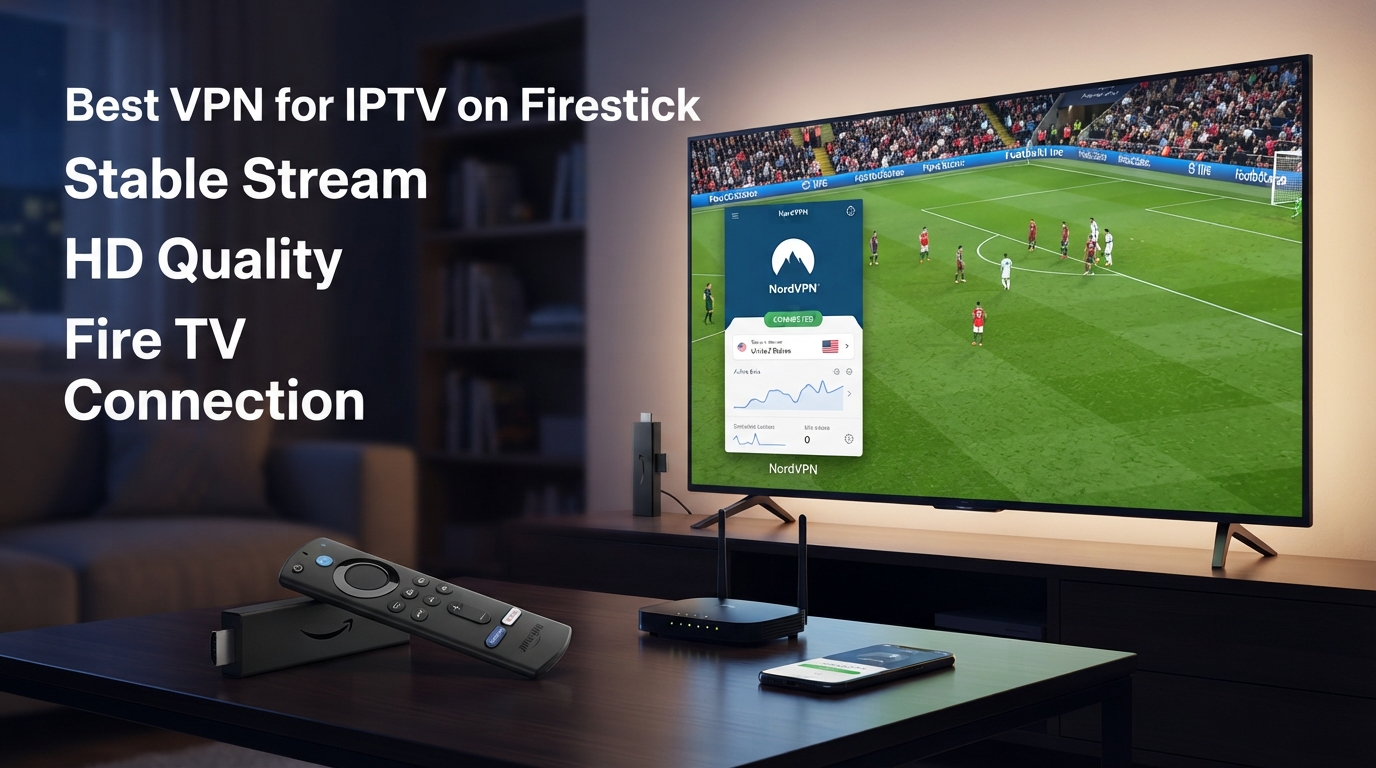
Best VPN for IPTV on Firestick: Find a More Stable Stream
Finding the best VPN for IPTV on Firestick starts with knowing what actually causes a stream to freeze every few minutes during a live match or movie night. While the best VPN for IPTV on Firestick can improve your online privacy and help with connection consistency, it won’t fix every single cause of buffering.
A strong pick should offer an official Fire TV app, steady connection speeds, clear privacy rules, and a straightforward setup. Keep in mind that a VPN doesn’t make an unlicensed IPTV service legal, nor can it guarantee access to every channel.
Below, you’ll find three top VPNs to compare, along with easy setup steps and fixes for common playback issues. Always verify current app listings, plan terms, privacy reports, and dated speed tests before subscribing, as provider features and results can change over time.
What makes a VPN for IPTV on Firestick a good fit?
A Firestick has less room for complex setup than a laptop, which is why the best VPN for IPTV on Firestick should be easy to install and control with a remote while keeping up with the stream’s data needs. Ultimately, the right choice depends on your specific device, home Wi-Fi, and IPTV service.
A native Fire TV app makes setup simpler
Search the Amazon Appstore for the VPN provider’s official app, then check that it supports your Fire TV Stick model and software version. Choosing the best VPN for IPTV on Firestick with a dedicated Fire TV app is usually easier to use than a setup that needs a computer or router. Confirm the publisher name before installing.
A VPN-enabled router is another option if you want broader coverage, though setup can take more work and may send all home devices through the VPN rather than only the Firestick.
Speed and connection stability matter more than big claims
Even with the best VPN for IPTV on Firestick, your speed can change based on the VPN server’s distance, network traffic, Wi-Fi signal, and VPN protocol. A nearby server is a sensible first test, though it isn’t always the fastest—try a few options at the time you usually stream.
Look for independent speed tests with a clear test date and method. Provider ads often highlight best-case results, which don’t always reflect how a service will perform on your home network.
Privacy features should be easy to verify
Before choosing the best VPN for IPTV on Firestick, read the provider’s privacy policy to see what data it collects and how long it keeps it. Check for leak protection, which helps limit exposure of your IP address or DNS requests if the VPN connection fails—though no single feature guarantees perfect privacy.
An independent audit can add useful detail, so check the report’s date, scope, and findings. Policies and apps can change over time, meaning you should rely on current provider documents rather than an old review.
Best VPNs for IPTV on Firestick to compare
Before choosing the best VPN for IPTV on Firestick, read the provider’s privacy policy to see what data it collects and how long it keeps it. Check for leak protection, which helps limit exposure of your IP address or DNS requests if the VPN connection fails—though no single feature guarantees perfect privacy.
An independent audit can add useful detail, so check the report’s date, scope, and findings. Policies and apps can change over time, meaning you should rely on current provider documents rather than an old review.
NordVPN for a mix of streaming and privacy features
If you’re searching for the best VPN for IPTV on Firestick, NordVPN is one option to consider for its dedicated Fire TV app and range of connection settings. Check its current Amazon Appstore listing to confirm support for your Stick and review which settings the app offers, as available controls may differ by device or app version.
Before deciding if it is the best VPN for IPTV on Firestick for your setup, read NordVPN’s latest privacy policy and audit reports, then compare recent speed tests from independent reviewers. Don’t assume a test on a nearby server will match your home connection—and remember that trial or refund terms can vary by plan, so review the current offer.
ExpressVPN for a straightforward Fire TV setup
ExpressVPN is worth comparing if you want a direct app-based setup when looking for the best VPN for IPTV on Firestick. Confirm that its official Fire TV app is available for your model, then review the provider’s install steps and current app features. Check whether the plan you’re considering covers the devices and options you need.
Before subscribing, review its published privacy information and any current audit reports. Compare dated speed tests across more than one server location, and keep in mind that plan length, renewal price, and refund rules may affect the total cost.
Surfshark for households comparing plan value
If you are comparing options for the best VPN for IPTV on Firestick, Surfshark may suit households that want to connect several devices, though you should always check its current terms rather than relying on old claims about connection limits. Verify Fire TV support in the Amazon Appstore and make sure the app works with your Stick model, then look at the setup process before choosing a plan.
To be sure it is the best VPN for IPTV on Firestick for your budget, compare current prices, renewal terms, privacy documents, and independent test results with the other providers. A low starting price doesn’t always mean the lowest long-term cost, so check what the plan includes and when its price may change.
How to install and use a VPN on Firestick
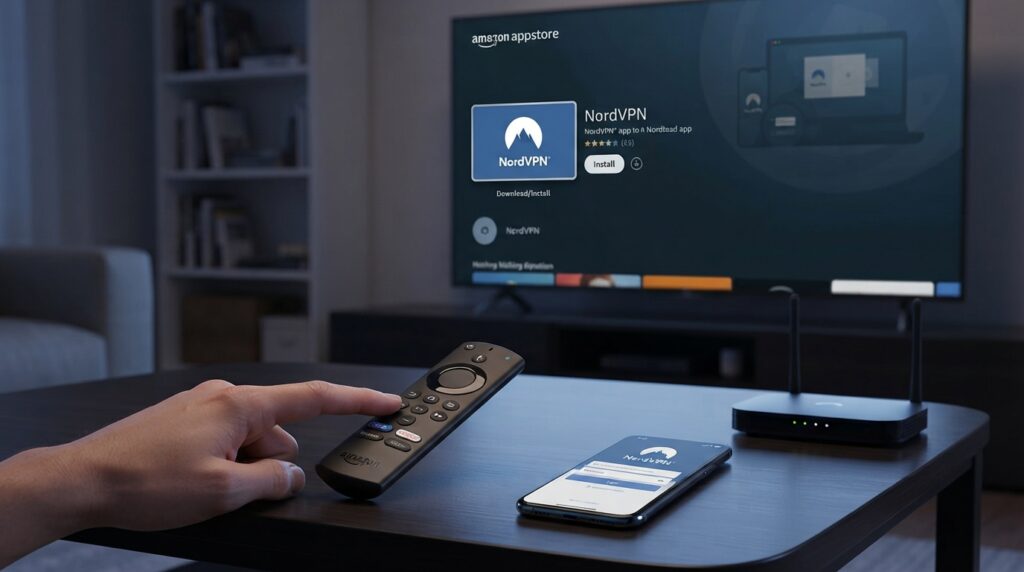
For most Firestick owners, installing the provider’s app is the clearest path. Keep your Amazon account details and VPN login ready. If the app isn’t listed, don’t assume an unofficial download is safe.
Install the VPN app from the Amazon Appstore
Once you pick the best VPN for IPTV on Firestick, use Firestick search to find the provider’s official app. Check the publisher, install it, then open the app and sign in. Choose a nearby server, connect, and open your IPTV app.
If the app doesn’t appear, check the provider’s support page for current instructions and confirm your device is supported. Avoid downloads from sites you don’t trust. A router setup may be safer than installing an unverified app, though it takes more work.
Use a router only when direct installation isn’t practical
A VPN-enabled router can cover devices that don’t support a VPN app. The setup depends on your router model and VPN provider, and some routers may not support the required settings—so follow the provider’s instructions for your exact hardware.
Router setup can also affect every device on your network and may reduce speed. If you only want the best VPN for IPTV on Firestick, a native app is usually easier to manage.
Confirm the connection before streaming
Before opening your streaming app, check the best VPN for IPTV on Firestick to make sure it shows an active connection. You can also use a reputable IP or DNS leak test in a browser, if available on your device, as these checks offer a useful snapshot rather than a guarantee of complete privacy or service access.
If a test shows your usual location or DNS details, disconnect and review the settings inside the best VPN for IPTV on Firestick. Contact the VPN provider if the result remains unclear, and never share account details or private network information on public test sites.
How to reduce IPTV buffering with a VPN on Firestick
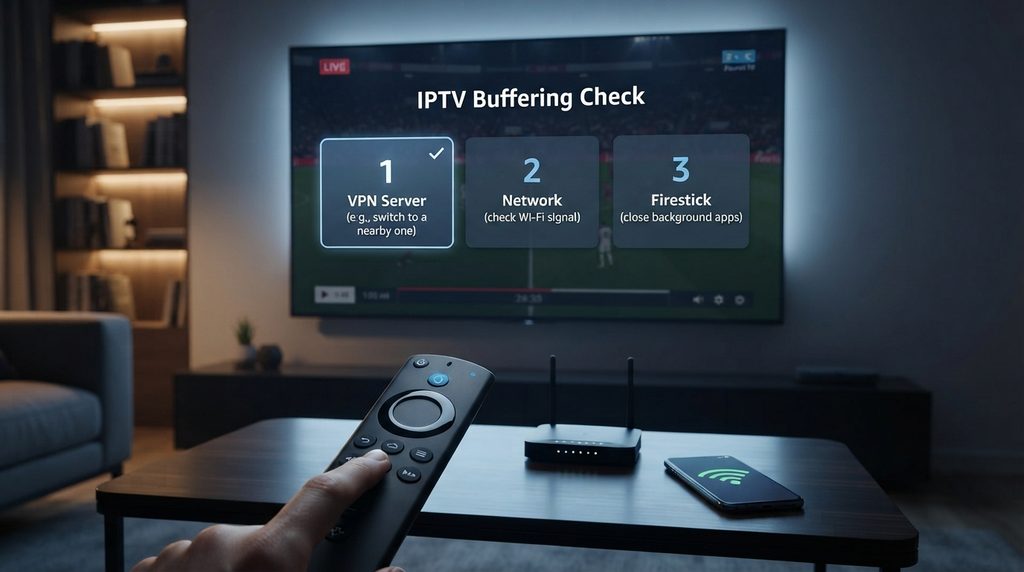
Buffering can come from the VPN, Wi-Fi, Firestick, or IPTV service. Change one thing at a time so you can tell what helps. Start with the simplest checks before changing router settings.
Choose a nearby server and test more than one option
Even when using the best VPN for IPTV on Firestick, start by connecting to a nearby server, then test a small number of other locations if playback stutters. The closest server may not be the quickest if it’s busy, so running a brief test with the same channel or stream gives a fairer comparison.
If the app offers different VPN protocols, try another setting and test again. The available choices vary by provider and device—so keep a note of which server and setting work best.
Check Wi-Fi, device load, and playback quality
Test the Firestick’s Wi-Fi connection and move it closer to the router if the signal is weak, even when you are using the best VPN for IPTV on Firestick. If your setup supports it, an Ethernet adapter can provide a wired connection—and restarting the Firestick or closing apps you aren’t using can also help clear background strain.
Lower the stream quality for a short test. If that stops buffering, your network may struggle with the higher data load, whereas if the picture still freezes, the cause may be the device, app, or IPTV service.
Compare playback with and without the VPN
Run a short test on the same network and stream, if the service’s terms allow it. If playback improves without the VPN, try another server or protocol inside the best VPN for IPTV on Firestick and ask the provider’s support team for help—don’t assume the IPTV service is at fault based on one test.
If the stream fails both ways, check your Wi-Fi and contact the IPTV provider. A VPN can add another step to a connection, but it can’t repair a weak signal or a service outage.
What Firestick users should know about IPTV and VPN access
IPTV describes how video reaches your screen; it doesn’t say whether the service has permission to show it. Even when you use the best VPN for IPTV on Firestick, a VPN only changes how your internet traffic is routed—it doesn’t grant content rights, so always check the service’s terms and the laws where you live.
A VPN doesn’t grant rights to copyrighted channels
Use IPTV services that have permission to offer their channels and shows, even if you already have the best VPN for IPTV on Firestick. A VPN does not make unauthorized access legal or remove your responsibility to follow local law, so if you’re unsure about a service, check its licensing and terms.
Geo-restrictions and service terms still apply
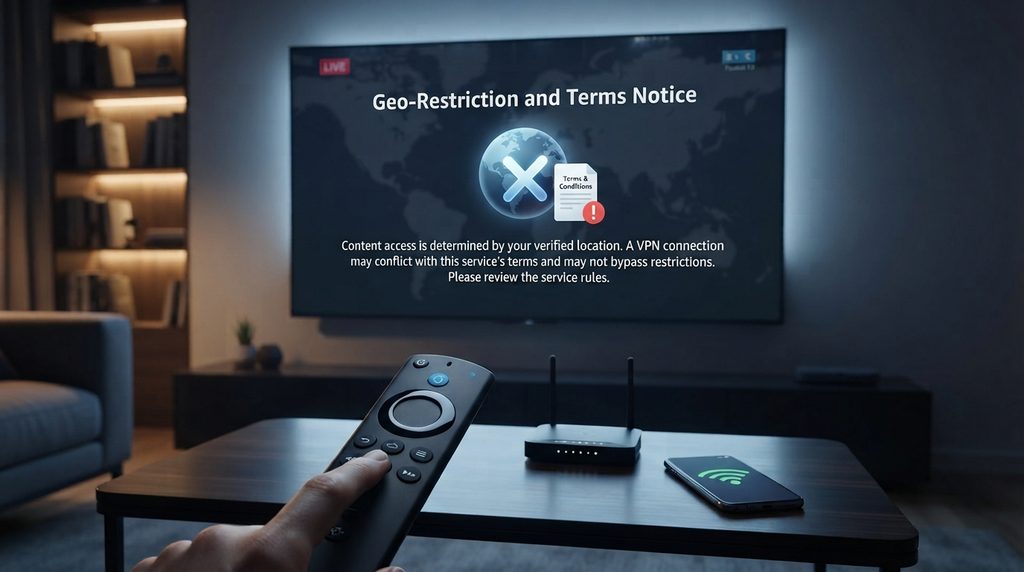
Some services use your location to decide which content they can show. A VPN may affect those checks or conflict with a provider’s terms. Review the IPTV service’s rules before connecting through a VPN, and don’t count on it to bypass a restriction.
Check claims and prices before choosing a plan
Before you buy, check the current Amazon Appstore listing, provider privacy policy, audit reports, plan terms, and independent speed tests. Look for test dates and server locations, since results can vary. If a price or feature sounds appealing, confirm it on the provider’s current plan page.
Choose the VPN that fits your Firestick and streaming needs
Start with an official Fire TV app, current privacy details, and performance tests that show when and how they were run. NordVPN, ExpressVPN, and Surfshark are candidates to compare, but the best fit depends on your device and home network.
Try a nearby server and test your usual stream before committing to a long plan. Check both the VPN and IPTV terms, then choose the service that works reliably without stretching your budget.
Frequently Asked Questions About Using a VPN for IPTV on Firestick
Does a VPN completely stop IPTV buffering on a Firestick?
Choosing the best VPN for IPTV on Firestick can help reduce buffering in specific situations, but it cannot guarantee buffer-free playback on its own. When a VPN works in your favor, it is usually because your internet service provider is slowing down or interfering with certain types of traffic during peak hours, or because a specific route between your home network and a server is congested—so routing traffic through a well-performing VPN server can sometimes provide a cleaner path.
However, buffering has many other causes that even the best VPN for IPTV on Firestick cannot fix. Weak Wi-Fi reception, router congestion, a Firestick running low on memory or storage, background apps, or an overloaded IPTV source can all cause freezing and spinning wheels. In fact, adding encryption and extra routing steps can occasionally slow a connection down if you pick a distant or crowded server. The most reliable approach when setting up the best VPN for IPTV on Firestick is to test a nearby server first, check your local network connection, and avoid changing multiple settings at once so you can see what actually makes a difference.
How do I choose the right VPN server location for Firestick streaming?
When configuring the best VPN for IPTV on Firestick, start by picking a server that is geographically close to your location, then test a small number of alternatives during the hours you normally watch. Distance matters because data has to travel farther and pass through more network hops, which can add latency—even so, the closest server is not always the fastest option if many users are connected to it at the same time.
When comparing servers on the best VPN for IPTV on Firestick, keep your test consistent. Watch the same channel or stream for a brief period, note how often playback pauses or drops resolution, and switch servers only after giving each one a fair trial. Peak evening hours and major live events often place heavier load on both servers and home networks, so testing the best VPN for IPTV on Firestick at the time you actually watch gives a much more realistic picture than a midday check.
Which VPN protocol should I use on a Firestick?
Modern protocols are generally preferred over older ones because they are designed to balance speed and security more efficiently on consumer hardware. Many apps for the best VPN for IPTV on Firestick offer modern choices alongside older options such as OpenVPN, though the exact labels and availability depend on the provider, app version, and Firestick model.
If your app lets you switch protocols on the best VPN for IPTV on Firestick, test one change at a time and see how your stream responds. A lighter, faster protocol may handle higher bitrates more smoothly on a Firestick, while another setting might behave differently on restrictive networks—so always check the provider’s documentation to understand what each option in your app does before changing defaults.
Can I sideload a VPN APK if the app is not in the Amazon Appstore?
It is usually safer to stick to the official Amazon Appstore rather than sideloading an app from an outside source. If a VPN provider offers an official Fire TV app, installing the best VPN for IPTV on Firestick through Amazon makes updates simpler and helps you verify the publisher before the software touches your device.
If you do not see the app in the Amazon Appstore, check the provider’s official support pages first. Your Firestick model or software version might not be supported, or the provider may publish specific instructions for your device. Downloading installation files from unfamiliar third-party websites carries security risks, so treat unverified downloads with caution and consider whether a supported router setup makes more sense when choosing the best VPN for IPTV on Firestick for your hardware.
Should I install a VPN on my Firestick app or on my home router?
For most people using a Firestick, installing the best VPN for IPTV on Firestick directly on the streaming device is the simpler choice. It keeps management straightforward on the screen you already use, avoids extra network configuration, and lets you turn the connection on or off for the Firestick without altering how other devices behave.
Configuring the best VPN for IPTV on Firestick on a router can be useful when a device cannot run a VPN app or when you want broader network coverage, though setup depends heavily on your router model and firmware. It can also route traffic from every phone, computer, TV, and smart home device on your network through the VPN, which may require more technical troubleshooting and can affect speeds across your household.
How can I check if my VPN connection is actually working before I stream?
Before starting a stream, open the best VPN for IPTV on Firestick and verify that the status clearly shows an active connection rather than a connecting, reconnecting, or disconnected state. Checking the app interface is a quick first step, especially if your Firestick has been sleeping or recently reconnected to Wi-Fi.
If you also want an external check, you can run a reputable IP address or DNS leak test in a browser on a device connected to the same network. Keep in mind that any online check is only a snapshot of that moment and does not guarantee continuous protection or uninterrupted access. If a test reveals your regular IP address or unexpected DNS details, disconnect, review the settings in your best VPN for IPTV on Firestick—such as leak protection options—and reach out to the provider’s support team if the issue persists. Never enter passwords or sensitive personal details on third-party test pages.
Why does a stream sometimes work better when I turn the VPN off?
A stream can run more smoothly with the VPN turned off if the VPN server is congested, located far away, or adding overhead that your connection does not need. Every extra hop and encryption step introduces some processing and routing work, and if your home internet connection is already stable and unthrottled for that traffic, bypassing the VPN can sometimes feel faster.
If playback improves when you disconnect the VPN, try switching to another nearby server or testing a different protocol if your app supports it. If problems continue either way, look at your Wi-Fi signal, restart the Firestick, or check whether the IPTV service itself is experiencing trouble rather than blaming a single test.
Does using a VPN make an IPTV service legal or bypass regional rules?
No. A VPN changes how your internet traffic is routed and encrypted; it does not grant copyright permissions, legal authorization, or content rights. Whether an IPTV service is permitted to offer specific channels or programs depends on licensing and local laws, not on whether you use a VPN.
Regional availability and service terms can also still apply. Some platforms check account details, billing regions, or location signals, and using a VPN may interact unpredictably with those checks or conflict with a service’s terms of use. Always review both the IPTV service’s rules and the laws in your area, and rely on authorized services with clear rights to the content they provide.
What should I check before paying for a VPN for my Firestick?
Before committing to a subscription, verify the practical details on the provider’s official pages rather than relying on older posts or promotional claims. Confirm that the Firestick app is currently available for your specific device model, read the privacy policy and any independent audit summaries carefully, and look for current plan terms including renewal pricing and refund windows.
It is also smart to look at independent speed tests that state when they were conducted and how the testing was done, while remembering that your own Wi-Fi, ISP, and server choice will shape real-world results. Once you choose a plan, test a nearby server with your normal viewing setup and make sure the service fits both your technical needs and your budget.