British IPTV: Choose a Legal UK TV Service That Fits Your Home
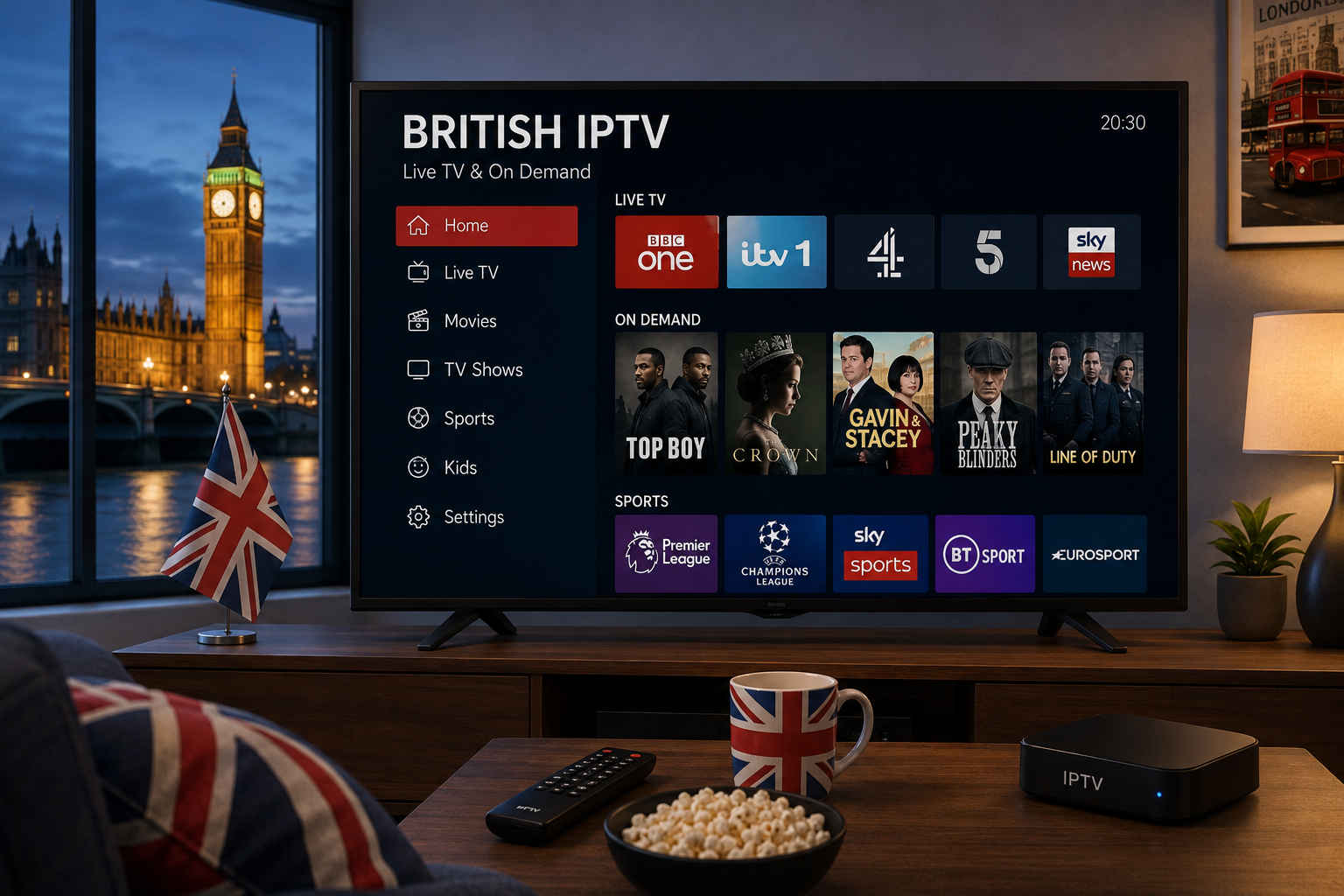
British IPTV has transformed how viewers watch TV, meaning a traditional television aerial or satellite dish is no longer the only way to access UK programmes. With British IPTV, viewers can stream television content directly through an internet connection using compatible smart TVs, streaming devices, computers, smartphones, and tablets. This modern approach has completely changed how households watch live channels, films, television series, documentaries, and sporting events.
However, choosing an internet television service requires more than looking at the number of available channels or the advertised subscription price. Viewers should understand how British IPTV works, check whether a provider has the necessary broadcasting rights, compare available features, and confirm that the service supports their devices.
The UK market includes several established television platforms, broadcaster applications, and subscription-based streaming services. Each has different programmes, viewing options, prices, and technical requirements. Some focus on live television, while others offer extensive on-demand libraries or a combination of both.
This comprehensive guide explains British IPTV, explores popular UK television platforms, compares different viewing options, and provides practical advice for choosing a service. It also covers device compatibility, broadband requirements, account security, subscription costs, and the potential risks associated with unauthorised streaming services.
Whether you are interested in British entertainment, live news, sports, films, or family programmes, understanding these factors can help you make a more informed decision regarding British IPTV.
1. What Is British IPTV and How Does It Work?
British IPTV refers to television content delivered through internet networks rather than relying exclusively on traditional terrestrial broadcasting, cable connections or satellite reception.
The term IPTV stands for Internet Protocol Television. It describes a technology that uses internet-based networks to transmit television programmes and video content to compatible devices.
Unlike traditional television systems, which receive signals through an aerial or satellite dish, internet television uses a broadband connection to deliver video. Depending on the platform, viewers can access live broadcasts, catch-up programmes and on-demand entertainment through an application or supported television interface.

Understanding Internet Protocol Television
British IPTV uses internet communication protocols to transfer video and audio data between a content provider and the viewer’s device.
When someone selects a television programme on a British IPTV platform, the service sends the required video data through the network. The device receives and processes this information, allowing the programme to play on the screen.
This process usually takes place continuously while the viewer watches British IPTV. The application manages the connection, loads the content and adjusts playback according to the available network conditions.
Several components work together to provide this experience:
-
- Content provider: The organisation responsible for supplying or distributing television programmes.
-
- Internet connection: The network that transports video data to the viewer.
-
- Streaming application: The software used to browse channels, programmes and on-demand libraries.
-
- Compatible device: A television, streaming box, smartphone, tablet or computer that displays the content.
-
- Content delivery infrastructure: The systems responsible for distributing video efficiently to viewers.
The performance of each component can influence the overall viewing experience.
Live Television, Catch-Up and On-Demand Content
Internet television platforms commonly provide different ways to watch programmes.
Live television: Live streaming allows viewers to follow a channel while its programmes are being broadcast. It is particularly useful for news, scheduled entertainment and sporting events.
Catch-up television: Catch-up services allow users to watch selected programmes after their original broadcast. Availability periods depend on the broadcaster and individual programme rights.
Video on demand: Video-on-demand libraries let viewers choose films, series, documentaries and other programmes whenever they want, rather than following a fixed broadcasting schedule.
Replay and recording features: Some platforms provide additional tools for restarting selected programmes, recording broadcasts or accessing previously aired content. These features depend on the provider and subscription package.
Having several viewing options in one application can make television more convenient, particularly for households with different schedules.
Is Every British IPTV Service Legal?
British IPTV is a technology, not a legal certification or guarantee of broadcasting rights.
A legitimate British IPTV service must have permission to distribute the programmes and channels it offers. An unauthorised provider may transmit copyrighted films, premium sports events or television channels without the necessary agreements.
The distinction is important because a British IPTV application or streaming device can be perfectly legitimate while being used to access unauthorised content.
Before subscribing to any British IPTV service, investigate the company behind the platform, its terms and conditions, its contact information and the origin of its broadcasting rights.
2. Popular British IPTV and Internet TV Platforms
UK viewers have access to several recognised television platforms. They differ in their content libraries, subscription arrangements, supported devices and viewing features.
Rather than assuming that one platform suits every household, compare the services according to the programmes you actually watch.
BBC iPlayer
BBC iPlayer is one of the UK’s best-known British IPTV streaming platforms. It provides access to a wide selection of BBC programmes, including entertainment, documentaries, drama, news and selected sporting coverage.
The British IPTV platform combines live BBC channels with an extensive catch-up and on-demand library. Viewers can discover recently broadcast programmes, explore selected box sets and watch British IPTV content on supported devices.
Some useful features include:
-
- Access to selected BBC live channels.
-
- Catch-up television for eligible programmes.
-
- On-demand box sets and documentaries.
-
- Subtitles and accessibility options for supported content.
-
- Applications for compatible televisions and mobile devices.
BBC iPlayer is particularly suitable for viewers who regularly watch BBC programming.
An important point for UK households is that a valid TV Licence is required to watch or download programmes through BBC iPlayer, including on-demand content.
ITVX
ITVX is ITV’s premier British IPTV streaming platform, offering British entertainment, drama, reality television, films and selected live television content.
Its British IPTV library includes a mixture of free advertising-supported programming and additional content available through paid options. The precise catalogue and features can change.
Viewers can explore different genres, discover popular British IPTV programmes and watch eligible content after its original broadcast.
ITVX may appeal to households that enjoy:
-
- British drama and entertainment.
-
- Reality television.
-
- Selected live ITV channels.
-
- Films and television series.
-
- Catch-up programmes.
Before choosing a paid option, compare its current benefits with the free service to determine whether the additional features justify the cost.
Channel 4
Channel 4 provides another important option for people interested in British television.
Its digital platform offers a selection of Channel 4 programming, including documentaries, comedy, drama, reality shows and entertainment.
One of its main advantages is the variety of original programmes available through its online catalogue.
Depending on the programme and applicable rights, viewers may find:
-
- Recent television episodes.
-
- Selected complete series.
-
- Documentaries and factual programmes.
-
- British comedy and drama.
-
- Films and entertainment content.
Channel 4 is worth considering for viewers who prefer a broad range of British productions rather than concentrating exclusively on live television.
Sky Stream
Sky Stream provides an internet-based British IPTV way to access selected Sky television content without requiring a traditional satellite dish.
It uses a compatible streaming device and broadband connection to deliver British IPTV services. Depending on the subscription, customers can access different channels, entertainment packages and additional features.
Sky Stream may suit households that want a more integrated British IPTV television experience with a central interface.
Before subscribing, check:
-
- Which channels are included.
-
- Whether premium sports or cinema content costs extra.
-
- Whether a minimum subscription term applies.
-
- What equipment is supplied.
-
- Which broadband requirements are recommended.
-
- How account and cancellation arrangements work.
NOW
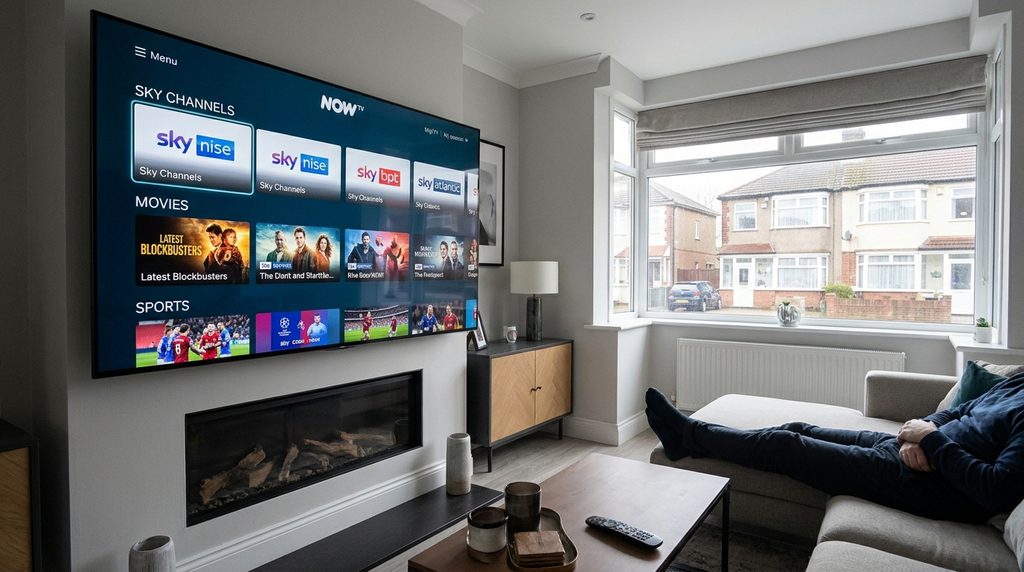
NOW is a subscription streaming service that provides access to selected Sky content through different membership options.
Its packages are designed around particular entertainment categories, which can make it easier to choose content according to personal interests.
Depending on the current membership options, viewers may find entertainment, cinema and sports content.
NOW can be useful for people who prefer a flexible streaming subscription instead of a larger television and broadband package.
However, availability, prices, supported devices and membership conditions should always be checked before purchasing.
Comparing Popular UK Television Platforms
The following table provides a general overview rather than a fixed ranking. Features and subscription conditions can change.
| Platform | Main content | Viewing options | General cost model |
|---|---|---|---|
| BBC iPlayer | BBC programmes | Live and on demand | No separate subscription |
| ITVX | ITV entertainment | Live and on demand | Free and paid options |
| Channel 4 | British programmes and films | Mainly on demand, with selected live content | Free and paid options |
| Sky Stream | Television and premium entertainment | Live and on demand | Paid subscription |
| NOW | Entertainment, cinema and sports | Mainly streaming | Paid memberships |
The best choice depends on your viewing habits, budget and preferred programmes. Some households may be perfectly satisfied with free broadcaster applications, while others may benefit from combining several services.
3. How to Choose the Right British IPTV Service
Choosing a suitable British IPTV option starts with understanding what you expect from your television subscription.
A large catalogue may look attractive, but it does not necessarily provide better value. A smaller service that includes your favourite channels and works reliably on your television may be a more practical choice.
Identify Your Favourite Channels and Programmes
Start by making a list of the channels and programmes you watch regularly.
For example, one household might prioritise British news and documentaries, while another may prefer films, comedy, entertainment or live sports.
Consider the following questions:
-
- Do you mainly watch live television?
-
- Do you prefer films and series?
-
- Are British news channels important?
-
- Do you regularly watch sporting events?
-
- Do you need children’s programming?
-
- Would you benefit from catch-up television?
-
- Do you want subtitles or alternative audio tracks?
Once you understand your priorities, compare them with the content available through legitimate providers.
This approach prevents you from paying for an expensive package containing numerous channels you rarely watch.
Compare Subscription Features
Not all television subscriptions provide the same functionality.
Some focus on a straightforward live television experience, while others include advanced search tools, personalised recommendations, profiles and recording options.
When comparing services, pay attention to:
Electronic programme guide: An electronic programme guide displays scheduled programmes and helps viewers understand what is currently showing and what is coming next.
Catch-up availability: Check how long eligible programmes remain available after broadcast.
Video quality: Look for information about supported resolutions, including HD and 4K where available.
Subtitles: Accessibility features can make television more convenient for viewers who prefer reading dialogue or require additional support.
Parental controls: Families may benefit from age restrictions, profile settings and content management tools.
Multiple screens: Some subscriptions allow simultaneous viewing on several devices, while others impose restrictions.
The value of these features depends on how your household uses television.
Consider Your Monthly Entertainment Budget
Subscription costs can become difficult to manage when several platforms are used together.
A household might pay separately for entertainment, cinema, sports and other streaming services. Over time, these payments can represent a significant monthly expense.
Create a simple list of your current subscriptions and compare their total cost.
For each service, consider:
-
- The standard monthly price.
-
- Any introductory discount.
-
- The date promotional pricing ends.
-
- Additional membership costs.
-
- Equipment charges.
-
- Simultaneous streaming restrictions.
-
- Cancellation conditions.
Do not base your decision exclusively on a promotional headline. Always calculate the amount you will actually pay over the period you intend to use the service.
Check Regional Availability
Some television programmes are subject to geographical restrictions.
A programme available through a British broadcaster may not be accessible in another country because of licensing arrangements.
These restrictions can apply to live channels, films, sporting events and on-demand libraries.
If you travel regularly or live outside the UK, review the provider’s international availability policy before subscribing.
A VPN does not grant broadcasting rights or automatically remove contractual restrictions. Always follow the platform’s terms of use.
4. British IPTV Devices: What Can You Use at Home?
One of the advantages of internet television is that it can work across several types of compatible devices.
However, compatibility is not automatic. A platform may support one television operating system but not another, or it may offer different features depending on the device.
Smart TVs
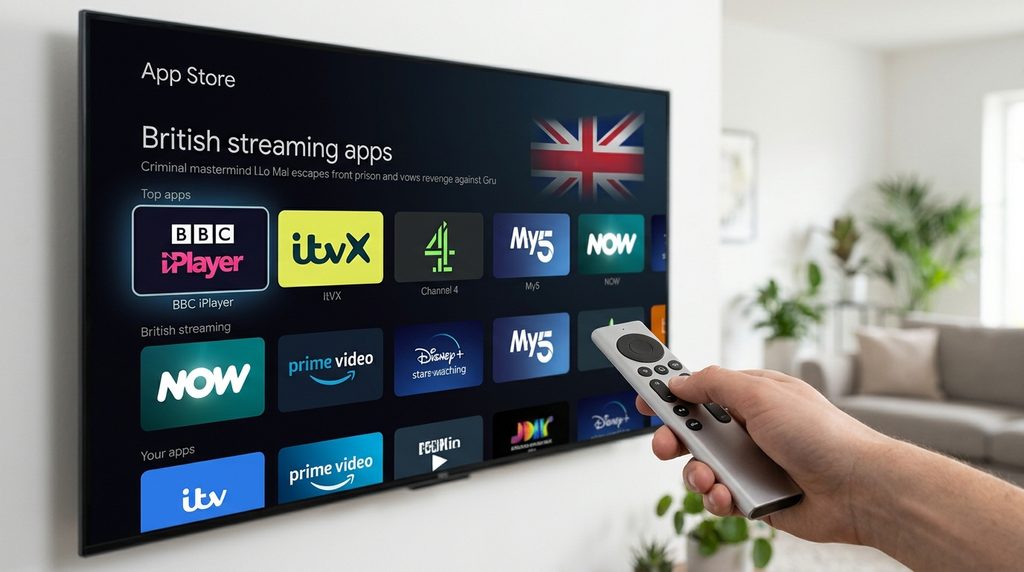
Smart televisions provide access to applications through their built-in operating systems.
Depending on the manufacturer and model, these may include Samsung Tizen, LG webOS, Google TV or Android TV.
Using a supported application directly on the television can reduce the need for additional equipment.
Before installing an application, check:
-
- The exact television model.
-
- The operating system version.
-
- Application availability in your region.
-
- Required software updates.
-
- Supported streaming resolutions.
-
- Available storage space.
Older televisions may no longer receive application updates, even if they originally supported a particular service.
Amazon Fire TV Devices
Amazon Fire TV devices provide another way to access internet television.
They connect to a television through an HDMI port and use the home’s Wi-Fi or supported network connection.
Depending on the model and application, they can provide access to streaming platforms, entertainment libraries and other supported services.
Important considerations include:
-
- Available storage.
-
- Network connectivity.
-
- Supported applications.
-
- Remote control functionality.
-
- Video resolution.
-
- Software update availability.
Download applications from recognised sources and avoid unfamiliar installation files that request unnecessary permissions.
Android TV and Google TV
Android TV and Google TV devices offer access to a broad selection of streaming applications.
They can be useful for households that want to combine several television services in one interface.
The exact application selection depends on the device, operating system version and regional availability.
When choosing an Android-based streaming box, consider the manufacturer’s reputation, software support, hardware performance and security updates.
Apple TV
Apple TV provides a streaming platform designed to work with Apple’s wider ecosystem for British IPTV apps.
It supports various entertainment applications and offers a central interface for compatible British IPTV services.
It may be particularly convenient for households already using Apple devices to stream British IPTV.
Before buying, compare the available models, storage options, supported video formats and compatibility with your television and preferred British IPTV apps.
Smartphones, Tablets and Computers
British IPTV is not limited to the living room.
Many established British IPTV platforms provide applications or browser-based access for smartphones, tablets and computers.
This flexibility can be useful when travelling, relaxing in another room or watching a British IPTV programme away from the main television.
Nevertheless, mobile access to British IPTV may be subject to account, regional, device and simultaneous-streaming restrictions.
5. Internet Speed and Broadband Requirements for British IPTV
A reliable internet connection is one of the most important requirements for a smooth streaming experience.
Even a legitimate and well-maintained television platform can experience playback problems when the viewer’s home network is unstable.
The actual bandwidth required depends on the streaming service, video resolution, compression technology and number of connected devices.
Understanding Internet Speed
Broadband speed is commonly measured in megabits per second (Mbps).
Higher-resolution video generally requires more bandwidth than standard-definition content.
However, advertised download speed is not the only important factor.
Connection stability, latency, congestion and Wi-Fi signal strength can all influence playback.
For example, a household with a fast broadband package may still experience buffering if the television is connected to a weak wireless signal.
What Internet Connection Is Suitable for HD and 4K?
Different providers publish different recommended speeds, so their technical guidance should take priority.
As a general planning guide, households can consider the following approximate ranges:
| Video quality | Suggested planning range |
|---|---|
| Standard definition | 3–5 Mbps |
| HD streaming | 5–10 Mbps |
| Full HD streaming | 10–15 Mbps |
| 4K streaming | 20–25 Mbps or more |
These figures are general estimates, not guarantees or universal minimum requirements.
If several people use the internet simultaneously, additional bandwidth may be necessary.
For instance, one person might watch a high-resolution film while another plays an online game and someone else participates in a video meeting.
A broadband package with sufficient capacity can help prevent competing activities from affecting television playback.

Fibre Broadband and Standard Broadband
Fibre broadband can provide higher speeds and more consistent performance for British IPTV than many older broadband connections.
In areas where fibre is available, it may be a useful option for households streaming British IPTV across several connected devices.
However, the quality of the final connection for British IPTV also depends on the home network and the distance between the router and television.
A well-positioned router and properly configured Wi-Fi network can make a noticeable difference when watching British IPTV.
Wi-Fi Versus Ethernet
Wireless networking offers convenience, but a wired Ethernet connection can provide more consistent performance.
If your television or streaming device supports Ethernet, consider connecting it directly to your router.
This can reduce interference and improve network stability.
If a cable is not practical, try the following:
-
- Place the router in a central position.
-
- Avoid hiding it behind furniture.
-
- Keep it away from major sources of interference.
-
- Use the 5 GHz Wi-Fi band when appropriate.
-
- Consider a mesh Wi-Fi system for larger homes.
-
- Reduce unnecessary network congestion.
A few simple changes can improve the reliability of internet television without requiring a new subscription.
6. How to Improve British IPTV Streaming Quality
Buffering, delayed playback and poor image quality can have several causes.
Before assuming that a television service is responsible, perform a few basic checks.
Restart Your Television and Streaming Device
Temporary software problems can sometimes affect application performance.
Close the streaming application, restart the device and open the service again.
If the problem continues, restart your router.
This simple procedure can resolve certain temporary connection and software issues.
Update Applications and Device Software
Older application versions may contain bugs or compatibility problems.
Check whether the television or streaming device has available software updates.
You should also update the official streaming application when a newer version is available.
Only install updates from recognised application stores or the manufacturer’s official website.
Check Your Network During Peak Hours
Broadband performance can vary throughout the day.
If buffering happens mainly in the evening, compare your connection speed at different times.
Test the connection using the same device and network you normally use for television.
If the problem occurs across several streaming platforms, the cause may be related to your broadband connection rather than one particular application.
Close Unnecessary Background Applications
Some devices have limited memory and processing resources.
Applications running in the background may affect performance, especially on older hardware.
Close applications you are not using and restart the device if necessary.
Check Video Quality Settings
Some services automatically adjust resolution according to network conditions.
If your internet connection becomes unstable, the application may reduce video quality to maintain playback.
Check whether the platform offers manual quality settings.
Selecting a lower resolution may provide smoother playback when bandwidth is limited.
Contact Your Internet or Streaming Provider
If basic troubleshooting does not solve the issue, contact the appropriate support team.
Explain:
-
- Which device you are using.
-
- Which application is affected.
-
- Whether the issue happens on every channel or programme.
-
- When the buffering begins.
-
- Whether other streaming platforms work normally.
-
- What troubleshooting steps you have already attempted.
Providing these details can help support staff identify the cause more efficiently.
7. British IPTV and Live Sports: What Should Viewers Check?
Live sports are an important part of television entertainment in the UK.
Football, rugby, cricket, tennis, motorsport and other competitions attract viewers throughout the year.
However, sports broadcasting rights are often divided between different broadcasters and subscription platforms.
This means that one service may show a particular competition while another carries different matches or events.
Check Which Broadcaster Has the Rights
Before purchasing a subscription, identify where the competition you want to watch is officially available.
Do not assume that a provider carries every major sporting event simply because it advertises a sports package.
Broadcasting agreements can change between seasons and competitions.
Check the official broadcaster’s current coverage information.
Understand Live Streaming Delays
Internet television can have a delay compared with traditional broadcasts.
The delay depends on the streaming technology, network conditions and platform infrastructure.
For some viewers, a short delay is unimportant. Others may prefer services that offer lower-latency streaming for live events.
Check whether the provider publishes any information about its live-streaming performance.
Consider Picture Quality
Sports programmes contain fast movement, making image quality and playback stability particularly important.
When comparing legitimate services, look for information about:
-
- Supported HD or 4K resolutions.
-
- Frame-rate support.
-
- Stable playback.
-
- Device compatibility.
-
- Available audio options.
A high advertised resolution does not guarantee that every event will be available in that quality.
Avoid Unverified Sports Streaming Offers
Unknown sellers may advertise access to premium sporting competitions at unusually low prices.
Before paying, check the provider’s identity, legal information and broadcasting permissions.
8. Is a TV Licence Required for British IPTV in the UK?
Television licensing is an important consideration for people watching programmes in the United Kingdom.
The requirement depends on what you watch rather than simply which device you own or which internet connection you use.
According to TV Licensing, households must be covered by a valid TV Licence when they watch or record live television on any channel or streaming service.
This includes live programmes delivered through internet-based platforms.
A TV Licence is also required to watch or download programmes through BBC iPlayer, including catch-up and on-demand content.
The requirement applies across supported devices, including:
-
- Smart televisions.
-
- Desktop computers.
-
- Laptops.
-
- Smartphones.
-
- Tablets.
-
- Streaming boxes.
-
- Games consoles.
There is generally no need for a separate licence for every device within a household covered by the same licence, although specific household and accommodation arrangements can affect coverage.
Importantly, people who only watch on-demand programmes on services other than BBC iPlayer may not need a TV Licence, provided they do not watch or record live television through any service.
Always check the official rules if your viewing habits change.
Understanding these requirements helps viewers avoid confusion between a streaming subscription and the separate legal obligation to hold a TV Licence where required.
9. How to Recognise Unauthorised British IPTV Services
The internet contains a wide variety of television offers, but not all providers operate with the necessary broadcasting permissions.
Some unauthorised services advertise access to premium channels, recent films and major sporting events through unusually inexpensive subscriptions.
A large channel list or an attractive promotional offer should never replace proper verification.
Check the Company’s Identity
A legitimate business should provide clear information about who operates the service.
Look for:
-
- A company or business name.
-
- Contact information.
-
- Clear subscription terms.
-
- Privacy information.
-
- Payment conditions.
-
- Cancellation instructions.
-
- Information about supported devices.
If the seller hides its identity or refuses to answer basic questions, treat this as a warning sign.
Be Careful With Unrealistic Promises
An unfamiliar website advertising thousands of premium channels, every major sporting event and a huge film library for a very small payment deserves additional scrutiny.
The number of advertised programmes does not prove that the provider has the necessary rights.
Check whether the service clearly explains the origin and authorisation of its content.
Avoid Suspicious Applications
Some unofficial applications require users to download installation files from unknown websites.
These files may contain unwanted software or request unnecessary access to device information.
For safer installation:
-
- Use recognised application stores.
-
- Check the application developer.
-
- Review requested permissions.
-
- Keep your device software updated.
-
- Avoid disabling security settings.
-
- Do not install unknown files sent by strangers.
Protect Your Payment Information
Before entering payment details, confirm that the website belongs to the provider you intend to use.
Check its privacy policy, refund arrangements and payment conditions.
Be especially careful when a seller requests unusual payment methods without providing a clear business identity or purchase documentation.
Keep receipts and confirmation emails for legitimate subscriptions.
Understand the Difference Between a Device and a Service
An Amazon Fire TV Stick, Android TV box or Smart TV is not automatically illegal.
These devices can be used to access legitimate streaming services and free-to-air content.
The issue arises when equipment or software is adapted to access copyrighted programmes without permission.
10. Privacy and Security When Using Internet Television
Security is another important part of choosing a British IPTV service.
Streaming applications may require an account, email address, payment information or other personal details.
A trustworthy provider should explain how this information is collected, stored and used.
Choose Services With Clear Privacy Policies
Read the privacy policy before creating an account.
Check whether the provider explains:
-
- What information it collects.
-
- Why personal information is required.
-
- How account information is stored.
-
- Whether information is shared with third parties.
-
- How users can manage their account.