Home Streaming Setup: 9 Powerful Tips for the Ultimate Entertainment Experience
Introduction
A well-planned home streaming setup can transform an ordinary living room into a comfortable entertainment space for movies, television, sports, documentaries, and online video. Modern streaming technology allows households to enjoy digital entertainment using smart televisions, streaming devices, wireless networks, and a variety of connected accessories. However, creating a reliable home streaming setup requires more than simply connecting a television to the internet.
The quality of a home streaming setup depends on several elements working together, including internet speed, Wi-Fi coverage, television settings, device compatibility, audio equipment, and the physical arrangement of the room. Choosing the right combination of equipment can help reduce interruptions, improve picture quality, and make everyday entertainment more convenient.
For households in the United States, a home streaming setup can also help simplify entertainment by reducing cable clutter and making different applications accessible through a single television or media device. Whether you live in a small apartment, a family home, or a larger property, planning your equipment around your needs can make a noticeable difference.
This guide explores nine powerful tips for building a home streaming setup, explains the equipment worth considering, and provides practical suggestions for improving performance without unnecessary spending.
1. Choose the Right Television for Your Home Streaming Setup
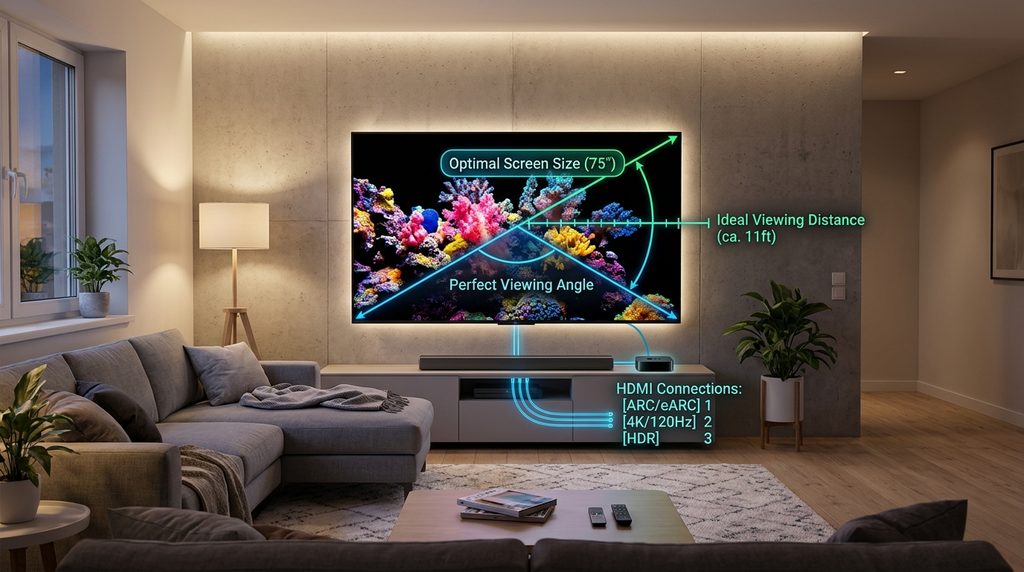
Choosing the television is one of the most important decisions when building a home streaming setup. The display determines how you experience colors, contrast, resolution, motion, and viewing comfort. Before purchasing a new television, consider the size of the room, the distance between the seating area and the screen, and the types of content you normally watch.
A larger television can create a more immersive home streaming setup when the viewing distance is appropriate. However, purchasing the biggest available screen does not automatically produce the best experience. A display that is too large for a small room may feel uncomfortable, while a smaller television may not provide the cinematic experience desired in a spacious living room.
Resolution is another important consideration for a home streaming setup. Full HD televisions can still be suitable for smaller screens or basic viewing needs, while 4K resolution provides more detail on larger displays. Many modern televisions also support HDR technologies, which can improve brightness, contrast, and color reproduction when compatible content is available.
Before choosing a television, compare display technology, brightness, viewing angles, refresh rate, available HDMI ports, operating system support, and warranty coverage. A balanced television that meets your requirements is often a better purchase than an expensive model with features you rarely use.
2. Select a Streaming Device That Matches Your Needs
A compatible streaming device can make your home streaming setup more flexible, especially if your television has limited application support or an older operating system. Streaming devices are available in different formats, including compact HDMI sticks, media boxes, and televisions with integrated streaming capabilities.
When selecting a streaming device for your home streaming setup, consider its processing performance, memory, storage capacity, supported video formats, wireless connectivity, and interface. These characteristics can affect how quickly applications open, how smoothly menus respond, and how efficiently video playback works.
Some devices support Ethernet connections, while others rely primarily on Wi-Fi. If your television is located far from the router, an Ethernet-compatible device may offer additional flexibility. However, a strong wireless connection can also work well for many households.
Device compatibility is especially important when purchasing accessories or applications. Check the official specifications to confirm that the streaming device supports your television, preferred resolution, audio formats, and required software.
A practical home streaming setup should be easy to use. Choose a device with a simple interface, convenient remote control, reliable software support, and enough performance for your everyday entertainment activities.
3. Improve Your Internet Connection and Wi-Fi Coverage
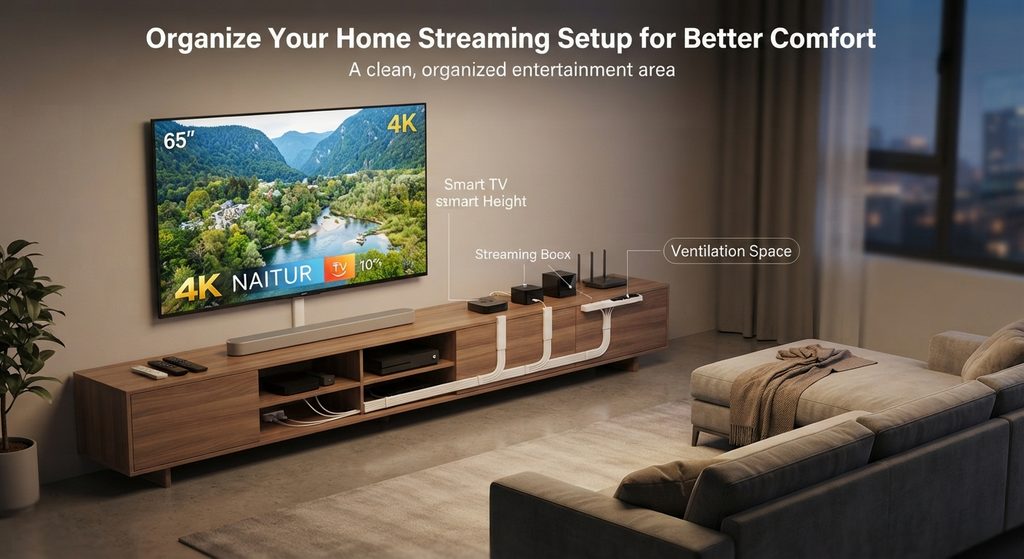
Internet connectivity is the foundation of a dependable home streaming setup. Streaming devices need to receive data consistently to maintain playback, particularly when watching high-resolution video. A connection that frequently fluctuates may cause buffering, lower picture quality, or slow loading times.
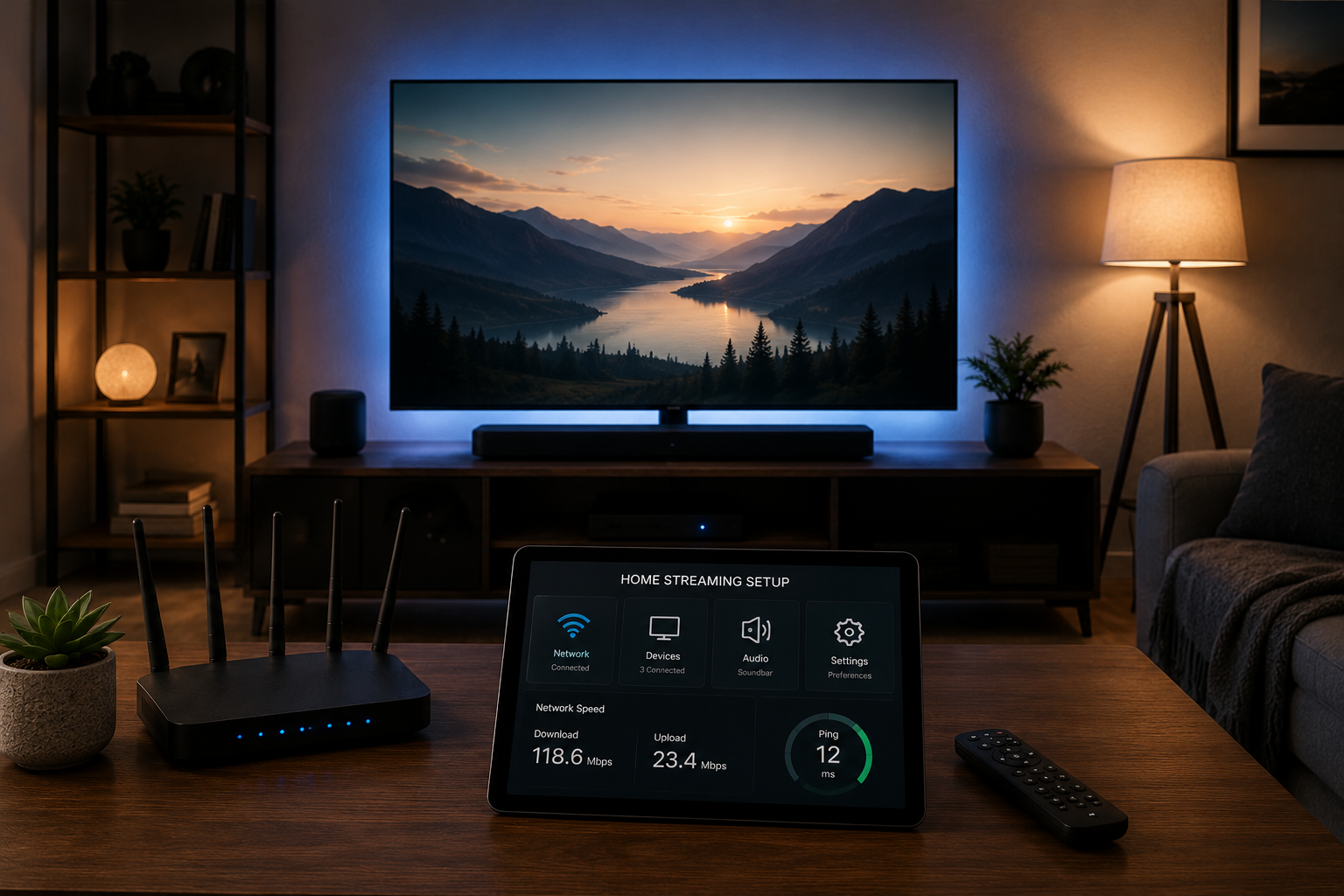
Start by testing your internet connection near the router and then test it in the room where the television is located. This comparison can help determine whether the internet service itself or the wireless network inside your home is contributing to performance problems.
For a home streaming setup that relies on Wi-Fi, router placement is important. Position the router in an open, elevated location when possible, and avoid placing it inside cabinets or behind large objects. Walls, metal surfaces, and other obstacles can weaken wireless signals.
The 2.4 GHz Wi-Fi band typically offers greater range, while the 5 GHz band may provide higher speeds at shorter distances. The best choice depends on your device location, wireless interference, and router capabilities. Testing both bands may help you find the most reliable connection.
If Wi-Fi coverage remains weak, consider using Ethernet, a properly positioned access point, or a mesh Wi-Fi system. The goal of a home streaming setup is to provide consistent connectivity rather than simply achieving the highest speed during a single test.
4. Organize Your Home Streaming Setup for Better Comfort
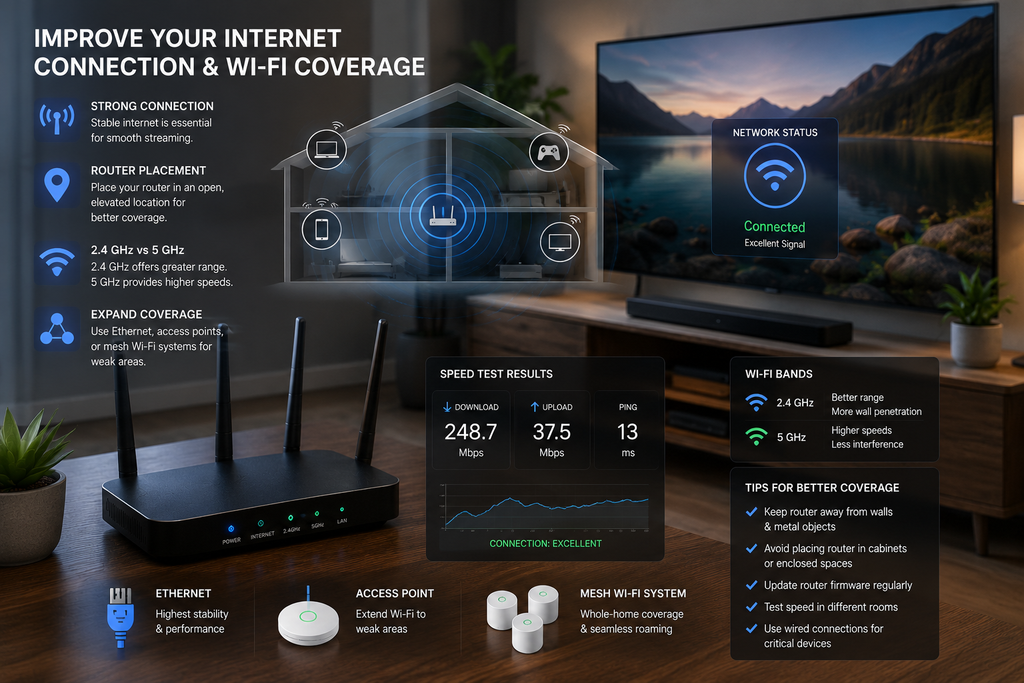
The physical arrangement of your home streaming setup can influence comfort, usability, and the overall appearance of your entertainment area. A well-organized space makes it easier to access equipment, control devices, and enjoy content without unnecessary distractions.
Begin by choosing a suitable location for your television. The screen should be positioned at a comfortable height and angle for the main seating area. Avoid placing the television where direct sunlight creates reflections that make the picture difficult to see.
Furniture placement is another important part of a home streaming setup. Arrange seating so viewers can comfortably see the screen without constantly turning their heads. In larger rooms, consider whether additional seating positions create viewing angles that are too far to the side.
Cable management can also improve the appearance of your entertainment area. Use suitable cable clips, sleeves, or cable management channels to keep wires organized and reduce clutter. Ensure that cables are not stretched, crushed, or placed where people may trip over them.
Keep ventilation in mind when arranging streaming boxes, routers, receivers, and other electronic equipment. Devices should have enough space for airflow, especially when they operate for extended periods.
A clean, organized entertainment area can make your home streaming setup feel more comfortable, practical, and visually appealing.
5. Configure Your Television Settings Correctly
Television settings can influence the picture quality of your home streaming setup. Many displays include several picture modes, brightness controls, contrast settings, motion processing features, and color adjustments. Choosing appropriate settings can help you enjoy content without making the picture appear unnatural.
Picture modes such as Cinema, Movie, Filmmaker, or similar options may provide a more balanced image for entertainment. The names and features vary depending on the television manufacturer, so review your television’s instructions before making adjustments.
Brightness should be suitable for the room. A bright living room may require a different configuration from a darker bedroom or dedicated entertainment space. Excessively bright settings can make nighttime viewing uncomfortable, while very low brightness may make daytime content difficult to see.
For a home streaming setup that includes HDR content, confirm that the television supports the relevant HDR format and that the settings are enabled where appropriate. HDR performance depends on the display, source content, and compatible device configuration.
Motion smoothing is another feature worth reviewing. Some televisions use motion processing to reduce blur or create additional frames. While some viewers appreciate smoother motion, others prefer a more natural cinematic appearance. Try different settings and choose the option that feels comfortable.
Avoid changing every picture control at once. Adjust a few settings, test them with familiar content, and keep the configuration that provides a natural image.
6. Upgrade Your Audio for a Better Entertainment Experience
Sound quality can make a home streaming setup feel significantly more immersive. Although modern televisions have improved audio features, their built-in speakers may have limited bass, separation, and room-filling capability because of their compact design.
A soundbar is one of the simplest audio upgrades for a home streaming setup. It can provide clearer dialogue, improved sound separation, and a fuller audio experience without requiring several speakers around the room.
Before purchasing a soundbar, check its connection options. HDMI ARC or eARC can simplify communication between compatible televisions and audio equipment. Optical audio may also be available on some devices, although supported features can vary.
For users who want a more immersive experience, a surround sound system may provide additional speakers and more detailed positioning of audio effects. However, a multi-speaker configuration requires more space, cables, and setup work.
Audio placement is important. Avoid placing speakers behind furniture or inside enclosed spaces that can interfere with sound. Follow the manufacturer’s recommended positioning guidelines, and adjust volume levels so dialogue remains clear.
A home streaming setup does not need expensive audio equipment to sound enjoyable. Even a basic soundbar can make a practical difference when its features match the room and viewing habits.
7. Manage Storage, Applications, and Device Performance
Streaming devices often run several applications and store temporary files, preferences, and system information. Keeping these devices organized can help maintain a responsive home streaming setup.
If a streaming box becomes slow, check its available storage space. Devices with limited free storage may have difficulty installing updates or maintaining normal operation. Removing applications that are no longer needed can free up space.
Application updates are also important. Developers may release updates to improve compatibility, fix bugs, address security issues, and enhance performance. For a home streaming setup, using supported versions of applications and device software can help reduce avoidable problems.
Restarting a device occasionally may help resolve temporary software issues. If a particular application repeatedly freezes, check its official support information before performing more advanced troubleshooting.
Users should avoid installing unknown software from untrusted sources. Unofficial applications may create security risks, affect device stability, or request permissions that are unnecessary for their intended function.
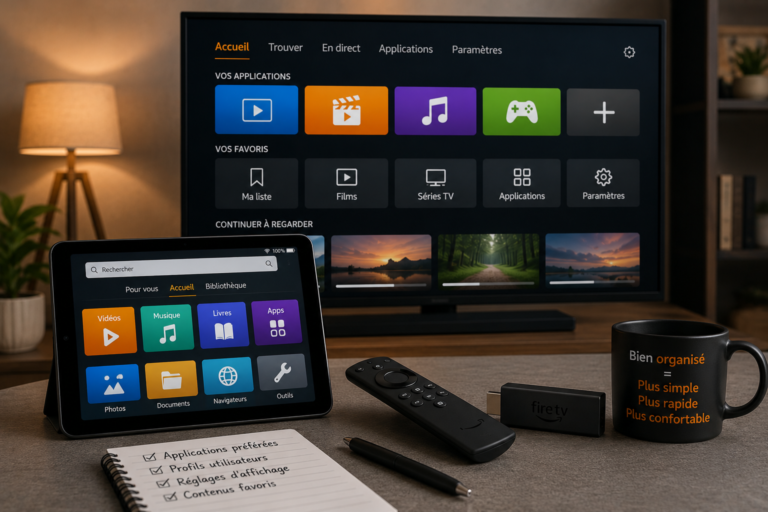
Keeping your applications organized can also improve usability. Place frequently used applications in convenient positions on the home screen, remove unnecessary shortcuts, and use profiles or parental controls where appropriate.
A clean and well-maintained streaming device makes your home streaming setup easier to navigate and more convenient for everyone in the household.
8. Add Smart Home Features and Convenient Controls
Smart home accessories can make a home streaming setup more convenient by simplifying lighting, power management, and device control. Some households use voice assistants, smart plugs, automated lighting, or compatible remote controls to create a more comfortable entertainment environment.
Lighting is one of the simplest features to improve. Dimming room lights or adjusting smart bulbs before watching a movie can reduce glare and create a more relaxed atmosphere. However, avoid making the room completely dark if the television’s brightness causes eye discomfort.
Smart remotes may help control multiple compatible devices through a single interface. Depending on the equipment, one remote may control television power, volume, input selection, and certain streaming functions.
Voice control can also be useful in a home streaming setup. Supported devices may allow users to search for content, open applications, adjust volume, or control compatible smart home equipment using voice commands.
Smart plugs can help manage certain accessories, but they should be used carefully and only with devices that are compatible with their ratings and intended operation. Do not use smart plugs to repeatedly interrupt power to equipment that requires a normal shutdown procedure.
Automation should remain simple and reliable. The best smart home features are those that genuinely reduce effort instead of creating additional complexity.
9. Maintain and Protect Your Home Streaming Setup
Regular maintenance can help extend the lifespan of a home streaming setup and keep its equipment operating reliably. Streaming devices, routers, televisions, cables, and audio accessories benefit from occasional inspection and basic care.
Dust can accumulate around electronic equipment and ventilation openings. Follow the manufacturer’s cleaning instructions and avoid using liquids directly on devices. Keeping equipment clean and properly ventilated may help prevent unnecessary heat buildup.
Software updates should be checked periodically. Router firmware, television operating systems, and streaming device software may receive updates that improve compatibility, security, and reliability.
A home streaming setup should also be protected from common electrical problems. Use appropriate power accessories and follow manufacturer recommendations. If your area experiences frequent power fluctuations, consult a qualified professional about suitable protection for sensitive equipment.
Review your network password and connected devices from time to time. A secure wireless network helps protect personal devices and connected equipment from unauthorized access.
Finally, keep important equipment information available, including model numbers, warranty details, and support instructions. This information can be useful when troubleshooting or replacing accessories.
Regular maintenance does not need to be complicated. A few simple habits can help keep your home streaming setup organized, secure, and ready for everyday entertainment.
Frequently Asked Questions
What do I need for a home streaming setup?
A basic home streaming setup needs a television or compatible display, a reliable internet connection, and a supported streaming device or smart television system. Optional accessories include a soundbar, Ethernet cable, mesh Wi-Fi equipment, and smart lighting.
How much internet speed is recommended?
The required internet speed depends on video resolution, bitrate, and how many devices are streaming simultaneously. A household should consider its total internet activity instead of focusing only on the requirements of one television.
Is Ethernet better than Wi-Fi for a home streaming setup?
Ethernet can provide stable connectivity by avoiding wireless interference and signal fluctuations. However, a strong Wi-Fi connection can perform very well. Compare both options if your streaming device supports them.
Do I need a 4K television?
A 4K television can provide greater detail on compatible content, particularly on larger displays. Whether it is worthwhile depends on your budget, viewing distance, screen size, and the content you normally watch.
Should I buy a soundbar?
A soundbar can improve dialogue clarity and provide fuller audio than many built-in television speakers. It is a practical upgrade for viewers who want better sound without installing a complete surround sound system.
How can I reduce buffering?
Check internet speed, improve router placement, reduce unnecessary network activity, update your equipment, and try Ethernet if available. These steps may help improve the stability of your home streaming setup.
Conclusion
Creating a comfortable home streaming setup is about choosing equipment that works well together and arranging it to suit your home. A suitable television, reliable streaming device, stable internet connection, properly configured Wi-Fi, and clear audio can provide an enjoyable entertainment experience.
You do not need to purchase every accessory at once. Begin with the equipment you already own, identify any limitations, and make improvements gradually. Testing your connection, adjusting television settings, organizing cables, and maintaining software are simple steps that can make a difference.
A thoughtfully designed home streaming setup can make everyday entertainment easier, more comfortable, and more enjoyable for the entire household. By following these nine tips, you can build a practical system that supports your viewing habits and provides dependable performance for years to come.