IPTV Child Safety Settings: 7 Powerful Tips for Safer Family Streaming
Introduction
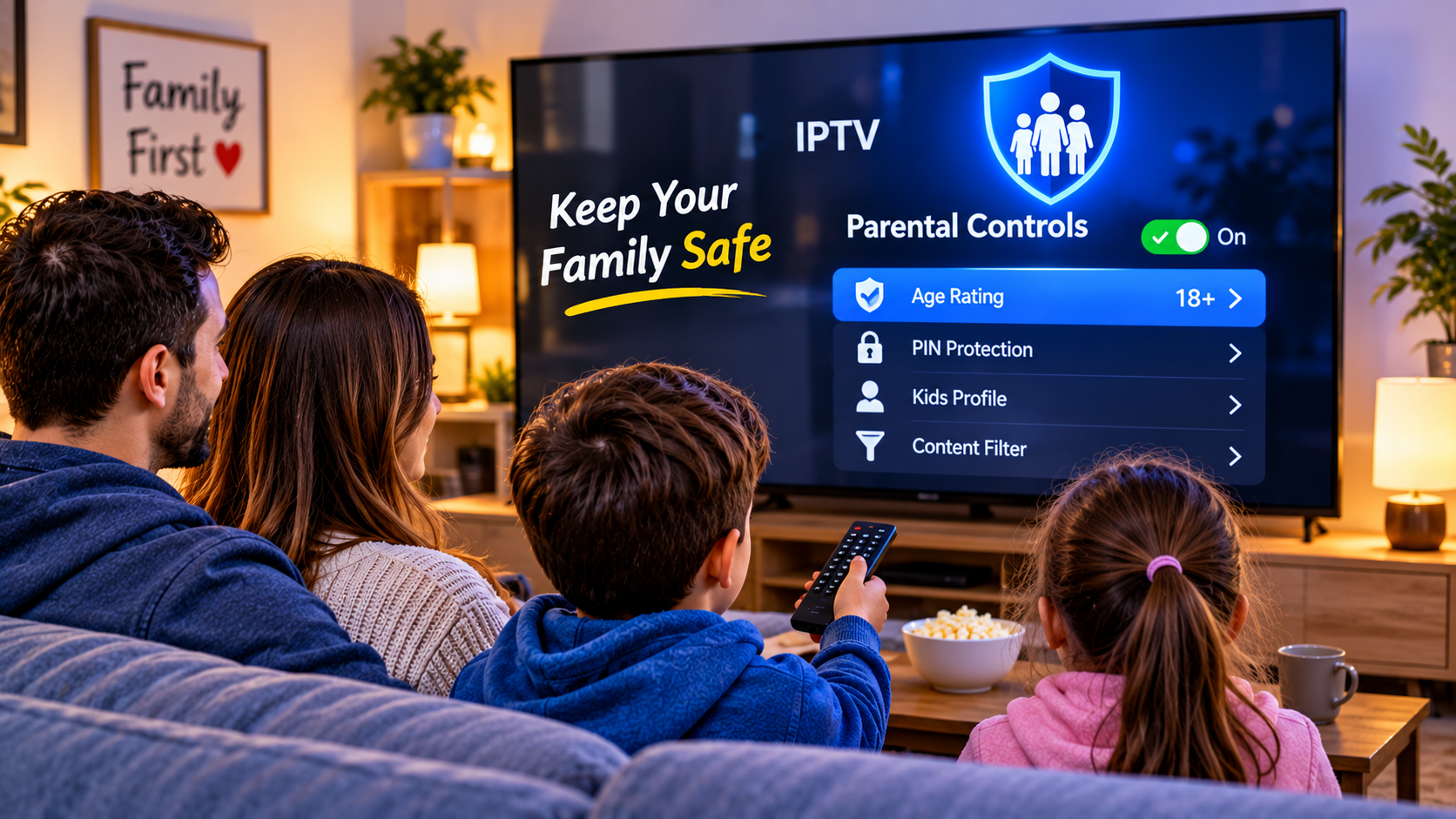
IPTV Child Safety Settings are an important consideration for families who use internet-connected televisions, streaming devices, and digital entertainment applications. Modern television services provide access to a wide range of programmes, films, documentaries, and other media, making it easier for households to enjoy entertainment from different sources. However, this variety also means that parents may need to take a more active role in deciding what children can watch. Understanding IPTV Child Safety Settings can help families create sensible viewing rules, manage available restrictions, and encourage responsible entertainment habits.
Many parents assume that enabling a parental control feature automatically makes every programme suitable for children. In reality, different applications and content providers may offer different levels of protection. Some services include age-based restrictions, while others provide profile management, PIN protection, or content filtering. IPTV Child Safety Settings should therefore be understood as one part of a wider family approach rather than a complete replacement for parental guidance.
A safer viewing environment begins with understanding the features available on the television, streaming device, or application being used. Parents can review the settings, check how restrictions work, and decide which options are appropriate for their household. By combining technology with clear communication, families can make more informed choices about digital entertainment.
1. Understand How IPTV Parental Controls Work
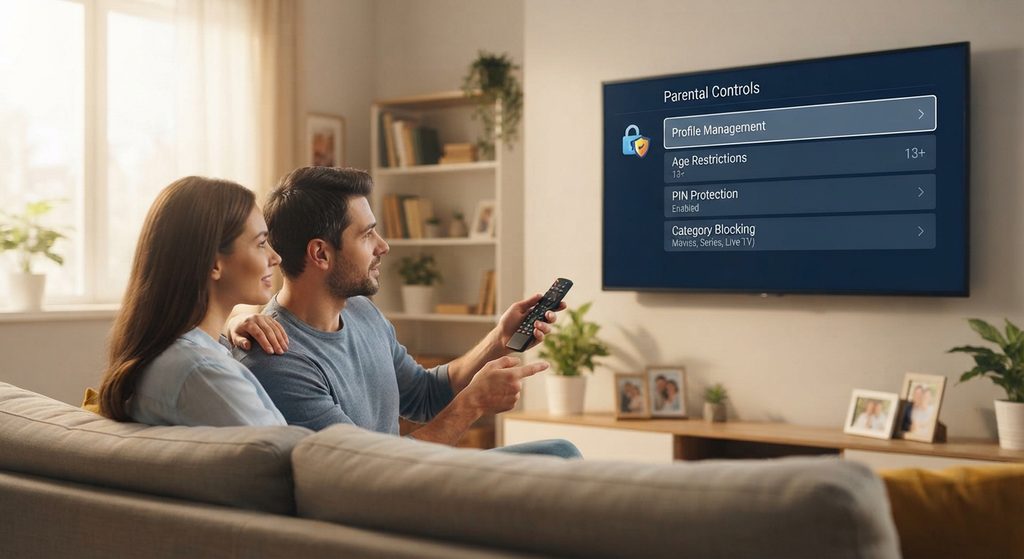
IPTV Child Safety Settings often include several tools designed to help parents manage access to entertainment. Depending on the application or device, these tools may allow users to create viewing profiles, restrict certain categories, protect settings with a PIN, or apply age-related limits. Each feature has a different purpose, so it is useful to understand how the available options work before relying on them.
Parental controls are generally designed to reduce the likelihood that children will access unsuitable material accidentally. For example, a profile may display content intended for younger viewers while limiting access to programmes marked for older audiences. Some applications may also require a PIN before changing restrictions or opening protected sections. IPTV Child Safety Settings can make these decisions easier to manage when the available controls are configured correctly.
The exact features depend on the service being used. A television application may offer only basic restrictions, while a streaming device may provide additional profile or account-level controls. Parents should review the official settings documentation for their particular device or application instead of assuming that every platform works in the same way.
It is also important to understand the difference between restricting content and supervising viewing. A technical restriction may prevent access to certain programmes, but it cannot always explain why a particular programme is inappropriate. IPTV Child Safety Settings work best when parents understand their limitations and remain involved in the family’s entertainment choices.
2. Create Separate Profiles for Different Viewers
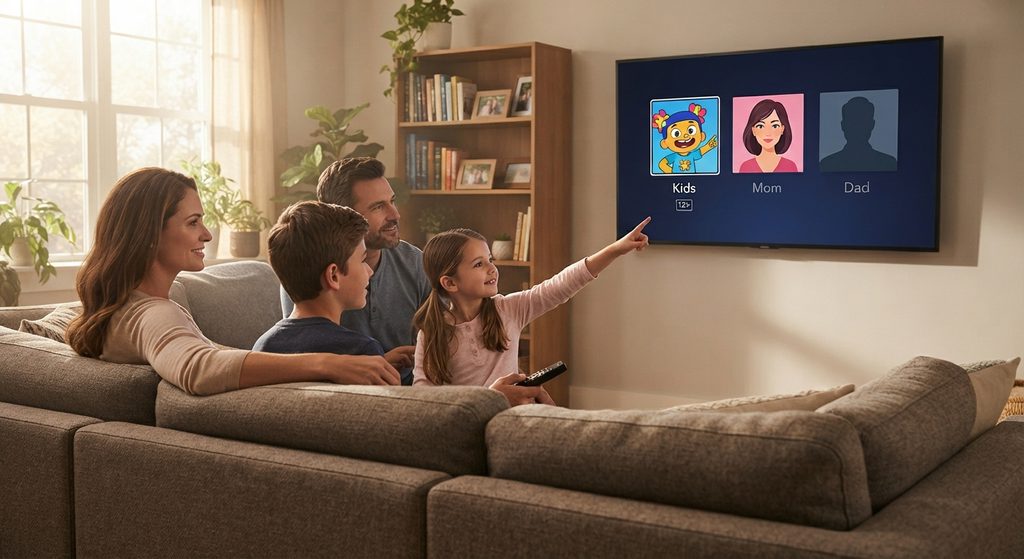
Separate viewing profiles can help families organise entertainment according to the needs of different household members. Some applications allow users to create individual profiles with their own recommendations, viewing history, and content preferences. When available, these profiles can make the television experience more organised and easier to supervise.
IPTV Child Safety Settings may support profile-based restrictions, allowing parents to configure a younger viewer’s account differently from an adult profile. This can reduce the possibility of children accidentally opening content intended for older audiences. Parents should check whether the profile restrictions apply consistently across the application, including search results, recommendations, and saved programmes.
A separate profile can also improve the quality of recommendations. Children may receive suggestions that are more relevant to their interests, while adult profiles can maintain their own entertainment preferences. This separation helps avoid confusion when several people use the same television or streaming device.
However, profiles should not be treated as a complete safety solution. Some applications allow users to switch profiles easily, and others may not apply the same restrictions to every section. IPTV Child Safety Settings should therefore be reviewed regularly to confirm that the intended profile remains active and that the restrictions are still suitable.
Parents can explain the purpose of separate profiles in simple terms. Children can understand that their profile is designed to help them discover appropriate entertainment, while adults remain responsible for managing the household’s overall viewing rules.
3. Protect Settings with a Secure PIN
A parental control PIN can help prevent children from changing restrictions without permission. When an application offers this feature, parents should choose a code that is not easily guessed and avoid using obvious combinations such as repeated digits or familiar dates.
IPTV Child Safety Settings may require a PIN before changing age restrictions, opening protected categories, or accessing certain account options. This can provide an additional layer of control, particularly in households where children are comfortable navigating television menus and applications.
The PIN should remain private and should not be displayed where children can easily see it. Parents should also avoid using the same code for unrelated accounts or important personal services. A television restriction PIN is intended for managing entertainment settings, not for protecting sensitive financial or personal information.
If the application provides a recovery process, parents should understand how it works before setting the code. Some services may require account verification or access to a registered email address to reset forgotten settings. IPTV Child Safety Settings are easier to maintain when the account owner knows how to recover access safely.
Parents should remember that PIN protection varies between applications. A code may protect the settings menu without restricting every programme or category. Reviewing the available options can help families understand exactly what the PIN does and where additional supervision may be necessary.
4. Choose Age-Appropriate Content Carefully

IPTV Child Safety Settings can sometimes use age classifications to help parents restrict programmes that may not be suitable for younger viewers. These classifications may identify content containing violence, strong language, mature themes, or other material that requires parental consideration.
Age ratings are useful, but they should not be treated as universal. Different countries, platforms, and content providers may use different classification systems. A programme may display a rating on one service but have incomplete information on another. Parents should therefore avoid assuming that every application automatically identifies unsuitable content.
Reviewing programme descriptions, checking available ratings, and watching previews can provide additional context. This is particularly helpful when children explore unfamiliar entertainment categories or when a programme has a title that does not clearly indicate its subject.
IPTV Child Safety Settings can support these decisions by applying available restrictions, but manual review remains valuable. Parents may find that a programme suitable for one child is not appropriate for another because children develop different interests and levels of understanding.
A practical approach is to establish age-appropriate viewing guidelines and review them as children grow. Families can discuss why certain programmes are recommended while others require adult approval. This encourages children to understand content choices rather than relying entirely on automatic restrictions.
5. Review Content Before Allowing Access
Content descriptions can help parents understand what a programme contains before deciding whether it is suitable. These descriptions may mention themes, language, frightening scenes, or other elements that could affect younger viewers.
IPTV Child Safety Settings should be combined with the habit of checking programme information. Even when a service displays an age rating, a short description may reveal details that are important to a particular household. Parents can use this information to make decisions that reflect their children’s ages and individual needs.
Previews can also provide useful context. A trailer or short sample may show the general tone of a programme, although previews are not always complete representations of the full content. Parents should avoid relying on a brief promotional clip as the only source of information.
When a programme is unfamiliar, parents can review information from reliable sources before allowing children to watch it independently. This does not need to become a complicated process for every programme. A quick check of the rating and description may be enough for familiar, clearly labelled entertainment.
IPTV Child Safety Settings are most effective when they support thoughtful decisions. The goal is not to remove every uncertainty from television viewing, but to help parents make informed choices and respond appropriately when content raises concerns.
6. Keep Applications and Devices Updated
Software updates can improve application stability, security, and the reliability of available features. Television applications and streaming devices may receive updates that address technical problems or introduce changes to account management and parental controls.
IPTV Child Safety Settings should be checked after significant software updates. A new version of an application may change the location of a settings menu, introduce additional restrictions, or modify how profiles are managed. Parents should review the available options rather than assuming that previous configurations remain unchanged.
Updates should be obtained through official application stores, device settings, or trusted distribution channels. Avoid installing unknown files simply because they claim to provide additional television features. Unverified software may create security or privacy concerns and can make the device more difficult to manage.
Parents should also review application permissions where these are available. A television application should request permissions that are relevant to its advertised functionality. Unexpected requests for sensitive information deserve careful attention.
Keeping devices updated is not only about IPTV Child Safety Settings. It can also help maintain a more reliable entertainment environment and reduce avoidable technical problems. A regular update routine is a simple way to support responsible device management.
7. Establish Clear Family Viewing Rules
Technology can help manage access to programmes, but family rules provide important guidance that software cannot replace. Parents can establish simple expectations about viewing times, suitable content, and the use of shared television devices.
IPTV Child Safety Settings become more meaningful when children understand why restrictions exist. Rather than presenting every limit as a technical barrier, parents can explain that the purpose is to help everyone choose entertainment that is appropriate for their age and interests.
Family viewing rules may include watching certain programmes together, asking an adult before opening unfamiliar categories, or choosing entertainment from approved profiles. These guidelines can be adapted as children become more independent and develop stronger media awareness.
It is useful to keep rules realistic and consistent. A complicated list of restrictions may be difficult for children to understand and for parents to maintain. A few clear expectations are often easier to follow than a large collection of changing instructions.
IPTV Child Safety Settings can support these household rules by reducing accidental access to restricted material. However, parents should continue to communicate openly and encourage children to ask questions when they encounter content they do not understand.
8. Check Search Results and Recommendations
Search functions and recommendation systems can make it easier to discover entertainment, but they may also display programmes from a wide range of categories. Depending on the application, search results may include content that is not suitable for every viewer.
IPTV Child Safety Settings may not filter every recommendation in exactly the same way. Some applications apply restrictions to programme playback but still display titles or promotional images in search results. Parents should check how their chosen service handles these areas.
Children should be encouraged to use their own profiles whenever possible. A profile designed for younger viewers may provide more relevant recommendations and reduce confusion when browsing. Parents can also review the available search or discovery settings to understand what controls are offered.
If an application does not provide reliable filtering for recommendations, families can establish an additional rule about checking unfamiliar titles before opening them. This approach recognises that technology may not identify every unsuitable programme automatically.
IPTV Child Safety Settings should be reviewed across the full viewing experience, not only the main playback screen. Search, recommendations, saved lists, and category menus can all influence what children discover.
9. Understand the Limitations of Automatic Filtering
Automatic filtering can be helpful, but no system should be assumed to identify every unsuitable programme perfectly. Content information may be incomplete, ratings may differ between providers, and some applications may not support detailed restrictions.
IPTV Child Safety Settings should therefore be viewed as a practical support tool rather than a guarantee. Parents should understand which categories are restricted, whether ratings are available, and how the application behaves when content information is missing.
Some services may allow access to programmes that have not been classified. Others may apply a default restriction or display a warning. These differences make it important to review the official documentation and test the settings using ordinary, appropriate examples.
Parents should also consider how children use the device. A television may have several installed applications, and each application may maintain separate account settings. Restricting one service does not necessarily change the settings of another.
A complete family approach includes checking the applications used on the device, reviewing available controls, and maintaining clear household expectations. IPTV Child Safety Settings can contribute to this process, but they should not be the only measure considered.
10. Review Settings Regularly
Children’s interests and viewing habits change over time. A profile that was appropriate several months ago may need to be reviewed as a child grows or begins exploring new types of entertainment.
IPTV Child Safety Settings should be checked periodically to confirm that the restrictions remain suitable. Parents can review age limits, profile preferences, PIN protection, and any available content categories during a simple household device check.
It may also be useful to review settings after changing televisions, replacing a streaming device, reinstalling an application, or signing into a new account. These changes can affect how parental controls are configured.
A regular review does not need to be time-consuming. Parents can focus on the most important settings and confirm that the intended profile is active. If an application has changed its interface, the official support information may help explain where the controls are located.
IPTV Child Safety Settings are easier to maintain when they form part of a normal device-management routine. Small, occasional checks can help families identify problems before they become confusing or inconvenient.
11. Encourage Responsible Digital Habits
Children benefit from learning how to make thoughtful decisions about digital entertainment. Parental controls can reduce accidental exposure to unsuitable material, but they do not automatically teach media awareness.
IPTV Child Safety Settings can provide a useful starting point for conversations about programme ratings, online recommendations, and the difference between entertainment and real-life behaviour. Parents can explain that not every popular programme is suitable for every age group.
Encouraging children to ask questions is also important. If a programme contains confusing themes or information that seems inappropriate, children should feel comfortable discussing it with a trusted adult.
Families can introduce simple habits such as checking ratings, reading descriptions, and choosing programmes from appropriate categories. These habits help children become more confident viewers as they gain independence.
IPTV Child Safety Settings support responsible digital habits when they are combined with guidance, communication, and consistent expectations. The long-term objective is to help children understand how to make sensible entertainment choices.
12. Protect Privacy While Managing Profiles
Streaming applications may collect information about viewing preferences, search activity, or account usage. Parents should understand the privacy options available on the services their household uses.
IPTV Child Safety Settings may include profile controls, but profile management and privacy protection are not necessarily the same feature. A child-friendly profile can help organise content without automatically changing every privacy setting.
Parents should review the application’s privacy information and account options. Where available, they can check whether viewing history, recommendations, or profile information can be managed separately.
Avoid entering unnecessary personal information into television applications. If an application requests information that appears unrelated to its purpose, parents should review the request carefully before continuing.
A responsible approach to IPTV Child Safety Settings includes both content suitability and account management. Families can benefit from understanding how profiles work, what information is stored, and which settings are available to control it.
13. Choose Trusted Applications and Services
The quality of parental controls can vary between applications and providers. Some services offer clear documentation and accessible settings, while others may provide limited information about how restrictions operate.
IPTV Child Safety Settings should be considered when evaluating an application for family use. Parents can look for understandable age restrictions, profile management, PIN protection, and clear explanations of the available features.
Applications should be installed through official stores or trusted distribution channels. Unknown installation files may introduce unnecessary risks, particularly when their source and permissions are unclear.
Parents should also review the application’s support information and privacy policies. A service that explains its settings clearly can make it easier for families to understand how content restrictions are applied.
When choosing entertainment applications, families should consider reliability, transparency, and suitability rather than focusing only on the number of available programmes. IPTV Child Safety Settings are one useful factor in making an informed choice.
14. Make Shared Television Use Easier
Many households use one television for several people. Adults, teenagers, and younger children may have different entertainment preferences, which can make shared viewing more complicated.
IPTV Child Safety Settings can help organise access when an application supports separate profiles or account restrictions. Each household member may be able to use a profile that reflects their viewing needs.
Parents should check whether restrictions apply to the whole device or only to a specific application. A television may contain several streaming services, and the settings of one service may not affect another.
It can also be useful to establish a simple routine for switching profiles. Children should understand which profile is intended for their use and when they need permission to access another one.
IPTV Child Safety Settings can reduce confusion when shared devices are managed consistently. Clear profile names, suitable restrictions, and simple household rules can make the viewing experience more organised for everyone.
15. Respond Calmly When Restrictions Are Not Working
Sometimes parents may discover that a restriction does not behave as expected. A programme may appear in a recommendation list, a PIN may not protect the intended menu, or an application may provide incomplete rating information.
IPTV Child Safety Settings should be reviewed calmly when these issues occur. Parents can check the application’s documentation, confirm that the correct profile is active, and review whether the restriction applies to the relevant section.
If the problem appears to be technical, the application provider’s official support channel may offer guidance. Avoid relying on unfamiliar third-party instructions that request sensitive account information or recommend installing unverified software.
Parents can also temporarily adjust household viewing rules while investigating the issue. For example, children may be asked to check unfamiliar programmes with an adult until the settings have been reviewed.
IPTV Child Safety Settings are not always perfect, and occasional problems do not mean that every feature is ineffective. Understanding the limitation and responding appropriately can help families maintain a sensible approach to digital entertainment.
16. Build a Balanced Family Entertainment Routine
A healthy entertainment routine includes more than restrictions. Families can encourage a balanced range of activities, including reading, outdoor play, creative hobbies, and time spent together away from screens.
IPTV Child Safety Settings can help parents manage the content children access, while household routines can help manage when and how television is used. These two approaches address different aspects of family viewing.
Parents may choose to establish reasonable viewing times, encourage breaks, and select programmes that support shared interests. Such routines should reflect the family’s schedule and the needs of each child.
Watching selected programmes together can also create opportunities for discussion. Parents can ask children what they enjoyed, explain unfamiliar themes, or help them understand the difference between fictional entertainment and real-life situations.
IPTV Child Safety Settings contribute to a balanced routine when they are used alongside clear expectations and positive communication. The aim is to make entertainment enjoyable while supporting children’s development and everyday responsibilities.
Frequently Asked Questions
What are IPTV Child Safety Settings?
IPTV Child Safety Settings are parental control features that may be available in television applications, streaming devices, or internet-based entertainment services. Depending on the platform, they can include age restrictions, profile management, PIN protection, and content filtering.
Do parental controls block every unsuitable programme?
No. Restrictions depend on the application, the information supplied by content providers, and the available filtering features. Parents should review ratings and programme descriptions instead of relying entirely on automatic controls.
Can I use separate profiles for children?
Some applications support separate profiles with individual recommendations and content preferences. Parents should check whether the application also allows age restrictions or other controls to be assigned to those profiles.
Why should I review settings after an update?
An application update may change its interface, introduce new features, or affect how settings are organised. Reviewing IPTV Child Safety Settings after significant changes helps confirm that the intended restrictions remain active.
Are age ratings the same on every platform?
No. Classification systems can vary between countries, providers, and applications. A programme may have different rating information depending on where it is displayed.
What should I do if a restriction does not work?
Check the active profile, review the application’s official instructions, and confirm which sections are protected. If the issue continues, contact the service’s official support channel.
Are parental controls enough on their own?
Parental controls are useful, but they cannot replace supervision and communication. Families should combine technical restrictions with age-appropriate choices, clear rules, and regular reviews.
Conclusion
IPTV Child Safety Settings can help families create a more organised and age-appropriate television experience. Features such as profile management, PIN protection, content ratings, and filtering may reduce accidental access to unsuitable programmes when they are available and configured correctly.
Parents should remember that restrictions vary between applications and devices. Reviewing descriptions, checking ratings, understanding privacy options, and keeping software updated can provide additional context when managing family entertainment.
The most effective approach combines technology with clear household expectations. Children benefit when parents explain the purpose of restrictions, encourage questions, and help them develop responsible viewing habits.
By reviewing IPTV Child Safety Settings regularly and choosing trusted applications, families can make more informed decisions about digital entertainment. A thoughtful approach supports safer viewing while allowing television and streaming to remain enjoyable parts of family life.


