Streaming Network Performance: 9 Ways to Improve Video Quality
Introduction
Streaming network performance plays a major role in the quality of modern home entertainment. Millions of households across the United States use internet-connected televisions, streaming sticks, smart TVs, gaming consoles, smartphones, and media players to access digital content every day. Although streaming technology has become more advanced, users can still experience buffering, slow loading times, unstable playback, or unexpected reductions in video quality.
Understanding streaming network performance helps homeowners identify why these problems occur and what can be done to improve their internet experience. A fast internet connection is useful, but it is only one part of the overall system. Router placement, Wi-Fi signal strength, network congestion, device capabilities, latency, and internet service quality can all influence how smoothly videos play.
For households that use several connected devices simultaneously, maintaining consistent streaming network performance can be particularly important. Someone may be watching a movie while another person plays an online game, attends a video meeting, downloads files, or uses a smart home device. These activities share network resources and may affect the connection when demand becomes high.
Improving streaming network performance does not always require purchasing a new router or upgrading to a more expensive internet plan. Simple adjustments, such as moving the router, connecting a television through Ethernet, updating software, or reducing unnecessary network activity, may help solve common problems.
This guide explains nine practical ways to improve streaming network performance, reduce interruptions, and create a more dependable entertainment environment at home.
1. Understand the Factors That Affect Streaming Network Performance

Streaming network performance depends on several technical characteristics working together to deliver video data consistently. When a streaming application requests content, information travels across the internet and reaches the user’s device, where it is processed and displayed. Problems at any stage may affect the viewing experience.
Bandwidth is one of the most familiar factors affecting streaming network performance. It describes the amount of data a connection can transfer during a specific period. Higher bandwidth generally allows a connection to handle more demanding activities, including high-resolution streaming and multiple simultaneous video sessions.
Latency is another important measurement. It describes how long information takes to travel between two points across a network. Although latency is not always the main factor during continuous video playback, it can influence connection responsiveness, initial loading times, and interactions with online services.
Packet loss occurs when data packets fail to reach their intended destination. Excessive packet loss may interrupt communication, create playback problems, or require data to be transmitted again. Jitter refers to variations in packet arrival times and may also affect real-time applications and certain streaming situations.
Wireless signal quality can influence streaming network performance when devices rely on Wi-Fi. A connection may experience interference, signal fluctuations, or reduced capacity because of distance, walls, neighboring wireless networks, or other environmental conditions.
Understanding these measurements helps users avoid confusing internet speed with overall network quality. A connection can appear fast during a brief speed test yet still experience interruptions when conditions change.
2. Test Your Internet Connection Regularly
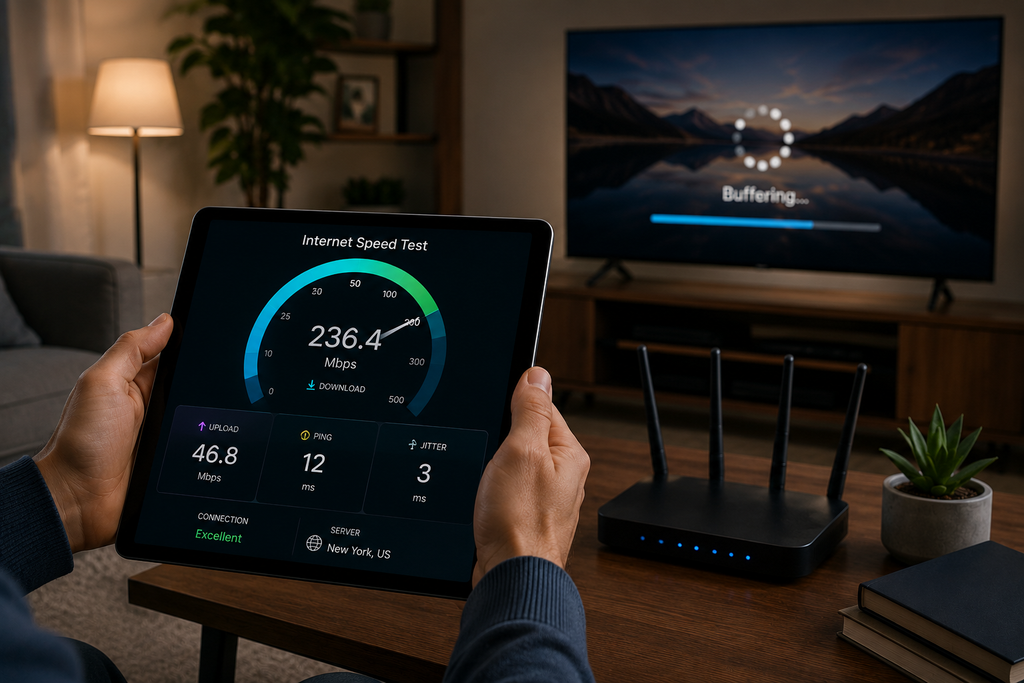
Testing your internet connection is one of the easiest ways to understand streaming network performance before making adjustments to your equipment. A speed test provides information about download speed, upload speed, and latency under the conditions present during the test.
Download speed is particularly important for video streaming because the device needs to receive enough data to maintain playback. However, the required bandwidth depends on resolution, bitrate, compression, and the number of streams operating simultaneously.
For example, standard-definition video generally requires less bandwidth than high-definition or 4K content. A household streaming several high-resolution videos at once may need considerably more available capacity than a household watching only one video.
Testing streaming network performance at different times of the day can reveal useful patterns. If results are consistently lower during evening hours, local network congestion or increased demand may be contributing to the problem.
Users should perform tests near the router and then in the room where the television is located. Comparing results can help identify whether the problem originates from the internet connection or the wireless network inside the home.
A single test is not always enough to determine whether the connection is reliable. Repeated measurements can provide a clearer picture of how streaming network performance changes over time.
What Should You Measure?
- Download speed during normal household activity.
- Upload speed when cloud services or video calls are being used.
- Latency when the network is idle and busy.
- Wi-Fi signal quality in the streaming room.
- Connection stability over several tests.
- Performance when multiple devices are active.
Keeping a simple record of these measurements can make troubleshooting easier and help users decide whether an equipment change is necessary.
3. Place Your Router in a Better Location

Router placement can significantly influence streaming network performance, particularly when televisions and streaming devices connect wirelessly. The location of the router determines how easily its signal reaches different rooms and how many obstacles the signal must pass through.
A router placed inside a cabinet, behind a television, beneath a desk, or near large metal objects may provide weaker coverage than one positioned in an open and elevated area.
For better streaming network performance, consider placing the router near the center of the home whenever practical. A central position may help distribute the wireless signal more evenly to bedrooms, living rooms, offices, and other areas where internet access is needed.
Physical obstacles can weaken Wi-Fi signals. Concrete walls, brick structures, metal surfaces, large appliances, and certain building materials may affect signal strength. In homes with multiple floors, router placement can be particularly important because floors and ceilings may reduce coverage.
Moving the router a few feet away from an obstruction may produce noticeable improvements in some environments. Users should experiment with different positions while checking signal strength and video playback.
The best router location is not necessarily next to the internet service provider’s entry point if that location is poorly suited for wireless coverage. In some homes, using Ethernet to connect a router or access point to a more central location may provide better coverage.
Improving streaming network performance through router placement is often a simple and inexpensive step that should be considered before purchasing additional equipment.
Router Placement Checklist
- Place the router in an open area.
- Keep it elevated instead of directly on the floor.
- Avoid enclosed cabinets and crowded shelves.
- Reduce obstacles between the router and streaming device.
- Keep it away from large metal objects.
- Avoid placing it near potential sources of interference.
- Test the connection in the rooms where streaming takes place.
4. Use Ethernet for More Consistent Connectivity
Ethernet is a wired networking technology that connects devices directly through a network cable. It can improve streaming network performance by eliminating many problems associated with wireless signal strength and interference.
A wired connection may be especially useful for televisions, streaming boxes, desktop computers, and other stationary devices located near the router. Ethernet provides a predictable physical connection that does not depend on the distance between wireless equipment.
For users who experience Wi-Fi interruptions, switching to Ethernet can help determine whether the wireless network is responsible for unstable streaming network performance. If playback becomes more consistent after connecting a cable, the original problem may have involved signal quality, interference, or wireless congestion.
Ethernet cables are available in different categories, including Cat5e, Cat6, and Cat6a. For many home streaming environments, Cat5e or Cat6 can support speeds sufficient for common streaming needs. Choosing a cable with an appropriate rating and reliable construction is more important than buying the most expensive option.
A wired connection may not always produce a higher speed than Wi-Fi, particularly when a television has a limited Ethernet port or the wireless hardware is newer. However, Ethernet may still offer more consistent performance under changing network conditions.
Streaming network performance should be evaluated through actual playback tests rather than assumptions. Compare both wired and wireless connections if your equipment supports them, and use the option that provides the best stability.
5. Choose the Right Wi-Fi Frequency
Modern wireless routers commonly support 2.4 GHz and 5 GHz frequency bands. Some newer models also support 6 GHz through Wi-Fi 6E or Wi-Fi 7 technologies. Selecting the appropriate frequency can improve streaming network performance depending on the distance between devices and the surrounding environment.
The 2.4 GHz band typically provides broader coverage and can travel through certain obstacles more effectively. It may be helpful for devices located farther away from the router. However, the band is often crowded because many household devices and neighboring wireless networks use it.
The 5 GHz band generally offers higher potential throughput and more available channels in many environments. It can be a good choice for streaming devices located relatively close to the router. Its signal, however, may weaken more quickly through walls and other obstacles.
The 6 GHz band offers additional spectrum for compatible devices and may reduce congestion in suitable environments. Its shorter range and compatibility requirements should be considered when deciding whether it is appropriate for a particular room.
Choosing a Wi-Fi band based on streaming network performance requires testing. A strong 2.4 GHz connection may be more reliable than a weak 5 GHz connection when a television is separated from the router by several walls.
Which Band Should You Use?
- 2.4 GHz: Often useful for longer distances and devices separated by walls.
- 5 GHz: Frequently suitable for devices closer to the router that need higher throughput.
- 6 GHz: Useful for compatible modern devices in environments where the additional spectrum offers advantages.
Users should avoid making decisions based only on the band name. Real-world signal strength, network congestion, and stability matter more than theoretical speeds.
6. Reduce Network Congestion at Home
Network congestion can affect streaming network performance when several devices compete for available bandwidth. Modern households often use numerous connected devices, including smartphones, tablets, computers, televisions, security cameras, gaming consoles, and smart home accessories.
Although many of these devices use relatively little bandwidth during normal operation, certain activities can consume large amounts of data. Downloading games, installing operating system updates, uploading large files, and running cloud backups may increase network demand.
When available capacity becomes heavily utilized, streaming applications may experience reduced performance. Depending on the connection and video requirements, this can lead to longer loading times, lower resolution, or buffering.
Improving streaming network performance may involve scheduling bandwidth-heavy activities outside busy entertainment hours. For example, large game downloads can be paused during a movie or moved to overnight hours.
Some routers provide traffic monitoring features that identify connected devices and estimate their network usage. These tools can help users discover which devices consume the most bandwidth.
Reducing congestion does not mean disconnecting every smart device. The goal is to understand which activities are demanding and whether they occur at the same time as streaming interruptions.
Common Activities That Use Significant Bandwidth
- Large video game downloads.
- Cloud backups and file synchronization.
- Uploading high-resolution videos.
- Multiple simultaneous high-resolution streams.
- Software updates across several devices.
- Large file transfers.
- High-resolution security camera uploads.
Managing these activities can help maintain more consistent streaming network performance without immediately upgrading an internet plan.
7. Upgrade or Optimize Your Router When Necessary
A router manages communication between household devices and the internet. Its capabilities can influence streaming network performance, especially when many devices are connected or when the wireless signal must cover a large property.
Older routers may lack newer Wi-Fi standards, advanced traffic management features, or sufficient capacity for modern household demands. They may also receive fewer software updates as manufacturers discontinue support.
Before replacing a router, users should check whether the existing equipment is properly configured. Restarting the router, installing firmware updates, reviewing wireless settings, and improving its location may solve some problems.
If streaming network performance remains inconsistent despite troubleshooting, replacing an older router may be worth considering.
Modern routers may offer improved wireless efficiency, better handling of multiple connected devices, wider channel options, enhanced security, and additional management tools. However, the benefits depend on the connected devices and home environment.
A new router cannot fix every streaming problem. It will not necessarily improve the performance of a congested internet provider network, a remote streaming server, or a device with limited processing capabilities.
When selecting a router, consider the size of the home, number of connected devices, internet plan speed, Ethernet ports, wireless standards, security updates, and whether mesh networking is needed.
A suitable router can help maintain streaming network performance, but buying expensive hardware without identifying the problem may not provide meaningful results.
8. Keep Streaming Devices and Applications Updated
Streaming network performance can also be affected by the software running on televisions, streaming sticks, media boxes, and applications. Outdated software may contain bugs, compatibility problems, or performance issues that have been addressed in newer versions.
Manufacturers release updates to improve system stability, security, application compatibility, and sometimes device performance. Installing supported updates can help keep streaming equipment functioning correctly.
Users should check the settings menu on their televisions and streaming devices for system updates. Applications should also be updated through official stores or supported software channels.
Storage space is another consideration. A device with very little available storage may have trouble installing updates or managing applications efficiently. Removing unused apps and clearing unnecessary data may help restore normal responsiveness.
If streaming network performance appears poor only on one device, updating its operating system and applications should be considered before changing router settings.
Restarting a device after an update may help complete installation processes and refresh its operating environment. If problems persist, users can review the manufacturer’s troubleshooting guidance.
Maintaining software is a simple habit that may prevent avoidable problems and improve the reliability of connected entertainment devices.
9. Monitor Network Performance and Troubleshoot Problems
Monitoring streaming network performance over time can help users identify recurring issues that may not appear during a single speed test. Network conditions can change throughout the day because of household activity, neighboring wireless networks, internet provider congestion, or equipment behavior.
A simple record can include the time of a problem, the device being used, the application, the connection type, and whether other household devices were active.
This information can help distinguish between different types of problems. If buffering occurs only in one room, wireless coverage may be responsible. If several devices experience problems simultaneously, the router or internet connection may require further investigation.
When streaming network performance becomes unreliable, troubleshooting should begin with simple steps. Restart the streaming device, test the internet connection, check the Wi-Fi signal, and temporarily pause large downloads.
If Ethernet is available, compare wired and wireless playback. If only one application experiences problems, examine its settings and service status rather than assuming the entire home network is failing.
Changing one setting at a time makes troubleshooting easier because it helps identify which adjustment actually improves the connection.
A Practical Troubleshooting Routine
- Restart the streaming device.
- Check internet speed and latency.
- Test Wi-Fi signal strength in the streaming room.
- Connect through Ethernet if possible.
- Pause unnecessary downloads and uploads.
- Update router firmware and device software.
- Review router placement and wireless band selection.
- Check whether the problem affects multiple applications.
- Contact your internet provider if the connection remains unstable.
Frequently Asked Questions
What is streaming network performance?
Streaming network performance describes how effectively a network delivers data for video and other online streaming activities. It includes bandwidth, latency, packet loss, jitter, wireless signal quality, and connection stability.
Does faster internet always mean better streaming?
Not necessarily. Faster internet can help when bandwidth is insufficient, but stable streaming network performance also depends on signal quality, congestion, latency, packet loss, device hardware, and the streaming platform.
What internet speed is needed for streaming?
The required speed depends on video resolution, bitrate, compression, and the number of simultaneous streams. HD video generally needs less bandwidth than 4K video. Users should also account for other household activities that share the connection.
Can Wi-Fi cause buffering?
Yes. Weak signals, interference, congestion, distance, and physical obstacles may affect streaming network performance and contribute to buffering. Improving router placement or using Ethernet may help.
Is Ethernet worth using for streaming?
Ethernet is often worth trying for stationary devices because it can provide stable connectivity without wireless interference. Actual performance depends on the device, router, cable, and internet connection.
Does a mesh system improve streaming?
A mesh system may improve streaming network performance in larger homes or areas where a single router cannot provide reliable coverage. Proper node placement is important because poorly positioned mesh nodes may still have weak connections.
Why does streaming slow down at night?
Evening slowdowns may occur because of increased internet usage in the household or local network congestion affecting the internet provider. Testing at different times can help identify recurring patterns.
Should I upgrade my internet plan?
An internet plan upgrade may help when available bandwidth is insufficient for the household’s needs. However, users should investigate signal quality, congestion, router limitations, and device problems before spending more money.
Conclusion
Streaming network performance depends on several elements working together to deliver video consistently. Internet speed is important, but it does not tell the complete story. Wireless signal strength, router placement, congestion, latency, device capabilities, and software maintenance can all influence the viewing experience.
The best way to improve streaming network performance is to start with simple checks and make changes based on actual observations. Testing the connection, repositioning the router, using Ethernet, selecting the appropriate Wi-Fi band, reducing congestion, and updating equipment may help resolve common streaming problems.
For households in the United States with multiple connected devices, maintaining a reliable network can make everyday entertainment more convenient. By understanding how streaming network performance works and applying practical improvements, users can create a better home streaming environment without unnecessary upgrades or complicated configurations.