IPTV Parental Controls: 7 Essential Ways to Protect Family Viewing
Introduction
Families today have access to an enormous variety of digital entertainment through internet-connected televisions, streaming devices, mobile phones, tablets, and computers. Although this flexibility makes entertainment easier to access, it also creates new challenges for parents who want to manage what their children watch. IPTV parental controls can help families create a more organized viewing environment by limiting access to unsuitable content, setting boundaries, and encouraging responsible entertainment habits.
The growing popularity of internet-based television means that children may encounter a wide range of programs, movies, live broadcasts, and other digital content. Without clear rules or appropriate settings, it can become difficult for parents to monitor everything their children access. Understanding how IPTV parental controls work is therefore an important part of maintaining a safer and more balanced digital environment at home.
Parents do not necessarily need to remove entertainment technology from their homes to protect their children. Instead, combining available security settings, age-appropriate content choices, family communication, and device management can make a significant difference. This guide explores seven practical ways to use IPTV parental controls effectively while helping families enjoy modern television with greater confidence.
1. Understand How IPTV Parental Controls Work
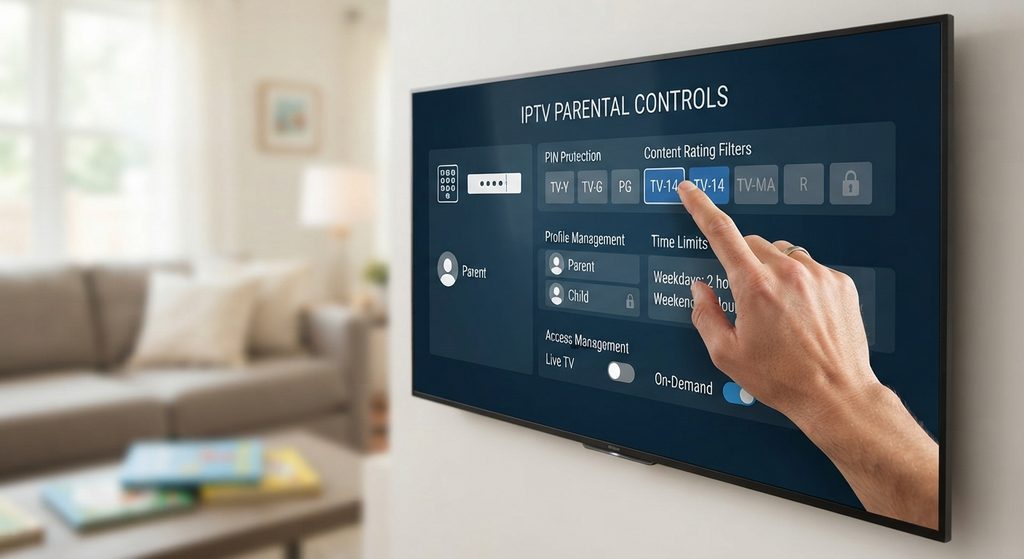
Before changing any settings, parents should understand what IPTV parental controls actually mean. These controls are features designed to help restrict, filter, or manage access to certain types of digital entertainment. Depending on the application, television, streaming device, or service, parental controls may include PIN protection, age ratings, profile restrictions, content filtering, and access management.
The availability of IPTV parental controls varies between platforms, meaning that one application may offer several protection options while another may provide only basic settings. Some controls operate directly inside an entertainment application, while others are managed through the television’s operating system or the device itself. Understanding where these settings are located helps parents avoid relying on features that their particular system does not support.
It is also important to recognize that IPTV parental controls are not a universal safety solution. Certain restrictions may apply only to specific applications, profiles, or content categories. Parents should review the available options carefully and understand their limitations before allowing children to use a connected television independently.
2. Create Separate Profiles for Children and Adults
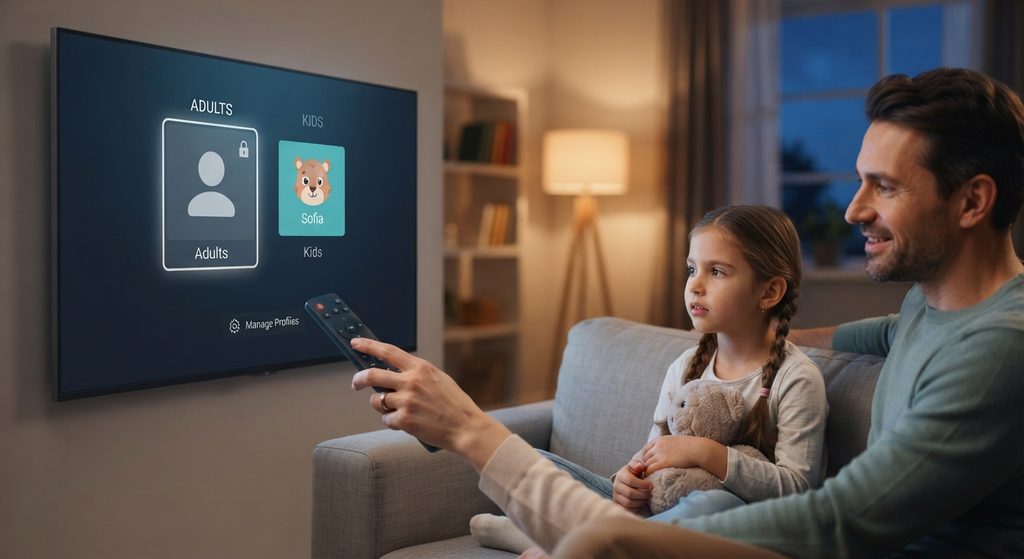
One of the most useful approaches to managing household entertainment is separating children’s viewing preferences from adult content. When supported, individual profiles can make it easier to organize content according to age, interests, and viewing habits. IPTV parental controls become more practical when each family member has a dedicated profile instead of sharing a single account.
A separate children’s profile may offer a more suitable viewing environment by displaying content intended for younger audiences. Depending on the platform, parents may be able to choose age ranges, manage recommendations, or limit access to certain categories. Using IPTV parental controls alongside separate profiles can reduce the possibility of children accidentally opening programs intended for adults.
Parents should also protect adult profiles with a password or PIN whenever the platform supports it. Without this additional protection, a child may simply switch profiles to bypass restrictions. Well-configured IPTV parental controls should therefore include both a child-friendly profile and appropriate protection for unrestricted profiles.
3. Use PIN Protection to Restrict Access
PIN protection is one of the simplest tools available for controlling access to entertainment settings and restricted content. A personal identification number can help prevent children from opening protected categories, changing account settings, or accessing profiles that are not intended for them. IPTV parental controls that include PIN protection can provide an additional layer of household security.
When creating a PIN, parents should avoid obvious combinations such as 0000, 1111, birthdays, or repeated numbers that children may easily guess. A unique PIN is more useful when it is not associated with familiar family information. Strong IPTV parental controls should use a code that children cannot predict and that adults can remember without writing it somewhere easily accessible.
Parents should periodically check whether the PIN protection is still active, particularly after application updates, device resets, or changes to account settings. Some platforms may restore default settings after certain maintenance procedures. Reviewing IPTV parental controls occasionally helps ensure that previously configured restrictions remain available and effective.
4. Choose Age-Appropriate Content Carefully
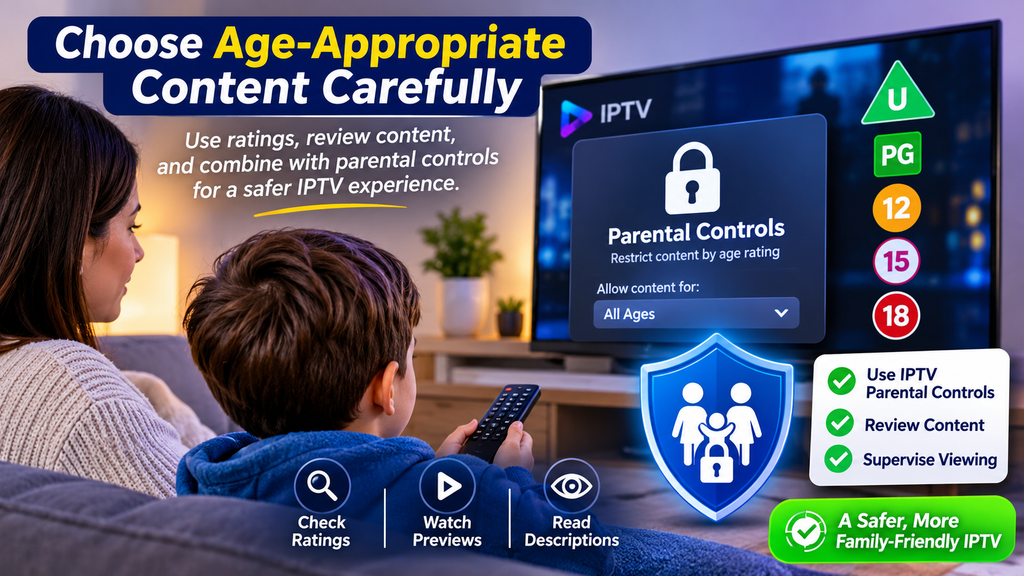
Content ratings can help parents make informed decisions about what their children watch. Movies, television programs, and digital entertainment may include classifications related to violence, language, mature themes, or other content that is unsuitable for younger audiences. IPTV parental controls can sometimes use these ratings to restrict access automatically.
However, age ratings may not be identical across countries, platforms, or content providers. A classification that appears on one service may not be available on another, and some programs may have incomplete rating information. Parents should not assume that IPTV parental controls can identify every unsuitable program simply because an age restriction has been enabled.
Reviewing content descriptions, watching previews, and checking the rating information before allowing a child to view a program can provide additional context. This is particularly important when children explore unfamiliar channels or entertainment categories. Combining manual supervision with IPTV parental controls creates a more informed approach to choosing appropriate content.
5. Restrict Access to Unsuitable Channels and Categories
Many entertainment platforms organize content into categories that make browsing easier. These categories may include movies, news, documentaries, children’s entertainment, sports, lifestyle programming, and other subjects. Depending on the platform, IPTV parental controls may allow parents to hide, lock, or restrict selected categories or individual channels.
Category restrictions can be particularly useful in households where children use the same television as adults. Rather than constantly monitoring every selection, parents may be able to limit access to specific sections or channels. When available, IPTV parental controls can simplify navigation and make the entertainment environment more suitable for younger viewers.
Parents should review category restrictions carefully because labels do not always describe the actual content of every program. A general entertainment category may contain shows with different age suitability levels, and live channels may change programming throughout the day. Effective IPTV parental controls should therefore be supported by regular reviews and clear household viewing rules.
6. Review Viewing Habits and Screen Time
Managing content is only one part of creating a healthier entertainment environment. Children also benefit from balanced routines that include schoolwork, physical activity, sleep, hobbies, and time with family. IPTV parental controls can support these routines when parents use them alongside reasonable screen-time expectations.
Some devices and applications include timers, usage reports, scheduled access, or other screen-management features. These tools may help parents understand how frequently children use entertainment applications and when viewing takes place. Where available, IPTV parental controls can be configured to support household routines instead of allowing unlimited access throughout the day.
Screen-time rules should be realistic and appropriate to the child’s age and individual needs. Parents can establish viewing periods, avoid entertainment during homework, and encourage children to take breaks. Although IPTV parental controls may help enforce certain limits, consistent communication and family routines are equally important for developing responsible viewing habits.
7. Protect Family Privacy and Account Security
Privacy is another important consideration when children use connected entertainment devices. Applications and platforms may collect technical information, account details, preferences, or viewing-related information depending on their privacy policies and settings. IPTV parental controls should therefore be considered alongside broader privacy and account-security practices.
Parents can begin by reviewing the privacy settings available on their television, streaming device, and entertainment applications. They should understand which permissions are necessary, whether personalized recommendations can be adjusted, and how account information is protected. Using IPTV parental controls does not automatically prevent all data collection or protect every aspect of personal privacy.
Strong account passwords, secure home Wi-Fi, trusted applications, and regularly reviewed privacy settings can help reduce unnecessary risks. Parents should avoid sharing account credentials with unknown individuals and should use official software sources whenever possible. A more secure digital environment makes IPTV parental controls part of a broader family technology strategy rather than an isolated setting.
8. Explain Digital Entertainment Rules to Children
Technology settings can help manage access, but children should also understand why certain content is restricted. Explaining household entertainment rules in a clear and age-appropriate way can help children recognize the difference between suitable and unsuitable programs. IPTV parental controls are more effective when children understand that these restrictions are intended to support their safety rather than simply prevent them from having fun.
Parents can discuss why some movies, channels, or programs are designed for older audiences and why not every online recommendation is appropriate. They can encourage children to ask questions whenever they encounter something confusing or uncomfortable. Using IPTV parental controls alongside open communication can help children develop better judgment when exploring digital entertainment.
As children become older, their interests and understanding of media naturally change. Families can review restrictions together and adjust them gradually when appropriate. This approach helps IPTV parental controls remain relevant without creating unnecessary conflict around television use.
9. Check Parental Control Settings After Updates
Applications, televisions, and streaming devices frequently receive software updates that introduce new features, modify existing menus, or improve security. In some cases, updates may change how parental restrictions are displayed or managed. Reviewing IPTV parental controls after major updates can help parents identify changes before children begin using the device again.
Some platforms preserve their settings automatically, while others may require users to review certain permissions or preferences after an update. Parents should never assume that every restriction remains exactly as it was before. Checking IPTV parental controls periodically can help confirm that profile restrictions, PIN protection, and content settings are still configured correctly.
Keeping the device and applications updated is generally important for security, stability, and compatibility. However, updates should be installed through trusted sources, and parents should review the available settings afterward. Maintaining IPTV parental controls as part of regular device maintenance can prevent small configuration issues from becoming bigger problems.
10. Understand the Limitations of Parental Controls
Although parental restrictions can be helpful, they are not perfect. Different applications may use different filtering methods, and some content may not have reliable age classifications. IPTV parental controls may also depend on the specific device, account, or application through which entertainment is accessed.
Children may sometimes encounter content through recommendations, external applications, shared accounts, or other devices that are not covered by the original restrictions. This means parents should understand exactly what their selected IPTV parental controls can and cannot manage rather than treating them as a complete safety system.
A practical approach combines technology with supervision, communication, and consistent household expectations. Parents can periodically review the applications children use, discuss new viewing interests, and check whether restrictions are working as expected. Recognizing the limitations of IPTV parental controls helps families make more realistic decisions about digital safety.
11. How to Set Up IPTV Parental Controls Step by Step
The setup process depends on the television, application, or streaming device being used. While the menus may look different, the general process for configuring IPTV parental controls usually begins with locating the account, security, profile, or restriction settings.
Step 1: Open the Settings Menu
Start by opening the settings menu of the television, device, or entertainment application. Look for sections such as Security, Profiles, Restrictions, Family Settings, or Parental Controls. Finding the correct menu is the first step toward configuring IPTV parental controls.
Step 2: Create or Select a Child Profile
If the platform supports individual profiles, create a profile intended for the child who will use the device. Choose an appropriate profile name and review the available age settings. Separate profiles can make IPTV parental controls easier to manage by keeping children’s preferences apart from adult viewing options.
Step 3: Set a Secure PIN
Choose a PIN that is not easy to guess and activate any available protection for restricted content or settings. Make sure the PIN is not displayed openly or stored somewhere children can access. PIN protection can strengthen IPTV parental controls when the platform provides this feature.
Step 4: Select Content Restrictions
Review the available content categories, ratings, or channel restrictions. Choose the settings that match the child’s age and family expectations. Carefully examine the available options because IPTV parental controls may differ significantly between applications.
Step 5: Review Privacy and Account Settings
Check whether the application provides privacy controls, profile permissions, account security options, or personalized recommendation settings. Review these options to understand how the platform operates. Privacy settings can complement IPTV parental controls by helping parents manage the broader digital environment.
Step 6: Test the Restrictions
After saving the settings, test them yourself. Attempt to access restricted categories, protected profiles, or settings that should require a PIN. Testing IPTV parental controls is important because it helps confirm whether the selected restrictions work as intended.
Step 7: Review the Setup Regularly
Repeat the review process occasionally, especially after updates, account changes, or when children begin using new devices. Regular maintenance keeps IPTV parental controls aligned with current family needs and available platform features.
12. Common Mistakes Parents Should Avoid
One common mistake is assuming that a single restriction protects every application on a device. Some controls may only apply to a particular profile or platform. Parents should understand the coverage of IPTV parental controls before allowing children to switch freely between different applications.
Another mistake is choosing a PIN that children already know or can easily guess. If the PIN is shared with other family members or used for unrelated accounts, it may provide less protection than expected. Strong IPTV parental controls require careful PIN management and occasional review.
Parents may also forget to check settings after changing devices or reinstalling an application. A new installation may not automatically restore previous preferences. Reviewing IPTV parental controls whenever the entertainment setup changes can help avoid unexpected access to unrestricted content.
Finally, relying exclusively on restrictions without explaining the rules may create confusion. Children benefit from understanding why certain programs are limited and what they should do when they encounter something inappropriate. IPTV parental controls work best when they support a family-wide approach to responsible entertainment.
13. Choosing a Family-Friendly IPTV Application
When comparing entertainment applications, parents should look beyond the appearance of the interface or the number of available features. The availability of clear privacy information, reliable account management, supported restrictions, and understandable settings can be important considerations. IPTV parental controls should be one of the factors families evaluate before choosing an application.
Parents can check whether an application offers profile management, password protection, category restrictions, or content-rating options. They should also review its privacy policy, software update practices, and customer support information. Comparing IPTV parental controls across applications can help families identify the platform that best matches their needs.
Compatibility is another important consideration because an application may behave differently on a television, mobile device, or streaming box. Parents should verify that the settings available on their preferred device are sufficient. Choosing a suitable platform with understandable IPTV parental controls can make daily entertainment easier to manage.
14. Create a Family Entertainment Routine
A consistent family entertainment routine can make television use more predictable. Parents may decide which days are suitable for movies, when children can watch educational programs, and when screens should remain switched off. IPTV parental controls can support these decisions when access restrictions or scheduling features are available.
Family routines can also include shared viewing time, where parents and children watch programs together and discuss what they see. This creates opportunities to explore educational content, documentaries, sports, entertainment, and age-appropriate movies. Combining shared activities with IPTV parental controls helps make digital entertainment a more intentional part of family life.
A balanced routine should leave enough room for reading, outdoor activities, creativity, exercise, and social interaction. Television can be enjoyable without becoming the primary activity throughout the day. Using IPTV parental controls as a supporting tool allows parents to encourage healthier habits without removing entertainment completely.
15. Make Parental Controls Easier to Manage
Complicated settings can discourage parents from reviewing restrictions regularly. A simple system is often easier to maintain than one containing many unnecessary adjustments. Organizing IPTV parental controls around a few essential priorities, such as child profiles, protected settings, suitable content, and viewing routines, can make management more straightforward.
Parents should keep track of which profiles are intended for children, which settings are protected, and where restrictions are located. They should also understand how to update or temporarily adjust settings when family circumstances change. Clear organization makes IPTV parental controls easier to use and reduces the likelihood of overlooking important options.
It may also be helpful to explain the basic rules to other adults in the household. If grandparents, babysitters, or relatives use the same television, they should know which profiles children are allowed to access. Consistent use of IPTV parental controls across the household helps maintain the same expectations for everyone.
16. The Future of Family-Friendly Streaming
Digital entertainment platforms continue to develop, introducing new interfaces, recommendation systems, connected devices, and ways to discover content. As these technologies evolve, families may gain access to more flexible management options. The future of IPTV parental controls may include improved profile customization, more detailed filtering, and clearer tools for understanding viewing activity.
Artificial intelligence and personalization technologies may influence how programs are recommended and organized. These features can make entertainment more convenient, but parents should continue reviewing privacy information and understanding how recommendations are generated. Future IPTV parental controls may offer additional options, but their effectiveness will still depend on platform design and user settings.
Families should remain informed about changes in the devices and applications they use. New features may improve usability, while some settings may move or change after software updates. Staying familiar with IPTV parental controls can help parents adapt to new entertainment technologies without losing sight of their family’s priorities.
17. Frequently Asked Questions About IPTV Parental Controls
What are IPTV parental controls?
IPTV parental controls are settings or tools that help parents manage access to television and digital entertainment. Depending on the platform, they may include PIN protection, profile restrictions, age-rating filters, and channel management features.
Can IPTV parental controls block adult content?
Some applications and devices offer restrictions designed to block selected mature content or categories. However, IPTV parental controls do not guarantee that every unsuitable program will be filtered, so parents should review the available settings and supervise children’s viewing.
Do all IPTV applications have parental controls?
No. Features vary depending on the application, device, operating system, and service. Some platforms provide detailed restrictions, while others may offer very limited options. Parents should verify which IPTV parental controls are supported before choosing an application.
Can I use a PIN to protect restricted channels?
Some applications allow parents to use a PIN to restrict access to selected channels, categories, profiles, or settings. If supported, PIN protection can strengthen IPTV parental controls and help prevent children from opening restricted sections.
Are parental controls available on Smart TVs?
Certain Smart TVs include built-in parental restrictions, and some entertainment applications offer their own controls. Availability depends on the television model, operating system, and application. Parents should check the specific IPTV parental controls available on their Smart TV.
Can parental controls limit screen time?
Some televisions, applications, and streaming devices offer usage timers or scheduling features, while others do not. IPTV parental controls may help support screen-time limits when these options are available, but family rules are still important.
Should children have their own entertainment profile?
Separate profiles can help organize content according to age and interests. When supported, children’s profiles can complement IPTV parental controls by separating younger viewers from adult preferences and protected settings.
Do parental controls protect my privacy?
Parental restrictions are primarily designed to manage content access and usage, not necessarily to protect personal information. Families should review account security, application permissions, and privacy policies separately from IPTV parental controls.
What should I do if parental controls stop working?
Check the settings, verify the PIN, review profile permissions, and look for application or device updates. If restrictions remain unavailable, consult the platform’s official support documentation. Testing IPTV parental controls after troubleshooting can help confirm whether the issue has been resolved.
Are parental controls enough to keep children safe?
No single tool can guarantee a completely safe digital environment. IPTV parental controls can help reduce exposure to unsuitable content, but parental guidance, open communication, privacy awareness, and responsible viewing habits remain essential.
Conclusion
Modern entertainment technology offers families more flexibility than ever before, but managing access to digital content requires attention and thoughtful planning. By understanding available restrictions, creating separate profiles, protecting settings with a secure PIN, reviewing content ratings, and establishing reasonable screen-time expectations, parents can make television use more organized and appropriate for their household.
IPTV parental controls are most effective when combined with family communication, privacy awareness, and regular device maintenance. Parents should remember that the available features vary across applications and devices, so checking the actual settings is always important. Rather than relying entirely on technology, families can use these tools to support healthier and more responsible entertainment habits.
Taking a few minutes to review your television and streaming settings today can help create a better viewing environment for everyone at home. With thoughtful configuration and consistent guidance, IPTV parental controls can become a valuable part of a safer, more balanced, and more enjoyable family entertainment experience.