Firestick Streaming Issues UK: 8 Practical Ways to Fix Smooth Playback Fast
Few things test patience on a quiet evening quite like settling in with a cup of tea, pressing play on a show, and watching the screen freeze mid-scene. Across homes in the UK, firestick streaming issues uk rarely come down to a single dramatic fault. Instead, they usually develop from everyday habits, tight living-room layouts, crowded wireless bands, or busy household connections competing at the exact same time.
Before buying extra hardware or blaming your broadband provider outright, it helps to look at how your streaming stick interacts with the space around it. Small, methodical adjustments often solve firestick streaming issues uk much faster than guesswork—and they give you a clearer picture of whether the bottleneck is physical interference, wireless congestion, or shared bandwidth.
1. Move the Stick Out of Tight Spots Behind the TV
If your Firestick is tucked tightly behind a large television, its position may affect wireless reception. Metal television brackets, dense furniture, and nearby electronic equipment can block or reflect wireless signals before they ever reach the stick. Moving the device into a more open position can help improve its connection and reduce firestick streaming issues uk caused by dead zones right behind the screen.
A compatible HDMI extender gives you useful breathing room when positioning the streaming stick. Instead of sitting wedged behind a metal mount or pressed against a wall, the stick can hang slightly away from the set in cleaner air. Whenever you adjust placement to tackle firestick streaming issues uk, double-check that the power cable reaches safely without tension and that the device has enough room for natural airflow.
Quick Placement Checklist
- Keep clear of metal mounts: Steel brackets and heavy soundbars or consoles sit directly in the path of incoming Wi-Fi signals.
- Give cables slack: Avoid sharp bends on the HDMI lead or power cable that could pull loose over time.
- Leave room to breathe: Warm electronics inside cramped pockets can throttle performance during long viewing sessions.
2. Reposition Your Router for Steadier Coverage

Your streaming stick only works as well as the wireless signal reaching the living room. Avoid placing your broadband router inside a closed cabinet, tucked behind heavy furniture, or directly on the floor where obstructions stack up. A central, slightly elevated position—such as an open shelf or a stand above floor level—often provides more consistent coverage throughout a UK home.
Many British houses feature thick brick walls, chimney breasts, or awkward room layouts that weaken signals from one room to the next. Testing a slightly better spot for the router before spending money on extra networking gear lets you see how much of your firestick streaming issues uk stem from layout alone. Even a shift of a metre or two into open space can make a noticeable difference.
3. Test Both the 2.4 GHz and 5 GHz Wi-Fi Bands
Many modern broadband routers broadcast both 2.4 GHz and 5 GHz wireless networks. Each frequency behaves differently depending on distance, walls, and surrounding interference, so the right choice depends on your home layout, router, and Firestick model.
- 2.4 GHz: Travels farther and passes through walls or floors more easily, making it helpful when the router sits further away—though it often shares space with many household devices and neighbouring networks.
- 5 GHz: Delivers faster throughput over shorter distances when line of sight or wall thickness is minimal, though walls can reduce its reach more quickly.
Compare both options from your normal sofa or viewing spot rather than assuming the faster band always wins. Some broadband hubs combine both frequencies under a single network name and switch devices automatically; if yours does that, check your router’s manual before changing band steering or splitting network names so you know how to revert settings easily.
4. Run Speed Tests During Peak Viewing Hours
Raw broadband speed numbers on paper only tell part of the story. A connection can look great during a quick midday check and still stutter later in the evening when more people in your street and household are online. Tracking firestick streaming issues uk across actual viewing hours gives you a much fairer view of real-world performance.
Stand near the television with a phone or laptop and run a speed test around the time playback usually struggles. Note the download speed, upload speed, and time of day across several evenings to spot patterns. Keep in mind that a phone measures its own wireless radio and network path—not the Firestick’s—so treat it as a useful comparison tool rather than an exact mirror of your TV stick.
| Check What You’re Measuring | Why It Matters |
| Evening vs. daytime speeds | Helps separate time-of-day congestion from constant weak reception |
| Living room vs. near router | Shows whether signal drop-off happens across walls or right at the source |
| Download & upload consistency | Highlights unstable connections that cause brief pauses during streams |
5. Pause Heavy Downloads and Background Traffic

Large file downloads, console or PC game updates, and automatic cloud photo or drive backups can eat up noticeable bandwidth in the background. When several heavy transfers run at once, available capacity for live or high-definition streams can shrink quickly.
Pause a big download or update temporarily and replay the same scene to see how the stream behaves. You do not have to turn off every connected gadget in the house every time someone watches TV, but noticing clear improvement when heavy transfers pause points straight to shared-bandwidth pressure behind your firestick streaming issues uk. If that happens often, scheduling large updates for overnight or using router traffic controls can keep evenings smoother.
6. Restart Hardware and Clear App Clutter
Once physical placement, Wi-Fi bands, speed checks, and heavy downloads are covered, give the software and hardware a clean slate. Unplugging both the router and the Firestick from power for a minute or two clears temporary memory glitches and refreshes wireless handshakes.
Streaming apps can also accumulate large temporary caches over weeks of heavy use, which sometimes slows menus or causes choppy playback inside a single app. Checking available storage and clearing cache on a problematic app—or testing a different app on the same connection—helps isolate whether firestick streaming issues uk are app-specific or network-wide.
7. Compare Mesh Wi-Fi, Powerline Adapters, and Wired Ethernet in UK Homes
If you have already adjusted your router’s placement, tested both wireless bands, and confirmed that speed drops noticeably between the hallway and the living room, hardware upgrades become worth considering. Traditional UK properties—especially Victorian terraces, brick-built semi-detached houses, and homes with thick internal walls—often block standard router signals across rooms or between floors.
Rather than guessing which upgrade solves firestick streaming issues uk, compare how each connection method handles real household layouts:
| Connection Option | Best Suited For | Key Advantage | Practical Limitation |
| Ethernet Adapter for Firestick | TVs situated close enough to the router for a discreet cable run | Delivers the steadiest connection without wireless interference | Requires running a physical network cable to the TV area |
| Powerline Adapters | Older UK homes with thick brick or stone walls blocking Wi-Fi | Uses existing electrical wiring to carry data between rooms | Performance depends on household wiring quality and circuit layout |
| Mesh Wi-Fi System | Multi-storey homes or larger layouts with multiple dead zones | Creates seamless whole-home wireless coverage under one network | Higher upfront cost compared to single-room adapters |
Before investing in new networking hardware to resolve firestick streaming issues uk, run a quick comparison test using a long temporary Ethernet cable or check where your electrical sockets sit relative to your router. Knowing whether walls or distance are the main obstacle stops you from buying equipment that does not match your home’s layout.
8. Reduce Local Wireless Interference Around Your Entertainment Setup
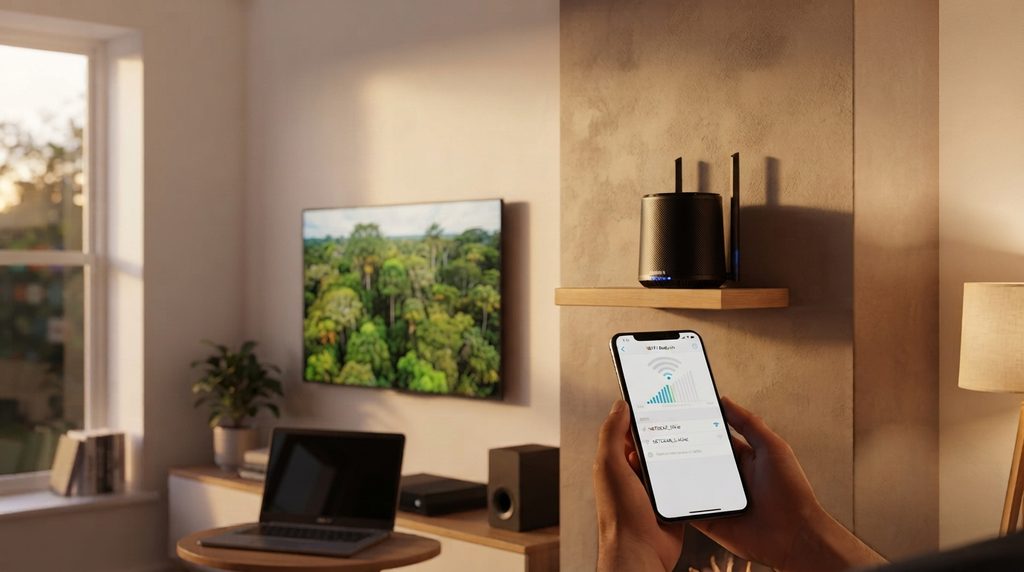
Even when your broadband speed is strong, crowded airspace right beside the television can disrupt playback and trigger firestick streaming issues uk. Modern living rooms pack multiple wireless transmitters into a small shelf or cabinet—including soundbars, wireless subwoofers, gaming consoles, smart speakers, and cordless phones.
When these devices operate close to your streaming stick, they can introduce signal noise that triggers sudden drops in video quality or brief pauses. Addressing firestick streaming issues uk often involves decluttering the immediate electronics cluster around your screen:
- Separate wireless audio gear: Keep wireless soundbar transmitters or subwoofers slightly away from the Firestick and its HDMI extender.
- Check Bluetooth accessories: Disconnect unused wireless controllers, headphones, or keyboards that stay paired and active in the background.
- Avoid stacking devices: Do not rest your router, console, or streaming hub directly on top of another active electronic box.
- Inspect neighbouring channel overlap: In flats or closely spaced terraced streets, overlapping Wi-Fi channels from nearby homes can crowd the 2.4 GHz band during busy evening hours.
9. Manage Peak-Hour Congestion and Streaming Quality Settings
Across the UK, internet usage rises sharply between 7:00 PM and 11:00 PM as households stream live sport, catch-up television, and on-demand films at the same time—a major trigger behind firestick streaming issues uk. Even if your own household network is quiet, wider neighbourhood demand or high-bitrate 4K streams can push a borderline connection past its limit.
If firestick streaming issues uk appear mostly during busy evening windows, adjusting playback expectations and device habits can keep streams steady without replacing your broadband package:
- Test lower resolution temporarily: Switching a stream from 4K Ultra HD to 1080p Full HD cuts bandwidth demand substantially while keeping picture clarity sharp on most living-room screens.
- Close background apps completely: Pressing the Home button leaves many streaming apps suspended in memory; force-stopping unused apps frees system resources for your active stream.
- Check Firestick power supply: Always power the stick using the official wall plug adapter rather than a television’s built-in USB port, which often supplies inconsistent voltage during heavy processing.
- Keep system software updated: Installing pending Fire OS updates ensures your device has the latest wireless stability and playback improvements.
Step-by-Step Troubleshooting Checklist for Smoother Streaming
When playback stutters unexpectedly, work through these checks in order so you solve the most common causes first:
Step 1 — Physical Check
Confirm the Firestick sits clear of metal TV mounts using an HDMI extender and uses its wall power adapter.
Step 2 — Router Check
Verify the broadband hub is elevated, uncovered, and freshly restarted if it has been running continuously for weeks.
Step 3 — Frequency Check
Compare 2.4 GHz and 5 GHz performance from your viewing spot to see which holds a steadier link.
Step 4 — Traffic Check
Pause large game updates, cloud backups, or heavy downloads on other household devices.
Step 5 — App & Storage Check
Clear the cache on the affected app, check free storage space, and test a second app to confirm whether the issue is isolated.
Step 6 — Peak-Hour Speed Log
Record evening speed tests near the TV across two or three nights before contacting your broadband provider or upgrading hardware.
Frequently Asked Questions About Firestick Streaming Performance
Why does my Firestick buffer in the evening when afternoon speeds look fast?
Evening hours bring heavier network demand both inside your home and across local broadband exchanges, which is a common reason behind firestick streaming issues uk. Running speed tests during your normal viewing window reveals whether time-of-day congestion or shared household downloads are reducing available bandwidth.
Is 5 GHz always better than 2.4 GHz for streaming in a UK home?
Not always. While 5 GHz supports higher speeds over short distances, thick brick walls or a router located in another room can weaken it quickly. Testing both bands from the sofa shows which frequency provides the most consistent connection in your specific layout.
Should I use my TV’s USB port to power my Firestick?
Using the wall power adapter included with your Firestick is generally more reliable when trying to prevent firestick streaming issues uk. Many television USB ports deliver lower or fluctuating power output, which can cause random restarts, sluggish menus, or unstable wireless performance during high-definition streaming.
Resolving firestick streaming issues uk rarely requires expensive upgrades right away. Small, practical steps—such as freeing the stick from behind metal TV mounts with an HDMI extender, elevating your router, comparing 2.4 GHz and 5 GHz bands, testing speeds during peak evening hours, and pausing heavy background downloads—often restore smooth playback quickly.
Keep a simple log of your evening speed checks and test each adjustment one at a time so you can pinpoint what actually helps your home setup. If playback still stutters after trying these fixes, use those test results when speaking with your UK broadband provider.
Should you use your television’s USB port to power your Firestick, or stick with the dedicated mains power supply? Using the wall power adapter included with your Firestick is generally more reliable, especially when you are trying to avoid random power drops and keep high-definition streams running smoothly—a key step when tackling firestick streaming issues uk.
Many television USB ports deliver lower or fluctuating electrical output—often limited to low-current standards designed for small storage drives or service diagnostics rather than sustained streaming hardware—which can cause unexpected reboots, sluggish remote responses or menu lag, warning prompts about low power, or unstable wireless performance during demanding high-definition or 4K playback. While a convenient TV USB connection might seem neat because it avoids an extra plug on a crowded extension lead, underpowered operation can easily create frustrating interruptions that look just like network trouble.

That power distinction matters even more when resolving firestick streaming issues uk across everyday British homes, because unstable power and wireless bottlenecks can easily mask one another or compound each other at the worst possible moment. Before rushing out to buy expensive networking gear, boosters, or replacement hardware, working through small, practical steps often restores smooth playback quickly and shows you what is genuinely causing slowdowns in your setup—especially when addressing firestick streaming issues uk.
Moving a tucked-away streaming stick out from directly behind a large television—where metal wall mounts, dense furniture, and nearby electronic gear can block or reflect wireless signals—using a compatible HDMI extender while making sure the power cable reaches safely without strain and the stick has enough room for natural airflow is a great place to start.
Pairing that adjustment with thoughtful router placement—keeping your broadband hub out of closed cabinets or off the floor and putting it in a more central, slightly elevated spot—gives your wireless signal a cleaner path through walls and rooms and helps pinpoint how much of your firestick streaming issues uk come from layout alone. Even small shifts in where your streaming stick and broadband hub sit can steady wireless reception across tricky room layouts and thick household walls before you spend money on extra equipment.
Testing both the 2.4 GHz and 5 GHz Wi-Fi bands from your normal viewing spot adds another practical layer of insight when addressing firestick streaming issues uk, because each frequency behaves differently depending on distance, walls, and surrounding interference.
Testing both Wi-Fi bands and logging real evening speeds helps narrow down firestick streaming issues uk without guesswork. The 2.4 GHz band typically reaches farther and passes through walls more easily, though it is also shared by many household gadgets and nearby networks, whereas the 5 GHz band can offer faster throughput over shorter distances when physical obstacles are minimal. If your broadband hub combines both under one network name and steers connections automatically, check the manufacturer’s instructions before altering wireless settings so you know how to manage them safely when troubleshooting firestick streaming issues uk.
Running speed tests with a phone or computer near the television during the evening hours when buffering usually strikes—recording download speed, upload speed, and time of day over several nights while keeping in mind that a phone measures its own connection rather than the Firestick itself—helps you compare living-room coverage against speeds near the router and spot peak-hour slowdowns. Having those clear numbers makes it far easier to see whether local signal loss or evening broadband congestion is driving your firestick streaming issues uk.
Pausing heavy network activity such as large downloads, software or game updates, and cloud backups during a test stream also helps clarify whether shared household bandwidth is contributing to firestick streaming issues uk. You do not need to freeze every activity in the house whenever someone watches television, nor does a single test settle everything on its own, yet noticing cleaner playback when heavy transfers pause points straight to bandwidth congestion as a driver behind firestick streaming issues uk. Taking a measured look at how your household shares data during busy viewing windows makes it much easier to separate simple scheduling habits from deeper firestick streaming issues uk.
Keep a straightforward log of your evening speed checks and test these practical adjustments one change at a time—powering via the wall adapter, improving stick and router placement, comparing 2.4 GHz and 5 GHz performance, checking peak-hour speeds, and pausing big downloads—so you can pinpoint what genuinely resolves your firestick streaming issues uk. If playback still stutters or drops after working through these steps methodically, bring those recorded speed tests and observations with you when speaking with your UK broadband provider so you have concrete evidence rather than guesswork to finally clear up persistent firestick streaming issues uk.