UK live sports streaming: 9 Crucial Factors to Check Before You Subscribe
Introduction: Navigating UK live sports streaming
The landscape of sports broadcasting has shifted dramatically over the past decade. Traditional terrestrial, satellite and cable television still play an important role in many households, yet internet-based delivery has become a central part of how viewers watch live events, replays and on-demand coverage. For fans looking into UK live sports streaming, the variety of applications, devices and service models can feel overwhelming at first glance.
A large channel list or eye-catching promotional banner does not automatically translate into smooth playback or a dependable UK live sports streaming experience. High-stakes fixtures—such as football matches, international tournaments, rugby, tennis and motorsports—put real demands on network stability, video encoding and server capacity. Taking a structured approach helps you separate practical performance from marketing claims before committing to a UK live sports streaming subscription.
1. How UK live sports streaming Works Behind the Scenes
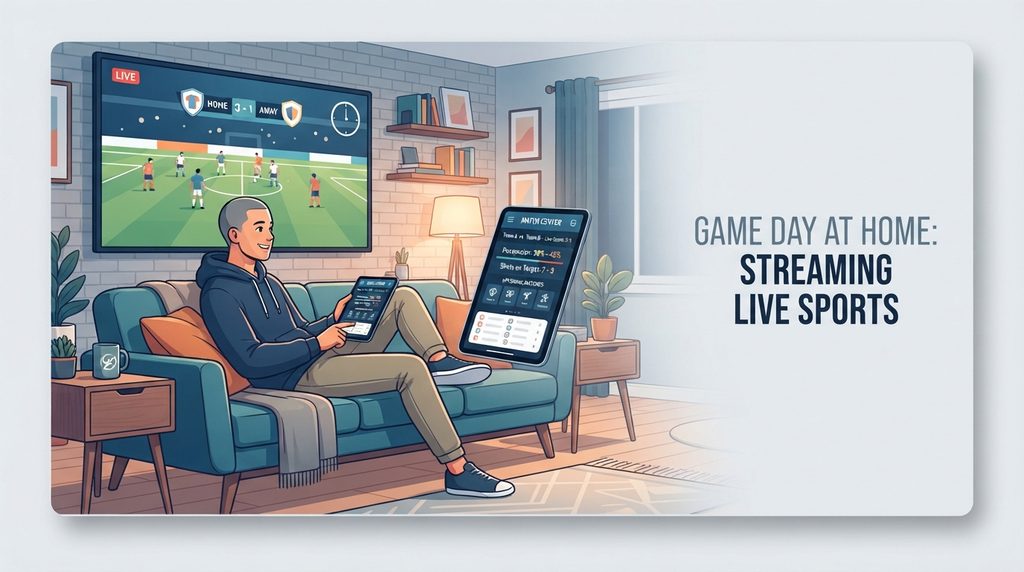
At its core, UK live sports streaming relies on Internet Protocol television and adaptive internet video delivery rather than traditional broadcast signals alone. Instead of receiving a fixed broadcast wave over the air or down a dedicated cable line, your viewing device establishes a network connection with a streaming platform and its servers.
When you select a live match or replay, your application requests video segments over your internet connection and buffers them for playback. Several technical and operational elements shape how smoothly that happens:
- Internet connectivity: A consistent broadband connection helps keep playback steady without frequent stalls or resolution drops.
- Streaming platform: The service or application authenticates your access, manages streams and delivers the interface.
- Compatible device: Smart TVs, streaming sticks, set-top boxes, tablets, smartphones and computers all decode video differently.
- Video quality: Resolution and bitrate determine how sharp fast action looks and how much bandwidth each stream consumes.
- Content licensing: Broadcasting rights dictate which competitions and matches a platform is legally authorised to offer in a given region.
Understanding how these pieces interact makes UK live sports streaming easier to evaluate on technical merit rather than guesswork.
2. Picture Quality and Motion Clarity

Fast-moving sports test video clarity more than almost any other type of television. In football, tennis, ice hockey or motorsport, rapid camera pans, quick ball movement and dense crowd scenes can expose low bitrates or aggressive compression quickly.
When assessing UK live sports streaming quality, look beyond headline labels and think about how the feed behaves on your actual screen:
- Screen size matters: Small mobile screens forgive minor compression, whereas larger living-room televisions highlight blur and pixelation.
- Frame rate and bitrate: Smooth motion depends on adequate frame rates and sufficient bitrate, not just a resolution number.
- Source and rights limitations: Available resolution depends on the original broadcast feed, broadcasting rights, your device capabilities and your connection speed.
3. Applications, Interfaces and Media Players
The app or interface you use shapes your day-to-day experience just as much as the video feed itself. A clutter-free layout makes it easy to jump into a live event, check schedules and switch between streams without frustration.
When comparing UK live sports streaming applications, keep two key distinctions in mind:
- Media player vs. content provider: Some apps act purely as interfaces or media players and do not include sports channels or broadcasting rights on their own.
- Practical usability: Focus on responsive menus, reliable profiles and device compatibility rather than flashy promises.
4. Electronic Programme Guides (EPG) and Schedule Accuracy
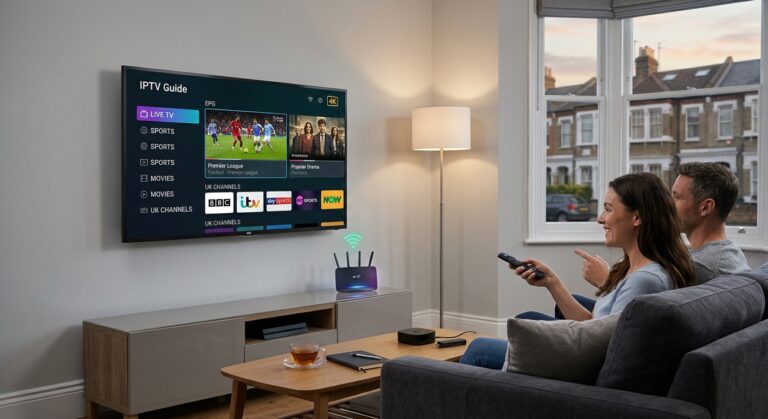
When several matches, tournaments or race sessions take place on the same weekend, finding the right broadcast quickly becomes essential. An Electronic Programme Guide (EPG) acts as your on-screen timetable, showing what is currently airing, which fixtures start next and where upcoming events are listed.
For anyone comparing UK live sports streaming platforms, a well-structured schedule guide saves time and prevents missed kick-offs:
- Clear fixture listings: Reliable programme information makes it easier to check start times, live coverage windows and repeat broadcasts across busy sports weekends.
- Time-zone alignment: Accurate UK local time display ensures you do not misread afternoon kick-offs, evening sessions or international fixtures.
- Search and filtering tools: Straightforward category filters—such as live events, replays or specific sports—keep navigation practical when multiple streams run simultaneously.
Keep in mind that schedule accuracy depends heavily on how consistently the platform updates its programme data. Even a well-designed interface becomes frustrating if listings lag behind last-minute fixture changes or overtime extensions.
5. Useful Playback Features: Pause, Resume, Subtitles and Catch-Up
Modern viewers rarely watch every sporting event from start to finish without interruption. Whether you step away during half-time, join a broadcast late or want to revisit a key moment, flexible playback controls add real everyday value.
When evaluating UK live sports streaming options, check which practical playback features are built into the player and supported by the content provider:
- Pause and resume: Live buffer controls allow you to pause action briefly and pick up where you left off without losing your place.
- Subtitles and audio tracks: Accessibility options such as closed captions, commentary language choices or stadium-audio feeds improve comfort across different viewing environments.
- Catch-up and on-demand replays: Supported catch-up functionality lets you watch completed matches, highlights or studio analysis after the live broadcast ends.
The availability of these features depends on both the streaming application you use and the specific rules set by the content provider or rights holder. Checking these capabilities beforehand helps avoid surprises once the season gets underway.
6. Parental Controls and Household Management
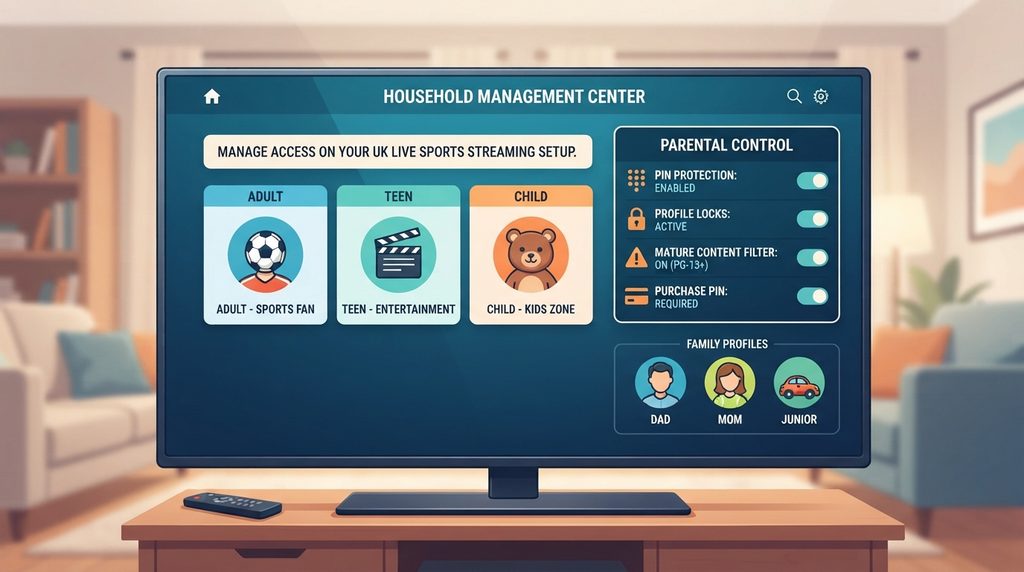
In many households, the main living-room television is shared by adults, teenagers and younger children throughout the day. While sports programming itself is generally family-friendly, wider streaming applications often bundle general entertainment, documentaries, news and on-demand libraries inside the same interface.
A thoughtful UK live sports streaming setup should give households straightforward ways to manage who accesses what on shared screens:
- PIN protection and profile locks: Restricting access to specific app sections, mature categories or account settings prevents accidental changes or unwanted viewing.
- Separate user profiles: Individual profiles keep favourite sports channels, watchlists and viewing preferences organised for different family members.
- Purchase and subscription controls: Locking billing and plan-modification menus ensures younger household members cannot trigger unintended add-ons or renewals.
Taking a few minutes to review parental control settings during initial setup helps keep shared televisions simple, safe and tailored to everyone at home.
7. Device Security and Safe Payment Practices
Protecting your home network, smart devices and financial details should always come first when setting up any UK live sports streaming service. Unverified websites often promote cheap packages or massive channel lists, yet installing unknown files or handing over sensitive payment information can create serious security risks.
When choosing a UK live sports streaming provider, keep these essential safety habits in mind:
- Use trusted payment methods: Stick to recognised payment processors and official billing portals that offer clear transaction records and buyer protection, and avoid sharing unnecessary personal data.
- Avoid unverified downloads: Never install unknown applications, third-party APK files or suspicious browser extensions simply because a site promises extra sports coverage.
- Keep devices updated: Regularly updating your smart TV firmware, streaming stick software and router security helps protect your home network against vulnerabilities.
A dependable UK live sports streaming experience should never require bypassing official app stores or compromising your device security.
8. Legitimate Broadcasting Rights and Legal Compliance
Sports broadcasting rights are valuable intellectual property, negotiated directly between competition organisers, rights holders, broadcasters and authorised distribution partners. Because different leagues and tournaments sell rights separately across territories, no single provider automatically holds permission to stream every event worldwide.
Before subscribing to any UK live sports streaming service, verify its licensing transparency:
- Check official authorisation: A platform that advertises thousands of sports channels does not automatically hold the legal right to distribute all of them in the United Kingdom.
- Understand regional rights: Live football, rugby, cricket, tennis and motorsport coverage in the UK are governed by specific territorial agreements that determine which broadcaster carries each fixture.
- Avoid sudden disruptions: Authorised platforms invest in licensed feeds and dedicated infrastructure, whereas unverified streams frequently suffer from sudden takedowns, unstable servers and poor picture quality.
9. Transparent Pricing and Troubleshooting Playback Issues
Clear commercial terms and realistic expectations around technical troubleshooting make a major difference over the course of a sports season.
Transparent Pricing
Subscription prices should always be displayed clearly upfront, including standard renewal rates, contract length and any additional charges. When comparing UK live sports streaming plans, evaluate the total ongoing cost rather than focusing solely on short-term introductory offers, and review cancellation rules, refund policies and payment security before signing up.
Troubleshooting Playback Issues vs. Platform Outages
Even with a strong broadband connection, occasional buffering or stream interruptions can occur during peak live fixtures. Before changing your device settings, separate local connection issues from provider-side disruptions:
- Check your home network: Restarting your router, switching from Wi-Fi to an Ethernet cable or closing background downloads on other household devices often resolves local bandwidth bottlenecks.
- Check official service status: Sometimes playback difficulties stem from temporary platform maintenance, server congestion or an upstream broadcast fault rather than your own setup. Checking the provider’s official status updates first prevents unnecessary configuration changes.
Final Verdict: Choosing the Right Setup
Finding a reliable UK live sports streaming setup comes down to balancing technical performance with transparency and compliance. By verifying broadcasting rights, testing device and app compatibility, checking EPG accuracy and playback tools, protecting your household devices, and reviewing full pricing terms upfront, you can enjoy live sport with far fewer interruptions.
Planning to subscribe to a UK live sports streaming service? Take a few minutes to compare authorised platforms carefully, verify total renewal costs and cancellation terms, and choose an option built for your broadband speed and home screens.
10. Comprehensive Buyer’s Checklist, Frequently Asked Questions and Final Verdict
Reaching the end of your research before subscribing to any service is one of the smartest habits a sports fan can build. Live sport moves fast, emotions run high during decisive fixtures and major tournaments, and promotional campaigns are specifically designed to create urgency around opening weekends, derby matches, cup finals and championship run-ins. Stepping back to run through a structured set of checks turns UK live sports streaming from a gamble into a predictable, well-informed decision.
Rather than relying on a single feature or a headline discount, treat every platform you evaluate as a complete viewing system. That system includes your broadband connection, your home router and local wiring, your television or streaming hardware, the application interface, the accuracy of the programme guide, the playback tools you actually use, the privacy and security rules of the service, the transparency of its billing terms and the legitimacy of its broadcasting rights. When those elements align, UK live sports streaming feels effortless; when one of them is overlooked, frustration tends to surface right when a match kicks off.
Practical Pre-Subscription Checklist for UK Viewers
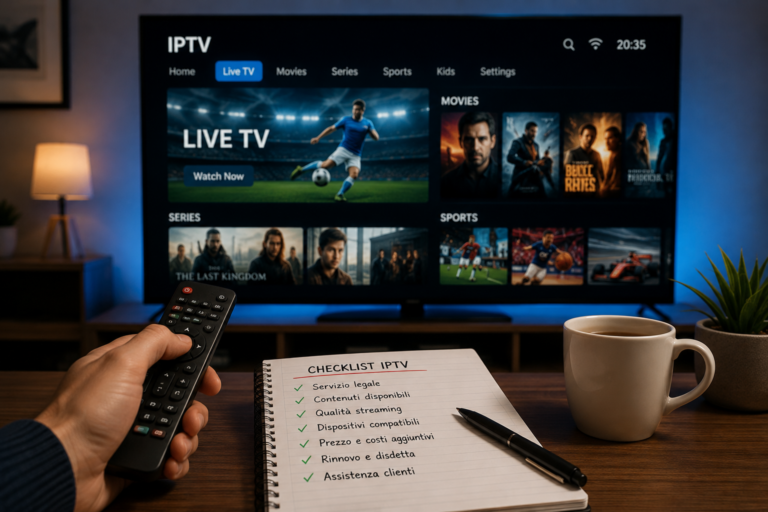
Before entering payment details or committing to a recurring plan, work through these practical checkpoints so nothing catches you off guard later in the season:
- Confirm legal authorisation and regional rights: Verify that the platform is legally permitted to distribute the specific sports, competitions and fixtures you want to watch in the United Kingdom. A huge advertised channel count means very little if the rights for your favourite league or tournament belong elsewhere or if the stream lacks proper licensing.
- Test your home network and connection stability: Live video streams require steady throughput and low packet loss rather than brief speed spikes alone. Check how your router is positioned, evaluate wired Ethernet versus Wi-Fi on your primary television and see how heavy household downloads or cloud backups affect live playback during peak evening hours.
- Check hardware and operating system compatibility: Make sure the service supports the exact smart TVs, streaming sticks, set-top boxes, tablets, phones or browsers your household already uses. Confirm whether firmware updates are current and whether the app runs smoothly without sluggish menus or frequent crashes.
- Evaluate video clarity and motion handling: Judge picture quality by how fast-moving action looks on your actual screen size. Look for crisp motion, clean frame rates and balanced bitrates during fast camera pans, stadium wide shots and high-speed plays rather than relying solely on marketing labels.
- Inspect the interface, EPG and playback tools: Check that the electronic programme guide displays accurate UK timings, clear event categories and reliable schedule updates. Confirm whether pause, resume, subtitles, audio options and catch-up replays are available and supported for the events you care about.
- Review household profiles and parental controls: If children or multiple family members share the main screen, verify that PIN locks, restricted categories, separate profiles and billing protections are easy to configure and keep turned on.
- Protect device security and payment data: Only install applications from trusted sources, avoid unverified files or suspicious links promising bonus sports feeds, use secure payment methods and avoid sharing unnecessary personal information during registration.
- Read the full pricing, renewal and cancellation terms: Compare the total cost across the full period you plan to subscribe, not just an introductory discount. Check automatic renewal rules, notice periods, potential extra charges and refund or cancellation policies before paying.
- Know how to separate local faults from service issues: Keep a simple troubleshooting routine ready—checking local network health first, then checking official service announcements before altering device settings—so minor hiccups do not derail matchday.
Taking time over these points makes UK live sports streaming far easier to manage over months of fixtures rather than just a single weekend.
Frequently Asked Questions About UK Live Sports Streaming
Many viewers run into the same practical questions when comparing services, setting up living-room screens or troubleshooting playback. Addressing them clearly helps set realistic expectations before you subscribe.
How much internet speed do I need for smooth live sports?
There is no single magic number that guarantees perfection in every home, because real-world performance depends on consistency, latency, Wi-Fi signal strength and how many other devices are active at the same time. A connection that looks fast on a quick speed test can still stutter if signal quality drops through thick walls or if another household member starts large downloads or game updates mid-match. Connecting primary living-room devices via Ethernet where possible, placing the router in an open central spot and testing streams during busy evening windows give a much clearer picture of how UK live sports streaming will perform in everyday use.
Why does sports video sometimes look blurry or choppy even on a fast connection?
Fast sports place heavy demands on video encoding because thousands of moving blades of grass, crowd details, players and fast projectiles change from frame to frame. If a UK live sports streaming feed uses a lower bitrate, reduced frame rate or heavy compression to save bandwidth, rapid movement can look soft or slightly juddery even when your broadband line has plenty of spare capacity. Your screen size also makes a difference: minor compression artefacts that barely show up on a phone or tablet become much more noticeable on a large living-room television.
What is the difference between a streaming app and a content provider?
Some applications are standalone media players or interface tools that organise streams or playlists, whereas content providers actually supply the video service and hold or manage access to programming. Confusing the two is a common source of frustration for newcomers who install an interface app expecting built-in sports channels. When researching UK live sports streaming options, always be clear on what role an application plays, what service sits behind it and who holds the underlying distribution rights.
Are features like pause, subtitles and catch-up available on every stream?
No. Even when a UK live sports streaming app includes controls for pausing live television, turning on subtitles or catching up on earlier coverage, individual streams or specific broadcasts may restrict certain features. Rights agreements, live broadcast workflows and technical formatting can all influence what is supported on a given event. Checking feature availability in advance helps avoid assuming every match includes full replay or captioning options.
Should I sign up for a long-term plan right away or start shorter?
A shorter commitment or trial period—where available and clearly explained—lets you test real-world reliability across actual weekend fixtures, check EPG accuracy and see how the service handles peak traffic before locking in a longer term. Longer plans sometimes lower the effective monthly price, yet they only represent good value if the service proves dependable, transparent and well-suited to your routine. Always weigh upfront savings against flexibility and clear cancellation terms when comparing UK live sports streaming plans.
What should I do first if a live stream starts buffering mid-match?
Start with quick, low-risk checks before changing complex settings on your television or streaming stick when troubleshooting UK live sports streaming. Confirm whether other apps or devices on your home network are working normally, restart your streaming app or router if needed, and check whether the provider has posted any notice about maintenance, server strain or a broadcast issue. Avoiding unnecessary factory resets or random setting changes saves time and keeps your setup consistent.
Final Verdict: Making a Confident Choice
At its best, UK live sports streaming gives viewers flexibility, convenience and access to live action across the screens they already use every day. The key is approaching the market with clear criteria rather than impulse. Prioritise legitimate broadcasting rights and honest pricing first, then judge technical performance—picture clarity, app responsiveness, EPG accuracy, helpful playback features, household controls and network stability—against how you actually watch sport at home.
When you choose a service that respects your security, explains its terms plainly and holds up under live match pressure, you spend less time troubleshooting and more time enjoying the game. Whether you follow weekly league fixtures, international tournaments, championship races or seasonal highlights, a disciplined evaluation helps ensure your UK live sports streaming setup delivers steady value long after the novelty of signing up wears off.
Ready to choose your viewing setup? Take a moment to review your broadband stability, compare UK live sports streaming platforms on legal rights, transparent pricing and device compatibility, and pick a service that fits your household reliably before the next big fixture kicks off.