Sat Receiver for Germany: 9 Essential Tips for Enjoyable 4K & Astra 19.2°E
Table of Contents
ToggleIntroduction: Why Satellite Receivers Still Matter in Germany
Satellite television remains a practical choice for viewing TV in Germany, especially in areas where cable connections are limited or not preferred. Paired with a dish and low-noise block (LNB), a sat receiver for germany lets households access free-to-air and encrypted broadcasts without ongoing cable fees.
Modern receivers offer far more than basic standard-definition channels. Many models support HD, 4K Ultra HD, electronic program guides (EPG), USB recording, and network features. Choosing the right model depends on your TV, preferred channels, and everyday habits rather than price alone.
This guide covers how satellite reception works in Germany, which standards and features matter, how to set up your hardware, and how to fix common reception problems.
1. How a Sat Receiver for Germany Works
A digital satellite receiver processes signals sent from a communications satellite to your dish. The dish focuses the signal onto the LNB, which shifts it to a frequency that travels through a coaxial cable into the receiver.
Inside the receiver, the tuner and decoder convert the digital signal into video and audio sent to your TV over HDMI. Even the best receiver depends on a properly aligned dish, a working LNB, and undamaged coaxial cabling.
2. Key Types of Satellite Receivers
HD and 4K UHD Receivers: HD receivers suit standard modern TVs, while 4K UHD models deliver higher detail when both your TV and the broadcast support Ultra HD.
If you are comparing satellite UHD boxes with internet-based streaming hardware for your living room TV, take a look at our best 4K IPTV devices guide.
Twin-Tuner Receivers: Include two tuners so you can watch one channel while recording another, helpful for households with overlapping schedules.
3. Reception Standards and Astra 19.2° East in Germany
Most German television programming is broadcast from the Astra 19.2° East orbital position, including public broadcasters as well as private channels. Check that your receiver supports DVB-S2 (and DVB-S2X where used) so it can tune and decode current transponders properly.
Some channels are free to air, while others require a subscription, smartcard, or compatible conditional-access slot such as CI+. Always verify standard and encryption compatibility before buying.
4. Essential Features and TV Compatibility
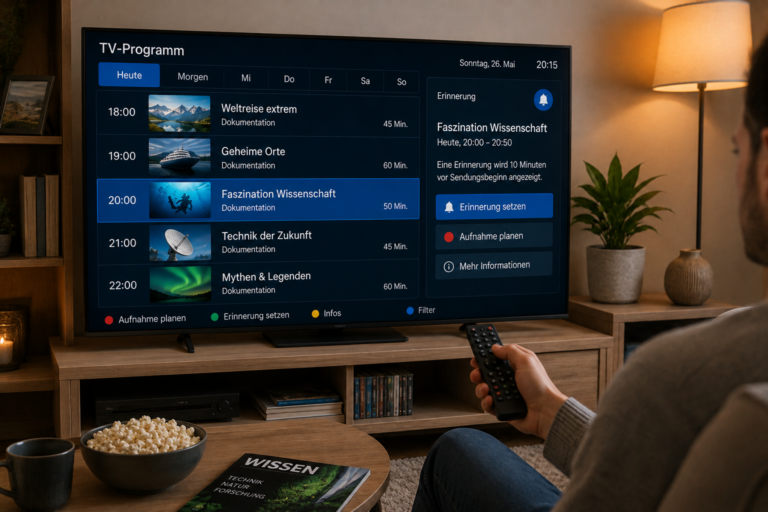
EPG and USB / PVR: A clear Electronic Program Guide makes browsing easy, while USB ports and Personal Video Recording (PVR) or timeshift features let you pause or save supported broadcasts to external storage.
TV and Audio Match: Match the receiver’s HDMI output and supported audio formats to your TV or soundbar, and decide whether an external box adds features your TV’s built-in tuner lacks.
Network and Power: Ethernet or Wi-Fi can help with official firmware updates, while low standby power and auto-shutdown save energy. For cabling and router tips when connecting TV hardware to your home network, check our IPTV equipment guide.
5. Step-by-Step Installation and Signal Quality
Pick a clear spot: Place the dish where buildings, trees, or obstacles do not block the line of sight to Astra 19.2° East.
Align the dish: Aim the dish carefully using signal meters or professional alignment tools before finishing setup.
Connect cables: Attach the coaxial cable firmly between the LNB and receiver, then connect the receiver to your TV with HDMI.
Scan channels: Run an automatic or manual channel scan and save your preferred stations.
When tuning, check both signal strength and signal quality. High strength with poor quality points to interference, dish misalignment, cable damage, or wrong LNB/DiSEqC settings.
6. Common Sat Receiver Problems and Quick Fixes
No Signal: Check coaxial connections, dish alignment, LNB health, and satellite or DiSEqC settings.
Pixelation or Dropouts: Inspect cables and connectors for wear or loose fittings, and check weather or signal quality readings.
Missing Channels: Run a fresh channel scan if transponders change, or check your antenna settings before resetting the device.
Remote Not Responding: Replace batteries, clear the sensor path, or re-pair a Bluetooth remote.
7. Firmware Updates and Safe Buying in Germany
Only install official firmware from the manufacturer to keep the device stable and secure. Check privacy settings on network-connected models, and compare warranty, build quality, and required tuners or slots rather than picking the cheapest box.
8. Frequently Asked Questions
Does a sat receiver need internet? No, standard satellite TV reception works over the dish and coaxial line; internet is only needed for optional network features or updates. If you prefer streaming channels directly over broadband without installing a dish, you can explore modern streaming options on NuvexaTV with a free 24-hour trial, or read our IPTV solution guide to see how internet TV setups work.
What is the difference between DVB-S and DVB-S2? DVB-S2 is a newer generation standard that improves transmission efficiency and supports modern HD/UHD broadcasts.
Why is Astra 19.2° East important in Germany? It is the main satellite position carrying a wide range of German-language TV and radio channels.
9. Conclusion: Choosing the Right Setup
A well-chosen sat receiver for germany gives reliable TV access when paired with a solid dish setup, accurate alignment, and current official software. Focus on supported standards, 4K or HD needs, and recording features that match how you watch TV at home.